FoliageLab - Atlas
 Michael G. Art


Do I need to extract the .zip before installing?
No. Blender requires the .zip file as-is. Go to Edit > Preferences > Add-ons > Install..., select the .zip and click Install Add-on. Extracting the archive beforehand will prevent Blender from recognising the add-on.
Where do I find the panel after installation?
In the 3D Viewport, press N to open the N-Panel, then select the FoliageLab tab.
Which file suffixes are automatically recognised?
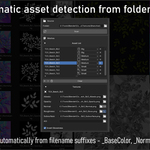
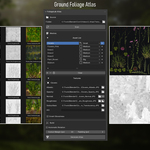
The scanner detects: _BaseColor / _Albedo, _Normal, _Roughness / _Glossiness, _AO, _Opacity / _Mask, _Subsurface. Assets are grouped by base name.
My textures are not being detected, why?
Make sure your file names use the supported suffixes listed above. You can also add an asset manually using the + button in the Meshes section and assign its channels by hand.
What is the difference between Big, Medium, and Small sizes?
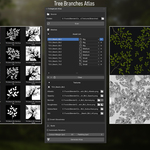
They define how much space each asset occupies in the atlas: Big ≈ 20%, Medium ≈ 10%, Small ≈ 5%. As a guideline: Big for trunks and large branches, Medium for standard leaves, Small for fine details.
I moved assets in the viewport but the export doesn't reflect it.
After any manual adjustment, you must click Save Layout before exporting. Without this step, the export uses the last saved layout — not the current viewport positions.
How do I preserve an asset's size during Redistribute?
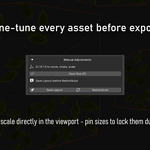
Select the asset and press P (or click Save Size) to pin its scale. Pinned assets keep their size when Redistribute is run.
What does Cutout Margin do?
It expands each asset's convex hull outward by the specified number of pixels in texture space. This prevents texture clipping at hull edges. Set it to 0 for the tightest possible cutout.
My engine uses DirectX convention (Unreal Engine). What should I do for normals?
Enable the DirectX (Invert Green) option in the export settings. Blender uses OpenGL convention (green = up); UE5 uses DirectX (green = down). This option inverts the green channel of the normal map at export.
How do I export an ORM texture (Occlusion, Roughness, Metallic)?
Use the Custom Packed Textures section in Export. Add a preset, name it (e.g. ORM), then assign PBR source channels to the R, G, B, A outputs according to your target convention.
The Export Atlas button is not visible.
This button only appears when two conditions are met: an output folder is set, and the atlas has been generated (Generate Atlas has been run at least once).
Can I export only specific PBR channels?
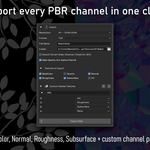
Yes. In the Export section, uncheck any channels you want to skip in the Textures to Export grid (BaseColor, Opacity, Normal, Roughness, Subsurface, AO).
$30
Have questions about this product?
Login to message
| Published | 6 months ago |
| Blender Version | 4.2 - 4.5 |
| Extension Type | Add-on |
| License | GPL |
Discover more products like this
game assets vegetation PBR game ready real-time pipeline foliage technical-art texture atlas environment art game-art