 Michael G. Art


Folder in. Atlas out.
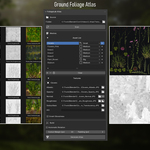
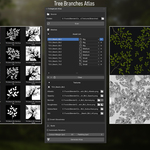
Point your source folder at your PBR textures. Atlas scans it, detects your assets automatically, and places them in scene — ready to arrange and bake into a clean atlas.
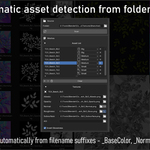
Automatic detection
- Scans a flat folder and detects PBR assets by filename convention — no manual setup required
- Auto-detects asset size (Big / Medium / Small) from keywords in the filename — adjustable manually if needed
- Supports a wide range of naming conventions out of the box — _BaseColor, _BC, _Diffuse, _NRM, _Roughness, _Gloss, _Mask, _AO, _Subsurface and more
- Single-element textures are treated as squares. Multi-element textures get a convex hull based on pixel distance — no wasted space in the atlas
Layout & Preview
- Assets placed in scene automatically based on size — branches always larger than leaves, leaves larger than details
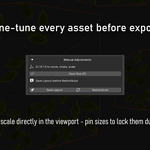
- Lock individual asset sizes before redistributing — the packer respects your manual adjustments and scales the rest around them
- Automatic rotation finds the best orientation per asset to maximize packing efficiency — toggle on or off
- Adjustable padding and overlap per placement pass
- Save your layout, then bake
- Full PBR preview in viewport — switch between Albedo, Normal, Roughness, AO and Opacity at any time
Export options
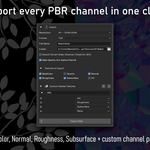
- All PBR channels exported as separate atlas files — baked outside Blender via an independent pipeline, no render required
- Subsurface / Translucency channel supported — detected and exported alongside standard PBR maps
- Custom Packed Textures — define your own channel packing per preset (ORM, etc.)
- Opacity baked into Albedo alpha channel (optional)
- Normal map green channel inversion for DirectX / UE5 (optional)
- Normal map vectors are correctly rotated in the atlas — no normal seam artifacts when assets are repositioned or rotated
- Color bleed on all channels — transparent areas filled by nearest-neighbor propagation, no black fringing at texture borders
- Glossiness to Roughness inversion — per asset or globally
- PNG, TGA, TIFF or EXR output, up to 16K resolution
Requirements — Flat folder structure required. Blender 4.2+.