Foliagelab - Cluster
 Michael G. Art


Do I need to extract the .zip before installing?
No. Install the .zip file directly in Blender via Edit > Preferences > Add-ons > Install.... Extracting the archive beforehand will prevent Blender from recognising the add-on.
My actors are not showing up in the list after clicking Detect Meshes.
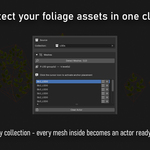
Make sure the correct collection is selected in the Source section before clicking Detect Meshes. Only objects directly inside that collection are picked up as actors.
Can I use meshes from multiple collections?
The Source section points to a single collection. To use meshes from multiple collections, move or link them into one common collection first, then run Detect Meshes.
What does the anchor index (1-4) do?
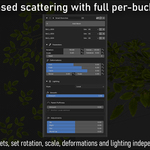
Each anchor carries an index from 1 to 4. Inside a bucket, each actor has a matching Idx field. Only actors whose Idx matches the anchor's index will spawn on that anchor. Setting an actor's Idx to "All" makes it spawn on every anchor regardless of index.
How do I change an anchor's index after placing it?
While in anchor placement mode, hover over the anchor disc and scroll the mouse wheel to cycle through indices 1 to 4.
What is the Parent field in Bucket Parameters?
Setting a parent bucket causes instances of the current bucket to scatter on the surface of the parent bucket's instances, rather than directly on the base mesh. This allows layered, hierarchical foliage assembly -- for example, small leaves scattered on top of larger branch planes.
How do I get a different random distribution without changing my settings?
Change the Seed value in the bucket's Parameters section. Each seed produces a unique distribution while keeping all other settings identical.
What is the difference between Curl, Fold, and Twist?
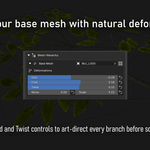
Curl bends the mesh along the Z axis (tip curves up or down). Fold creates a V-shape around the centre X axis with no stretching. Twist rotates the mesh progressively around its Y axis from base to tip. All three can be combined and are expressed as a ratio of the actor height.
My foliage looks flat and uniformly lit. How do I improve shading?
Open the Lighting section inside the bucket and switch the Style from None to Global or Local. Global blends normals toward world-up by size category, which softens shading on large clusters. Local gives finer control with Smooth and Puffiness sliders plus directional adjustments.
How do I check how vertex normals look before baking?
Select a bucket using its select button in the hierarchy, then enable Normal Overlay. This displays the vertex normals of that bucket's preview instances directly in the viewport.
I moved some instances manually but my changes are gone after clicking Bake.
Always click Confirm Adjustments before baking. This saves all manual overrides into the preview state. Clicking Bake Branch without confirming first will use the unmodified preview.
Can I replace a single instance with a different mesh without affecting the rest of the bucket?
Yes. Enter Manual Adjustments mode, select the instance in the viewport, and use the Actor Override dropdown to replace it with any other actor from the same bucket.
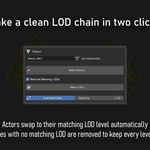
What does Remove Missing LODs do when baking?
When enabled, if an actor has no mesh available for a given LOD level, its instances are removed at that level instead of left as empty placeholders. This keeps the baked LOD chain clean without gaps.
$30
Have questions about this product?
Login to message
| Blender Extension Compatible | Yes |
| Published | 6 months ago |
| Blender Version | 4.2 - 4.5 |
| Extension Type | Add-on |
| Render Engine Used | Cycles, Eevee |
| License | GPL |
Discover more products like this
deformation Vertex normals game ready Cluster vegetation procedural Branch real-time foliage Billboard scattering LOD