 Michael G. Art


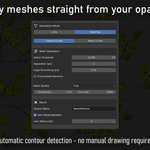
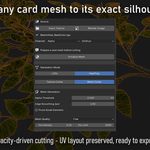
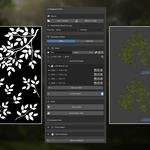
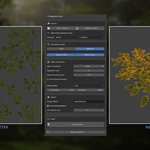
Pick your opacity map. Pick your mode and generate the right mesh for every stage of your pipeline.
LODs
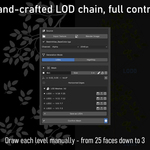
- Draw a hull polygon per actor directly in the Image Editor
- Add inner Steiner points to guide triangulation — control edge flow from the inside
- Edge direction configurable per hull — Vertical for straight branches, Horizontal for bending geometry
- Pivot, angle and per-actor vertex count configurable per hull
- Save manual LOD snapshots — as many levels as you need
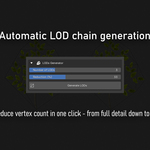
- Auto-generate a full LOD chain from any saved hull, with control over the number of levels and reduction percentage per step
- Build Other LODs — generate all manually saved LOD levels in one click after LOD0 is built
- Exploded view for easy inspection of the full LOD chain — spread levels along Z or on a 2D grid
Cross Mesh
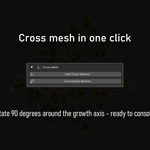
- Add Cross Meshes — duplicate any LOD mesh and rotate the copy 90° for billboard-style crossed geometry
- Consolidate Meshes — merge each LOD mesh with its cross companion into a single object, organized into per-actor collections
HighPoly
- Texture Cutter — traces a pixel-perfect outline from the opacity map using Marching Squares. Full control over outline precision and cleanup. Quality presets: Draft, Standard, Cinematic
- Mesh Cutter — cuts existing card or plane meshes in the viewport to follow the opacity silhouette directly
- Separation (px) — controls how aggressively distinct elements on the opacity map are detected as separate islands
- Edge Smoothing (px) — simplify the traced contour before triangulation
- Tris Density and Vtx Limit — control mesh density and cap the vertex count per island
All modes
- Source from external file or any image already loaded in Blender — including render results and procedural textures
- Read from Mask, Alpha, R, G or B channel
- Working resolution up to 8K
- Full PBR viewport preview
- Holes and transparency regions inside your silhouette are detected automatically and excluded from the mesh — no manual cleanup needed
Requirements — Blender 4.2+.
Changelogs - v1.1
- Much faster - Mesh preparation, cutting and consolidation have been substantially reworked. A dense tree that used to take hours now processes in minutes.
- Cutting by actor type - Identical cards are no longer cut one by one: the tool recognises repetitions, cuts once, and applies the result everywhere. Scenes are far lighter on memory.
- Instant consolidation - Merging the cut parts into a single object is now near-instant, even on models with tens of thousands of cards, and no longer destroys the parts.
- New Remove Cut Parts button - Deletes the cut parts once you have checked the merged result. Asks for confirmation first.
- No more floating fragments - Pieces of neighbouring leaves that occasionally ended up attached to a card are now discarded automatically.
- Prune Small Elements - Finally works in Mesh Cutter mode; the setting was displayed but had no effect.
- New Local Build section - For adjusting a specific actor after a general pass, with the choice of applying the fix to that actor alone or to all of its copies.
- Reorganised panel - to clearly separate the general pass from one-off adjustments.
Note: the general cut replaces the meshes. To re-cut with different settings, run Initialize Mesh again. Consolidating keeps the cut parts and hides them - use Remove Cut Parts to delete them once you are happy with the result