Fourdesinno Asset Browser & Fast Asset Creator Pro

FOURDESINNO in Import & Export


FOURDESINNO ASSET BROWSER

A faster Blender asset workflow starts here.

BUILT FOR MOMENTUM

Stay in the scene. Keep creating.

Spend less time switching between websites, folders, and repeated setup—and more time building the scene.

Five asset sources.
One faster Blender workflow.

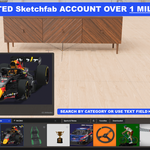
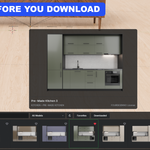
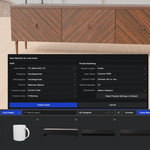
Browse Sketchfab, ambientCG, Poly Haven, FOURDESINNO, and your own Local Assets directly inside Blender. Preview, favorite, drag, download only when needed, and reuse downloaded content offline.

Sketchfab ambientCG Poly Haven FOURDESINNO Local Assets
FOURDESINNO Asset Browser inside Blender

Interface screenshots may vary as the add-on continues to receive updates and refinements.

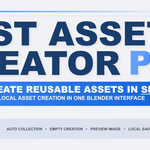
SIGNATURE FEATURE · LOCAL ASSET CREATOR

Select. Create Asset. Done.

Turn scene content into a reusable Blender asset without repeating the usual setup by hand.

Object / Selection / Collection → Create Asset → Reusable local asset
AUTOMATIC PREVIEW
Preview included
Generate a transparent asset preview using Current View or Preview Frame.
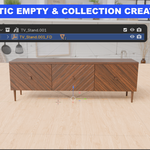
AUTO STRUCTURE
Collection + Empty handling
Creates the reusable structure and adds a root Empty when one is needed.
BLENDER ASSET
Marked and ready
The saved content is marked as a Blender Asset automatically.
SELF-CONTAINED
Dedicated .blend file
Creates the asset file and packs resources for dependable reuse.
CLEAN PLACEMENT
Centered and grounded
Prepares the saved asset for predictable placement when you reuse it.
IMMEDIATE REUSE
Back in the browser
The new asset becomes part of your Local Assets library for future drag-and-drop placement.
No manual preview file. No manual Mark as Asset. No repeating the same library setup.
ONE BROWSER. LESS FRICTION.

Stop breaking your flow to hunt for assets.

Keep discovery, downloading, organization, and reuse closer to the scene you are already building.

1 · BROWSE
Explore inside Blender
Switch between multiple online and local libraries from one interface.
2 · FAVORITE
Shortlist first
Save useful assets to Favorites before committing to a download.
3 · DRAG
Bring it into the scene
Drag supported assets directly where you need them.
4 · REUSE
Keep it available offline
Downloaded and local content stays ready on your machine.
WHAT YOU GET

One add-on built around everyday asset work.

5 asset sources Search + categories Favorites before download Downloaded library Offline reuse Drag-and-drop placement Fast Local Asset Creator Local Materials library Eevee + Cycles previews Persistent local storage Built-in updater
WHY IT FEELS FASTER

Every feature removes a small interruption.

Those saved steps add up across every project.

PREVIEW FIRST
Download with more confidence
Review assets visually before committing to a download.
FAVORITES
Keep useful content close
Favorite online assets and your local libraries.
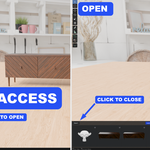
OFFLINE ACCESS
Downloaded and local content stays available
Reuse content that is already stored on your machine.
ADD-ON-ONLY ASSETS
Access selected exclusive content
Some FOURDESINNO assets are available only through the add-on.
LOCAL MATERIALS

Your best materials, ready for the next project.

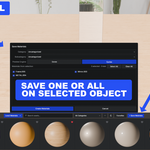
Save materials already in your scene into a visual library and drag them directly onto meshes when you need them again.

SAVE
One or multiple materials
Build your library from materials already used in the scene.
ORGANIZE
Preview, search, categories
Keep materials visual and easy to find instead of buried in old files.
REUSE
Drag directly onto a mesh
Apply a saved Local Material without rebuilding it from scratch.
BUILT FOR MOMENTUM

The useful part is not one feature. It is the steps you stop repeating.

Less website switching
Search and browse from Blender instead of jumping between tabs.
Download only what matters
Favorite first and keep your shortlist clean before downloading.
Reuse instead of rebuild
Keep downloaded assets, Local Assets, and Local Materials ready for later.
Stay in the scene
Spend more of the session building instead of managing files.
INSTALL

Download. Install. Start browsing.

1. Download the compressed add-on ZIP
2. Drag the ZIP into Blender or use Install from Disk
3. Open the browser and choose your source
FOURDESINNO ASSET BROWSER

Find assets faster. Build your own library. Reuse more.

Five sources, favorites before download, offline reuse, Local Assets, and Local Materials—organized around the Blender scene you are already working in.

Buy Once — Keep Forever
CORE HIGHLIGHTS

A cleaner reusable-asset workflow inside Blender.

The add-on brings online browsing, reusable Local Assets, and Local Materials together in one organized workflow.

IMPORTANT DISCLOSURE

Third-party access.

Clear information about connected third-party services and their access requirements.

THIRD-PARTY ACCESS
Sketchfab account and API authorization
The Sketchfab integration communicates through the Sketchfab API. Customers must sign in to their own Sketchfab account and authorize access. ambientCG and Poly Haven do not require a separate account or user-supplied API token. Asset availability, download permissions, API availability, rate limits, and licensing remain subject to the relevant third-party provider and individual asset creators.

  • Fourdesinno Asset Browser & Fast Asset Creator Pro

    $19.99
$19.99

Have questions about this product?
Login to message

Details
Blender Extension Compatible Yes
Dev Fund Contributor
Published about 2 months ago
Blender Version 5.0 - 5.2
Extension Type Add-on
Render Engine Used Cycles, Eevee
License GPL