Frameformer
 eye-candy.xyz


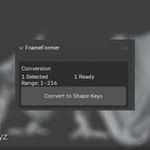
Why does Blender freeze when I click "Convert to Shape Keys"?
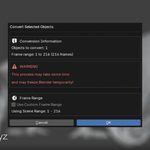
The conversion process evaluates the mesh on every frame in the specified range and stores that data as a shape key. For long animations or high-poly meshes, this can be memory and CPU intensive. It's recommended to use the Custom Frame Range option to convert only the parts of the animation you need to edit.
What is the difference between "Frame Mode" and selecting an "Overall Shape Key"?
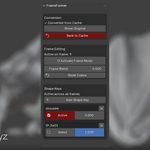
In Frame Mode, your sculpting only affects the current frame. When you select an Overall Shape Key, your sculpting affects that key and its changes are visible across all frames, layered on top of the per-frame animation.
I sculpted on the wrong frame. How can I fix it?
You can't directly move a sculpt from one frame to another. The easiest solution is to go to the frame where you made the mistake, click Reset Frame to clear it, and then go to the correct frame and sculpt again.
Multi-Edit mode isn't working. What should I check?
Make sure you have multiple converted objects selected, the Enable Multi-Edit button is active (it will say "Multi-Edit Active"), you are in Sculpt Mode, and the shape key you are trying to sculpt on exists on all the selected objects. The mirroring only works on keys with the same name.
Can I use this addon on regular animated objects, not just Alembic caches?
The addon is designed to work with the Mesh Sequence Cache modifier. While the principles could apply to other animation types, the current operators specifically look for this modifier to start the conversion process.
Have questions about this product?
Login to message
| Blender Extension Compatible | Yes |
| Published | about 1 year ago |
| Blender Version | 4.4 - 4.5 |
| Extension Type | Add-on |
| License | GPL |
Discover more products like this
change modify-geometry cleanup blendshape Sculpt finalize animation shapekey alembic 3DEditing