 Bill_3D


Can I use generated panels for commercial projects and physical products?
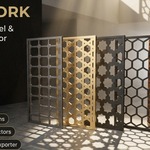
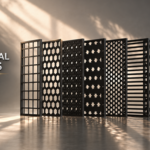
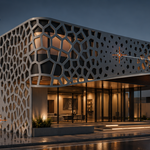
Yes, absolutely. You have full royalty-free commercial rights to use any 3D models, renders, architectural visualizations, and physical CNC/laser fabricated products created with this addon. All future updates are included free of charge.
Does this addon require external Python libraries, pip, or internet access?
No. Fretwork Generator is 100% pure Python written exclusively with Blender's native Python API and BMesh libraries. It works completely offline with zero external dependencies.
How do the Attractors work?
Point Attractors (Empties): Click + Place Point Attractor to spawn an Empty. Move or scale it in 3D space to dynamically shrink or enlarge nearby cutout holes.
Curve Attractors (Bézier Curves): Click + Add Curve Attractor to draw curves across the facade. Openings scale smoothly along the curve path with customizable Taper Profiles (Constant, Linear, Smooth, Pinch Center).
Can I change a panel's parameters after it has already been created?
Yes. Select the panel in Object Mode. The sidebar displays Editing: [Panel Name]. Click Load Settings from Panel to sync the UI sliders, make your adjustments, and click Update Panel Mesh. Your materials, transforms, and object hierarchy are preserved.
What is the best workflow for massive surfaces or full building facades?
For very large surfaces with thousands of tiles, test your pattern, gap, and attractor settings on a single small representative face using Live Preview. Once satisfied, exit preview (Esc), select the full large surface, and click Create Panel directly. The optimized generator builds the final high-density mesh in a single fast pass.
How do I apply patterns to curved architectural walls, cylinders, or domes?
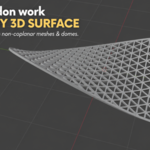
Simply select the faces of your curved mesh in Edit Mode and click Create Panel. The addon automatically detects non-coplanar curvature, generates longitudinal relief seams for closed tubes/cylinders, and performs conformal angle-based unwrapping to deform the pattern smoothly across the 3D surface.
Can I use this for real-world CNC routing, laser, and plasma cutting?
Yes! The built-in 2D SVG Exporter exports 1:1 scale vector files in standard industry units (mm, inches, or pixels). It includes a Laser Hairline (0.1mm) mode and automatically unrolls 3D curved panels into flat cut sheets ready for LightBurn, Illustrator, Fusion 360, or Vectric Aspire.
Are the generated meshes watertight and 3D printable?
Yes, 100%. The addon uses a boolean-free Constrained Delaunay Triangulation engine that produces clean, 2-manifold CAD-quality geometry with zero non-manifold edges, flipped normals, or internal self-intersections. You can export directly to STL/OBJ for 3D printing.
What versions of Blender are supported?
Blender 4.2 +
Have questions about this product?
Login to message
| Blender Extension Compatible | Yes |
| Published | about 2 months ago |
| Blender Version | 4.2 - 5.2 |
| Extension Type | Add-on |
| License | GPL |

Discover more products like this
laser cutting svg export patterns facade fretwork parametric voronoi architecture Panel procedural