 FSX3D
FSX3D


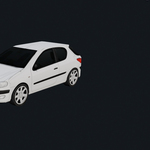
1. Is FSX3D Blueprint Tool a one-click vehicle generator?
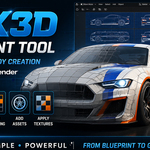
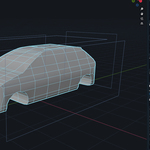
No. FSX3D Blueprint Tool is designed to create a clean low-poly base mesh from a prepared blueprint image.
The result is a starting point that you can refine, optimize, detail, and customize inside Blender.
2. What kind of image do I need?
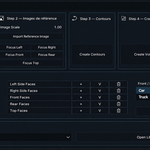
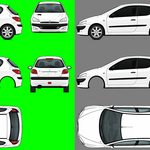
You need one prepared blueprint image using the included template. The image should contain the vehicle views placed in the correct areas: left side,
right side, top, front, rear, and optional bottom/extra texture area.
3. Can I use AI-generated blueprint images?
Yes, as long as the image is clean and properly prepared. For best results, the views should be aligned, centered, readable,
and placed correctly in the included template.
4. Why is the green background important?
The green background helps separate the vehicle silhouette from the empty space.
A clean, uniform green background gives better contour detection and more reliable results.
5. Which Blender version is supported?
FSX3D Blueprint Tool is officially made for Blender 4.5.x. It may work with other Blender 4.x versions,
but Blender 4.5.x is recommended.
6. Does it create UVs automatically?
Yes. The add-on includes automatic UV mapping based on the included template.
You can also preview the detected face groups and manually correct them if needed.
7. Can I manually fix the face groups?
Yes. You can preview each group, adjust the selection in Blender, and lock
your correction before running the automatic UV mapping again.
8. Does the add-on include assets?
Yes. This version includes a small built-in asset library with car and truck wheels.
These assets can be added from the add-on panel, then moved, edited, or replaced in Blender.
9. Can I use the generated models commercially?
Yes, the models you create with FSX3D Blueprint Tool can be used in your own personal or commercial projects.
Make sure that any blueprint images, textures, or third-party assets you use also allow commercial use.
10. Is the generated mesh game-ready?
The generated mesh is intended as a low-poly base mesh. Depending on your project, you may still want to refine the shape,
optimize the topology, add details, adjust materials, and export using your own game engine workflow.
$19
Have questions about this product?
Login to message
| Blender Extension Compatible | Yes |
| Published | 5 months ago |
| Blender Version | 4.5 |
| Extension Type | Add-on |
| Render Engine Used | Blender-Internal |
| License | GPL |