What does the Fusion 360 bridge do?
It brings Fusion 360 bodies into Blender — welded, shade-smoothed and dropped into their own collection — without importing files by hand. A companion "Send to Blender" add-in pushes the selected bodies across as a mesh, and Blender imports and cleans them up automatically. You can also send Blender meshes back out to Fusion.
How does a body get from Fusion into Blender?
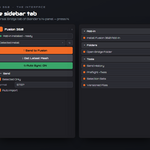
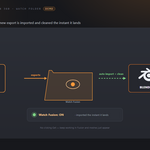
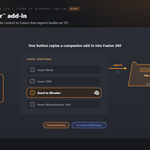
Install the "Send to Blender" add-in (one button in the panel copies it into Fusion), enable it, and a Send to Blender button appears on Fusion's Insert panel. Click it and Fusion exports the selected bodies — or every visible body — as a high-refinement STL into the shared bridge folder, where Blender imports it.
Do I have to click Get every time?
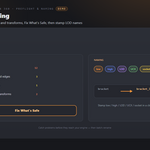
No. Turn on Watch Fusion and any new mesh Fusion exports into the bridge folder is imported and cleaned automatically, the moment it lands.
What cleanup happens on import?
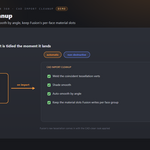
Weld Doubles merges the coincident vertices from Fusion's tessellation; Shade Smooth with auto-smooth by angle gives curved surfaces the clean CAD look while keeping edges above the Sharp Angle hard; and the mesh goes into its own "Fusion 360 Import" collection. Material slots Fusion writes per face group are kept.
Which file types can it import?
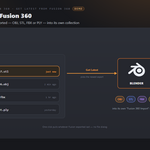
OBJ, STL, FBX and PLY. The Fusion add-in exports STL; the bridge imports whichever of these is newest in the folder.
Can I send meshes from Blender back to Fusion?
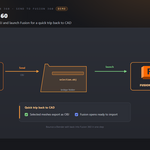
Yes. Send to Fusion 360 exports the selected meshes as OBJ into the bridge folder and launches Fusion, for a quick trip back to CAD.
How does it find my Fusion install?
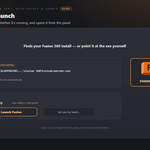
It auto-detects Fusion 360 under your Autodesk webdeploy folder. Use Detect App to re-scan, or set the Fusion 360 Executable path by hand in the add-on preferences.
What are the shared Universal Bridge tools?
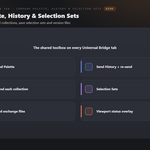
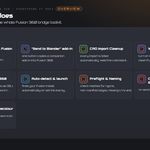
Registered once and shared with every bridge you own: a Command Palette, Send History (re-send), Preflight (ngons, non-manifold edges, missing UVs, unapplied transforms — with safe fixes), a Naming helper (low / high / LOD / UCX / socket), Selection Sets, Send Each Collection, and a viewport status overlay.
Does it change my Fusion design?
No, the bridge only exports meshes out of Fusion; your parametric design is untouched. In Blender the import is a new mesh in its own collection.
Is it a live link?
No, it is file-based on purpose, which makes it robust and independent of any specific Fusion 360 build. Watch Fusion gives you the hands-free feel without a live protocol.
Which Blender versions are supported?
Blender 3.3 through 5.2. On 4.2+ it installs as a modern Extension; on 3.3–4.1 as a classic add-on. Windows.
Can I use it for commercial work?
Yes. Like all Blender add-ons it's licensed under the GPL, so you can use it in any commercial project. Fusion 360 is Autodesk Fusion (Fusion 360) is required and licensed separately by Autodesk, and is not included. Free and paid tiers are offered by Autodesk - which one you need is between you and them. No Autodesk Fusion (Fusion 360) licence is included with this product, which is the Blender-side bridge only and is not affiliated with or endorsed by Autodesk.
Do I need Autodesk Fusion, and is a licence included?
You need your own Autodesk Fusion - it is licensed separately by Autodesk and is not included with this product. This add-on is the Blender side of the bridge only, and is not affiliated with, endorsed by, or a reseller of the vendor. It is also Windows only: macOS and Linux are not supported.
Can I change the icons, or turn them off?
Yes. Preferences ▸ Button Icons offers Brand Colours (the default, each bridge in its own colour), Mono with a colour swatch you pick, and Blender Built-ins if you would rather have no custom icons at all. Colour-code Status decides whether link and modifier icons keep their green / amber / red. The icons are drawn from masks and tinted as they load, so any colour stays crisp.
 Tachyon Studio