GameMat Baker — Non-Blocking PBR Baking for Game Engines
 Skava
Skava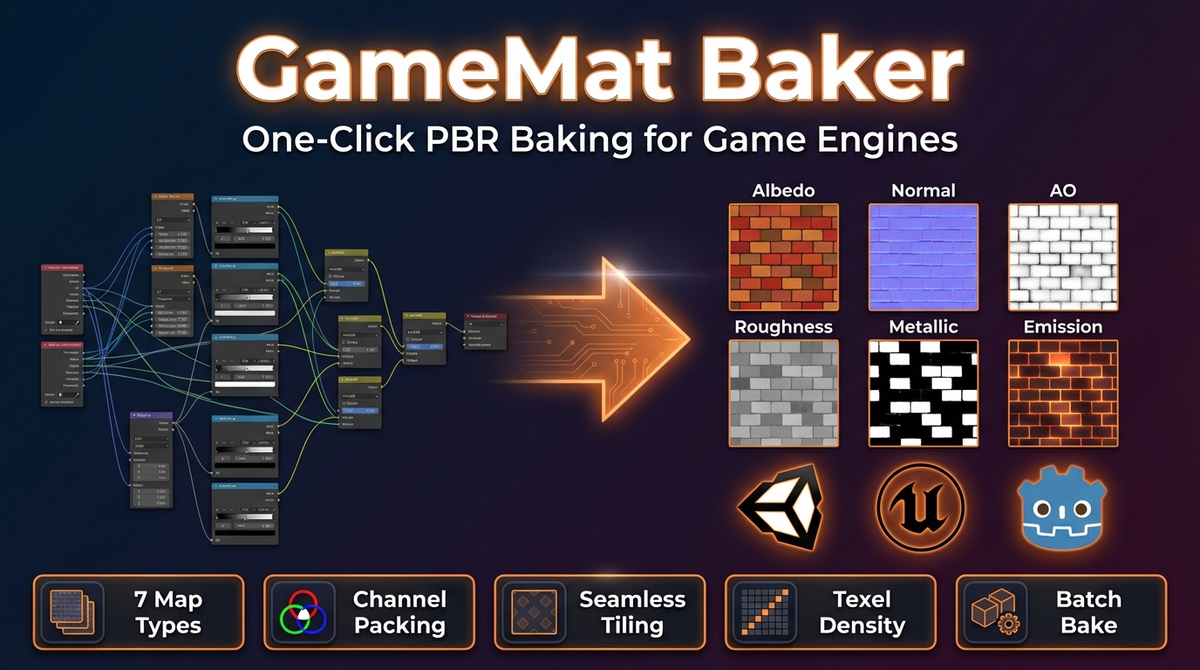
GameMat Baker — Documentation
v1.1.3 · Blender 4.2 LTS and later · Unity URP / HDRP · Unreal · Godot 4 · Windows / macOS / Linux
1. Install
- Download the add-on ZIP (do not unpack).
- Open Preferences, then Add-ons, then Install from Disk, pick the ZIP and enable GameMat Baker.
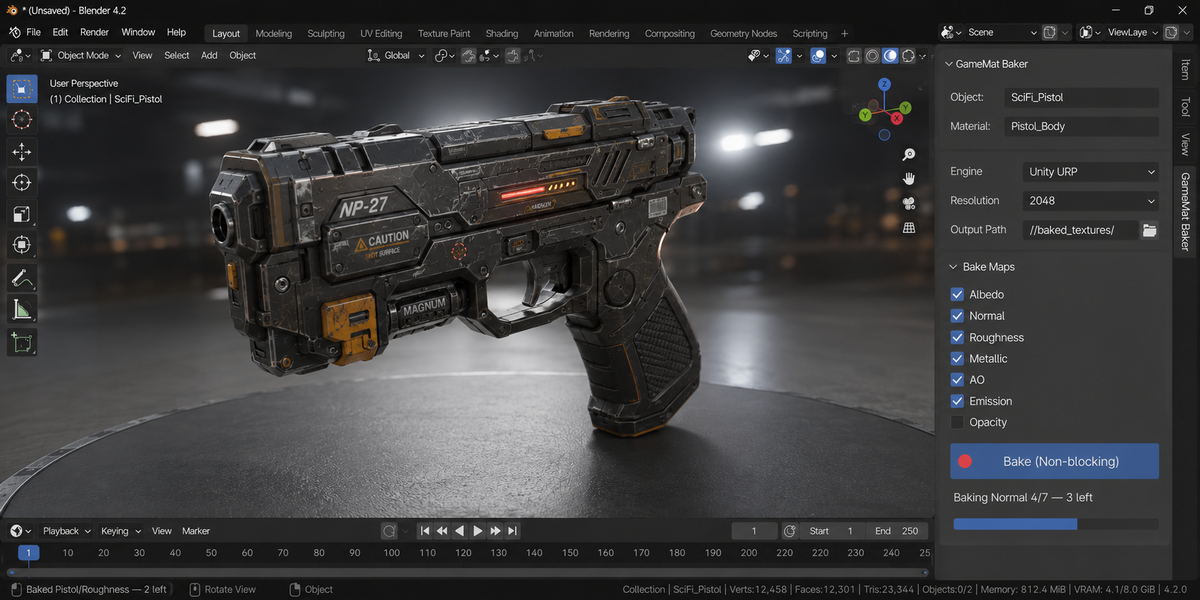
- Press N in the 3D Viewport → GameMat Baker tab.
After installing, press N in the 3D Viewport: a tab named GameMat Baker appears in the sidebar.
2. Quick start
- Select the textured object.
- Pick engine + resolution + output folder.
- Toggle the map types you want.
- Click Bake (Non-blocking) for the modal queue, or Bake PBR Maps (sync) as a fallback.
3. Non-blocking modal bake
Every (object × map_type) is queued; one map is baked per timer tick. UI refreshes between maps so 7-map / multi-object batches don't freeze Blender. Press ESC to cancel — scene state (selection, render engine, use_nodes) is restored regardless.
4. Map types
| Map | Bake type | Colorspace |
|---|---|---|
| Albedo | DIFFUSE (color only) | sRGB |
| Normal | NORMAL (tangent, float) | Non-Color |
| Roughness / Metallic / Opacity | EMIT (rewired through Emission) | Non-Color |
| AO | AO | Non-Color |
| Emission | EMIT (direct) | sRGB |
Emission rewire is undone in finally — bake errors don't leave the material rewired.
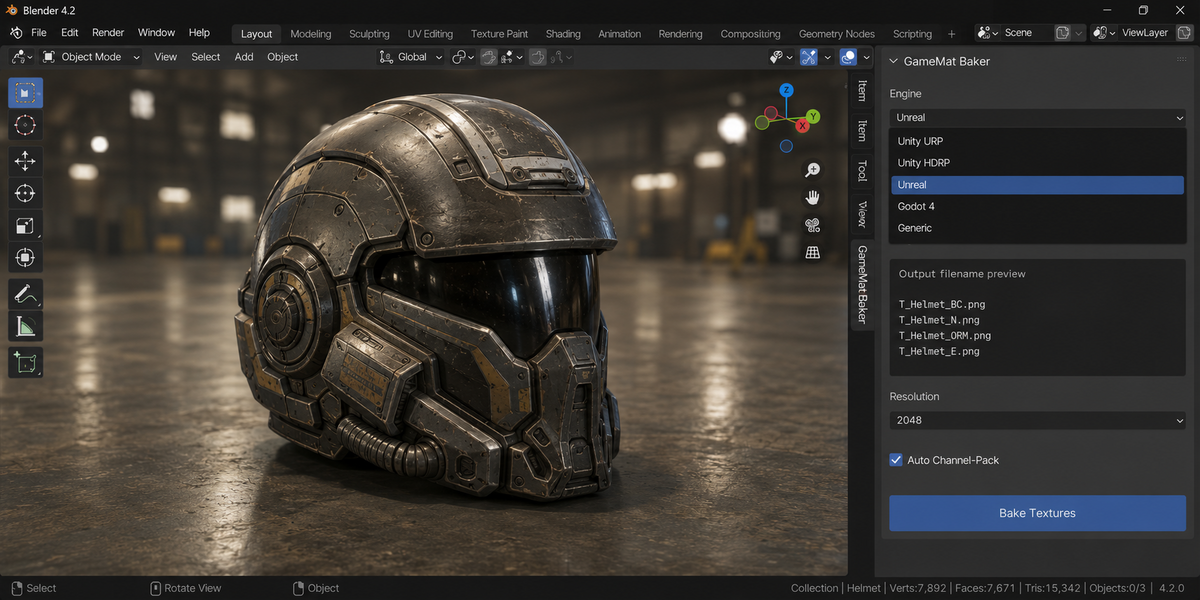
5. Engine filename templates
| Engine | Albedo | Normal | Metallic |
|---|---|---|---|
| Unity URP | _BaseMap.png | _Normal.png | _Metallic.png (packed: _MetallicSmoothness.png) |
| Unity HDRP | _BaseColor.png | _NormalOS.png | _MaskMap.png |
| Unreal | T_..._BC.png | T_..._N.png | T_..._M.png |
| Godot 4 | _albedo.png | _normal.png | _metallic.png |
6. Channel packing
| Engine | Pack | Channels |
|---|---|---|
| Unity URP | Metallic+Smoothness | RGB = Metallic, A = 1 − Roughness |
| Unity HDRP | Metallic+Smoothness (same as URP) | RGB = Metallic, A = 1 − Roughness. A full HDRP Mask Map is not built; the file named _MaskMap holds the Metallic map. |
| Unreal / Godot | ORM (file ObjectName_ORM, no T_ prefix) | R = AO, G = Roughness, B = Metallic |
Mixed-resolution inputs are bilinear-resized to the largest before merging. The packed texture is a separate file: the Metallic map stays as it was baked, and Metallic + Smoothness is written with an alpha channel (Smoothness in A, not multiplied into RGB).
7. Auto UV unwrap
When the mesh has no UV layer, the operator runs Smart UV Project automatically (angle_limit=66°, island_margin=0.02). This is always on; there is no switch for it in the panel.
8. Seamless tiling
Cross-fade edge blend. For Normal maps, post-blend tangent-space renormalization decodes → renormalises → re-encodes each pixel so seams stay unit-length. Blend Width controls fade depth (default 32 px).
9. AO settings
AO is baked independently of the main Samples slider, with a maximum ray distance of 0.5 and 64 Cycles bake samples. These two values are not exposed in the panel.
10. Auto resolution + batch
Auto Resolution picks a size from texel density of the mesh. Batch Bake Selected walks every selected mesh; failed objects reported as warnings, batch continues.
11. Texel density map export
Export Texel Density Map (Bake Settings) bakes a heatmap of the object's UVs to an image file. Each face is coloured by its texel density at the current resolution: blue where the surface is under-textured, green at the reference (median) density, red where UV space is wasted. Pick a save path and format (PNG / TGA / TIFF / EXR); the report lists the average and min–max density. Use it to check that a model's UVs hold a consistent texel density before you bake.
12. Troubleshooting
"No Principled BSDF in material" — the addon bakes from a Principled BSDF as the surface source. Add one.
"No UV layer on this mesh" — meshes without UVs are unwrapped with Smart UV Project automatically. If you want your own layout, UV the mesh before baking.
"Cycles GPU init failed" — the add-on falls back to CPU without a message. Enable a GPU device in Cycles Render Devices preferences.
"Bake hangs on a single map" — Blender's single bake() call is synchronous and uninterruptible. Modal queue helps between maps, not within one.
13. Limitations
- Single bake call is synchronous (Blender API limit).
- Cage baking (high → low poly with cage) not exposed — use Blender's native Bake panel.
- Procedural-only materials without a Principled BSDF aren't supported.
14. Support & License
Through marketplace messaging. GPL-3.0. Textures you bake are yours to ship in any commercial project.
Changelog
v1.1.3 — Unity URP: the Metallic map and the packed Metallic + Smoothness texture are now two files. Before, both were written as <object>_MetallicSmoothness, so the packed texture replaced the Metallic map, and with Auto Pack Channels off a file named MetallicSmoothness held plain Metallic. The Metallic map is now <object>_Metallic.
v1.1.3 — Packed Metallic + Smoothness (Unity URP and HDRP): Smoothness is now stored in the alpha channel. Before, the texture was written without alpha: A came out as 1 and Metallic was multiplied by Smoothness (measured: Metallic 1.0 and Roughness 0.25 gave RGB 0.75, A 1.0; now RGB 1.0, A 0.75).
v1.1.3 — Output Format TGA and EXR work: 1.1.2 passed the wrong format names to Blender and every TGA or EXR bake stopped with an error, writing nothing. EXR maps and packed textures store the baked values (16-bit half float, ZIP compression). The packed texture is written in the same format as the maps, so the Unreal and Godot ORM is now actually produced (with the Unreal preset it never was).
v1.1.3 — Albedo is now the material's Base Color. Before, it came from Cycles' diffuse colour pass, which darkens metals (Base Color 0.8 with Metallic 0.5 came out at about 0.38).
v1.1.3 — A file in the output folder that this add-on did not write is no longer replaced: the new map takes the next free name (<object>_Metallic_2.png). Maps the add-on wrote are updated by the next bake as before; they are remembered in a small .gamemat_baker_files.json in the folder.
v1.1.3 — Pack Channels packs exactly the maps the LAST bake wrote for the active object (each bake replaces the record of the one before), from the folder they were written to. Before, it looked for <object>_<MAP> files: no template writes that name, so it found nothing for Unreal and, on a case-insensitive disk, could pick up an artist's own file. If a map changed or went missing since the bake, it says so and packs nothing.
v1.1.3 — If a baked map is not on disk right after saving, the bake stops and names the file; if it is there but cannot be read back at once (a file briefly locked, e.g. by antivirus), the bake goes on and a warning names it.
v1.1.2 — maintenance release. Minimum Blender is now 4.2 LTS. The package ships the full licence text and an updated README. No changes to the tools.
1.1.1 — Exporting the texel density map no longer fails with «Could not write image» when the chosen path is a folder or empty. A folder now receives TD_.png, an empty path is refused with a readable message, and a write error is reported instead of raised.
Have questions about this product?
Login to message
| Published | 4 months ago |
| Blender Version | 3.0 - 5.1 |
| Extension Type | N/A |
| Render Engine Used | Arnold, Blender-Internal, Blender-Game-Engine, Cycles, Eevee, Freestyle, Luxrender, Mental-Ray, Octane, Vray, Yafaray |
| License | GPL |