 Kapilari


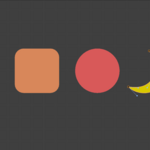
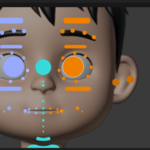
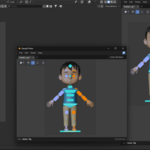
The simplest way to select and control any rig in Blender. A canvas-based picker that lives inside Blender itself, using the same process and event loop as Blender, so every native shortcut stays alive while you work.
The Problem
I kept running into the same problem while animating complex characters: rig controllers in the viewport would overlap and pile on top of each other, making it slow and frustrating to select the bone I actually wanted. Every picker add-on I tried solved this by opening in its own floating window, outside Blender's own process, which meant losing native shortcuts the moment my cursor crossed into it.
The Solution
Gampil Picker draws its own canvas directly inside Blender's UI, using Blender's own process and event loop. Space still plays your timeline, arrow keys still step through frames, I still inserts a keyframe and Ctrl+Z still undoes, all while your cursor sits over the picker. No separate application, no lost focus.
Key Features
- Align, evenly line up a selected group of buttons.
- Snap to Grid, keep every button locked to a consistent grid.
-
Mirror Sync X, live automatic mirroring, edit a
.Rbutton while this is active and its.Lcounterpart updates live. - Lock, protect a button's position and shape from accidental edits.
-
Resync Mirror, manually re-sync a
.L/.Rpair after one side was edited without Mirror Sync X turned on.
Every Button, Fully Customizable
The N-panel puts complete control over every button within reach, without ever leaving the viewport:
- Layers & Image Reference, visibility groups and a reference image underlay for tracing.
- Button List, search by name, reorder draw order front to back.
- Shape & Style, switch shape type, corner radius, Edit Shape (Tab), color, outline.
- Transform, independent width / height scale and rotation.
- Label & Text, custom label, text size, text color.
- Bone Assignment, action type and Assign Selected Bones.
- Custom Hotkeys, Duplicate & Mirror, all one click away.
| Shape | Rounded |
| Corner Radius | 6.00 |
| Edit Shape (Tab) | |
| Color | |
| Label | Button |
| Size (W / H) | 30.00 / 30.00 |
| Rotation | 0° |
| Text Size | 12 |
| Action | Select Bones |
| Assign Selected Bones | |
| Set Hotkey | |
Compatibility
| Blender Version | 4.2 or newer (Extension Platform) |
| Operating System | Windows, macOS, Linux |
| License | GPL |
