 Kapilari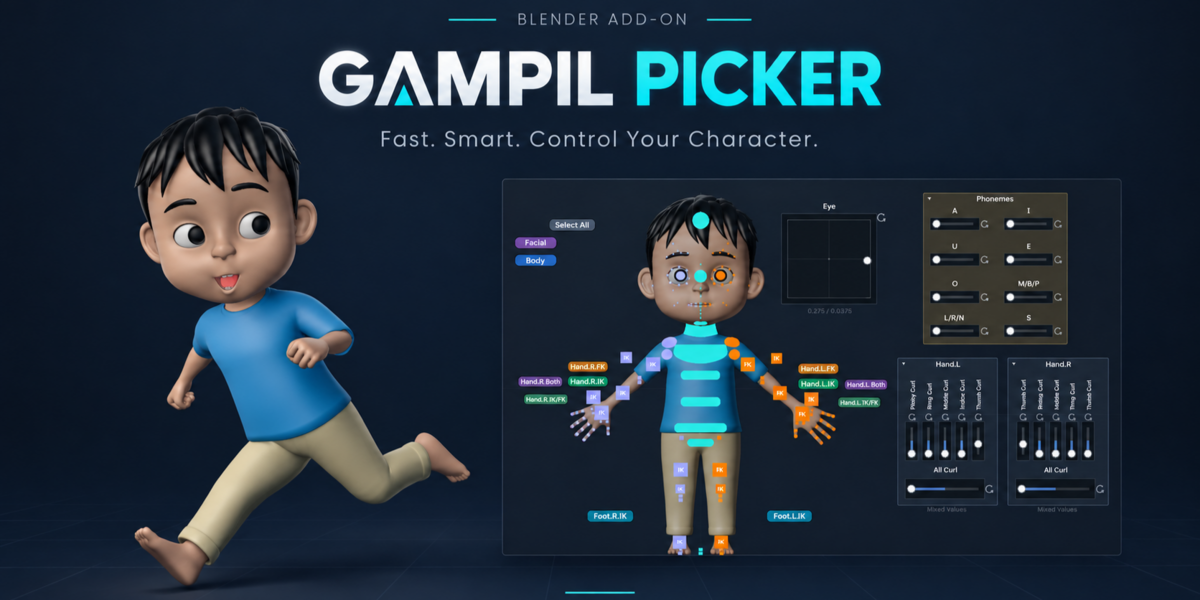



Changelog
4.0.0
Major release: rig control directly from the canvas, new generators, and a file format that 3.0.x can no longer open. Installing 4.0 replaces 3.0.x (same extension id, gampil_picker); preferences carry over. Tested on Blender 4.2 LTS, 4.5 LTS and 5.2 LTS (Windows).
Before you upgrade
- Blender 4.2 minimum (same as 3.0.x).
-
.cpkrfiles saved by 4.0 are rejected by 3.0.x ("Not a Gampil Picker project file"). This is intentional: 3.0.x would turn sliders/frames into empty boxes and delete them on save. Keep a backup of your 3.0.x files if you still need to open them in 3.0.x. All 3.0.x files open fully in 4.0. - Generate From Rig now creates square buttons by default with new sizes (limb 22, pole 15, face 4, finger 5).
- While the picker is open, Blender does not autosave (same as 3.0.x); save with Ctrl+S.
New
- Sliders, Omni-Pad, Master Slider: Edit/Control modes, reset mark ⟳ (also on the Omni-Pad), Set Start/Set Target, Omni-Pad Min/Max with Set Min / Set Max, Control Location / Rotation / Scale / LocRotScale / Custom Property, Assign / Unassign / Select / Deselect bone. Locked channels are skipped in favor of other free channels.
- Blend: Additive for sliders that share a bone (phonemes).
- Auto Key: with Auto Keying enabled, changed channels are keyed once when the mouse is released (and on Reset); "Only Insert Available" is respected.
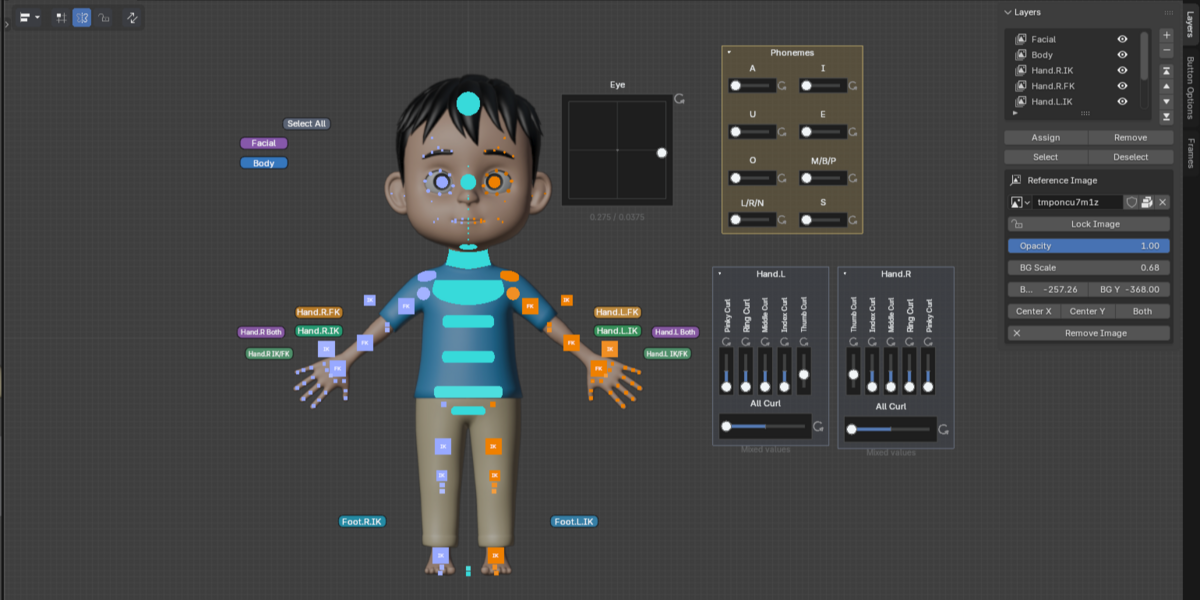
- Generate From Rig: Finger Curl sliders, sliders from selected bones, IK/FK switch (ARP, Rigify, custom rigs), leg size = arm size, face/finger stack handling.
- Add Phoneme Set: 8 sliders A I U E O M/B/P L/R/N S in a "Phonemes" frame.
- Frames: Frames sidebar tab, dragging a frame moves its contents, collapse, tidy, duplicate.
- Multi-selection of sliders in Edit mode, Button / Bone list above Button Options, Shift+= also enlarges size.
- Step-by-step undo for picks and selections.
Performance
- Animation playback with the picker open stays smooth (image cache).
- Smooth canvas pan and zoom; the picker area does not draw the scene underneath it.
- Button drag, box select and slider drag are lighter.
Fixed / changed
- Pick All + Delete no longer deletes buttons on hidden layers.
- The picker no longer redraws continuously while idle.
- The recovery file (Recover Last Session) no longer saves the picker area empty.
- The unfinished "Pose" controller mode is no longer offered.
- Blender 5.2: reference images (including Generate From Rig results) and toolbar icons no longer appear darker than in 4.2 / 4.5.
Known limitations
- Auto Pose Mode does not work in the picker area yet: clicking a bone button, slider, pad or master does not switch the rig to Pose Mode. Enter Pose Mode manually; a fix is planned for a following update.
- Channels that have a driver cannot be controlled by sliders.
- A picker with hundreds of buttons still feels heavy when dragging (about 14-17 fps with 210 buttons).
- After Pick All -> Pick Inverse, buttons on hidden layers remain picked (not visible, not deleted).
- 5.0/5.1, macOS and Linux are untested.
$19.99
 Included
Includes 12 months of
- Support from Kapilari
- Product updates
Extend this product’s Support Period +12 months: 100% of product price
Have questions before purchasing?
Login to message
| Blender Extension Compatible | Yes |
| Published | about 2 months ago |
| Blender Version | 4.0 - 5.2 |
| Extension Type | Add-on |
| Render Engine Used | Cycles, Eevee |
| License | GPL |
Discover more products like this
picker custom-rig character rig Workflow retargeting blender addon rigging bone selection rig picker animation animation tools character animation