 Dark3d


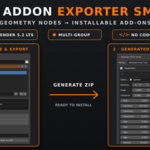
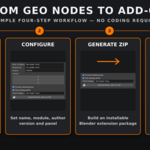
Turn your Geometry Nodes creations into installable Blender extensions—without writing add-on code.
Geo Addon Exporter Smart packages one or multiple Geometry Nodes groups into a ready-to-install ZIP extension. It bundles your node groups, includes nested dependencies, creates an N-panel interface for exposed parameters, and generates the files required by Blender’s modern Extension system.
WHAT IT DOES
• Converts Geometry Nodes groups into installable Blender extensions
• Packages multiple tools inside one generated add-on
• Bundles nested Geometry Nodes group dependencies
• Creates a live 3D Viewport N-panel interface
• Displays exposed parameters as editable controls
• Supports float, integer, boolean, vector, color, object, material, collection and image inputs
• Preserves Geometry Nodes interface sections
• Adds the selected node group to the active object as a modifier
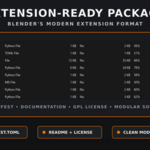
• Generates a valid blender_manifest.toml file
• Includes README documentation and the GPL license
• Produces a ZIP ready to install through Blender’s “Install from Disk” option
BUILT FOR BLENDER 5.2 LTS
Geo Addon Exporter Smart uses Blender’s current Extension package format rather than the older legacy add-on structure.
It has been developed and tested with Blender 5.2 LTS, including support for Blender 5.2’s updated Geometry Nodes modifier-input API.
Generated extensions include their manifest, Python interface, bundled assets.blend file, documentation and GPL license.
AUTOMATIC PARAMETER INTERFACE
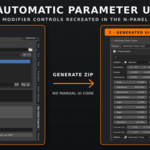
Exposed Geometry Nodes inputs are converted into live controls inside the generated add-on’s N-panel. Users can adjust parameters directly while seeing the results update in the viewport.
Inputs hidden from the modifier are excluded, and conditional inputs follow their visibility settings. Geometry Nodes interface sections are also reproduced to keep larger tools organized.
MULTI-TOOL PACKAGING
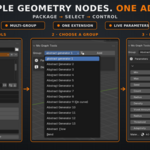
Add several Geometry Nodes groups to the export list and package them together as one extension. Users can select the required tool from the generated panel and add it to the active object.
Nested node groups can be detected and bundled automatically, helping complex setups remain intact after distribution.
SIMPLE WORKFLOW
Select an export directory.
Add one or more Geometry Nodes groups.
Enter the add-on name, module ID, author and version.
Choose whether to include nested dependencies and a settings panel.
Click “Generate Multi-Add-on ZIP.”
Install and test the generated ZIP in Blender.
WHO IT IS FOR
• Geometry Nodes artists distributing procedural tools
• Superhive creators packaging Geometry Nodes products
• Technical artists building internal tool libraries
• Studios sharing standardized node tools across a team
• Creators who want professional add-on packaging without manually coding the interface
COMPATIBILITY
• Requires Blender 5.2 or newer
• Tested with Blender 5.2 LTS
• Windows, macOS and Linux
• Blender Extension compatible
Geo Addon Exporter Smart handles the repetitive packaging and interface work, letting you focus on building the Geometry Nodes tools themselves.