Geo-Bridge:Procedural Modern Bridge
 IK_Shrish



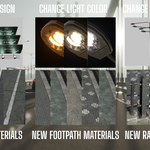
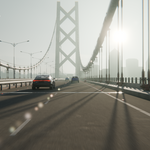
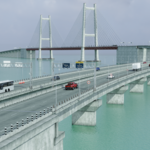
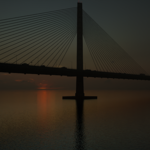
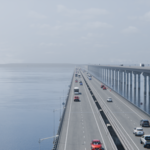
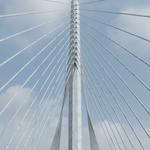
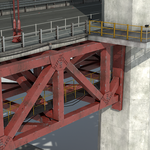
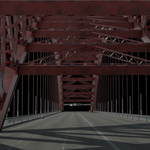
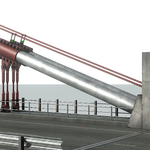
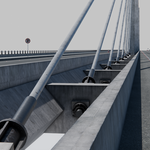
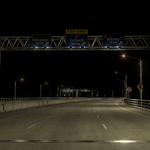
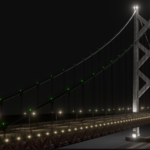
Special thanks to AmbientCG for providing high-quality textures used in this setup.
How to Use:
- Unzip the folder.
- Open the
.blendfile.
Geometry Modifier:
1. Roadway Panel:
- Single/Dual Carriageway Switch: Toggle between single and dual carriageway road types.
- Road Width: Total width of the road.
- Number of Lanes: Set number of lanes (each lane = 3.5m).
- Footpath Width: Width of the footpath.
- Divider Type: Choose from 6 divider styles.
- Curve Resolution: Adjust road curve detail.
- Sign Type: Auto-adjusts signage based on road config.
2. Tower Panel:
- Tower Type: Switch between 5 tower types.
- Number of Towers: Set the number of towers.
- Tower Height: Total tower height.
- Tower Abutment Height: Height from abutment base to road.
- Length: Tower section length.
- Width: Tower section width.
- Tower Inclination: Inward tilt, also adjusts suspension cable.
3. Cable Panel:
- Dual Cable Switch: Enables dual suspension cables (reduces diameter if dual).
- Sag Off Switch: Makes the cable straight.
- Diameter: Adjusts cable thickness.
- Sag1: Sag point 1 (change after changing tower height).
- Sag2: Sag point 2 (change after changing tower height).
- Suspender Spacing: Vertical cable spacing.
- Cable Height Offset: Main cable vertical offset.
- Delete Long Cable: Removes long cable segment.
- Delete End Cable: Removes end cable segment.
- Number of Cables: Stay cables per tower.
- Cable X Offset: Horizontal stay cable offset.
- Bottom Cable Height: Vertical origin of stay cables.
4. Bracing Panel:
- Bracing Type: Choose from 5 bracing types.
- Count: Number of bracing elements.
- Bottom Bracing Offset: Height above road level.
- Top Bracing Offset: Height from tower top.
- Bracing Length Offset: Bracing length adjustment.
5. Traffic Light Panel:
- Light ON: Toggle lamp lights.
- Pole Type: Choose from 6 lamp post designs.
- Spacing: Distance between posts.
6. Railing Panel:
- Railing 1: Inner railing – 6 types.
- Railing 2: Outer railing – 7 types.
7. Deck Panel:
- Deck Type: Choose from 3 deck types.
- Depth: Adjust thickness. (Value of 5m for truss deck.)
8. Abutment Panel:
- Pier Index: Choose from pier types.
- Abutment Spacing: Distance between piers (beam bridge).
- Abutment Height Offset: Height adjustment of abutments.
9. Material Panel:
- Tower Material: Assign tower material.
- Truss Material: Assign deck truss material.
- Abutment Material: Assign abutment material.
10. Roadside Utility Panel:
- Red Cone Seed: Random seed to vary cone distribution.
- Red Cone probability: Density of the red cone.

Discover more products like this
3d bridge steel truss beam bridge bailey bridge suspension blender road scene bridge bridge-generator 3d-road bridge-3d advanced geometry nodes transportation blender-transportation 3D Procedural Structures bridge 3d models cable-stayed City Transportation Truss Bridge