 MeshMind



## Where to Find GeoFlow
Open the 3D Viewport's sidebar (press N if it's hidden) and look for the
**GeoFlow** tab. You'll find three panels there:
- **GeoFlow** — the main preset browser
- **Global Time Control** — one master timeline for every animated preset
- **GeoFlow Settings** — display options, including performance badges
## Applying a Preset
1. Select an object.
2. In the GeoFlow panel, pick a category (Deformers, Scatter, Hard
Surface, VFX, Architecture, or Motion) or just use the search bar.
3. Click a preset, then **Apply GeoFlow Preset**. Adjust the sliders that
appear — every change updates live on the mesh.
## Variations & Randomize
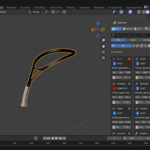
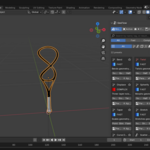
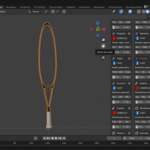
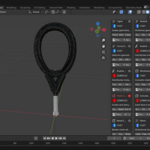
Most presets ship with a handful of curated **Variations** (e.g. Bend's
Subtle → Quarter → Half → Full Arch) — pick one for an instant starting
point. Use **Randomize Parameters** to re-roll the numbers for fast
exploration.
## Favourites & Search
Click the star icon on any preset to add it to **Favourites** for
one-click access later. The search bar matches by name, category, or
keyword, so typing "terrain" will surface Slope Masked Scatter even if you
don't remember its exact name.
## Apply to All Selected
Select multiple objects, then use **Apply to All Selected** to push the
current preset and settings onto every one of them at once.
## Saving Your Own Presets
Tune any preset's parameters to taste, then use **Save as GeoFlow
Preset** to store it as a custom preset under that category for reuse on
future projects.
## Removing a Preset
Use **Remove GeoFlow Modifier** to cleanly take a GeoFlow preset back off
an object — your mesh is untouched, since every preset is non-destructive.
## Global Time Control
Wave, Float Bob, Spin, and Pulse all animate from scene time rather than
keyframes. Use the Global Time Control panel to sync several objects to
one shared timeline, or offset individual objects using each preset's
Phase setting so they don't move in lockstep.
## Compatibility
Blender 4.2 LTS through 5.x.
## Support
Found a bug or have a question? Use **Report a Bug** in the GeoFlow panel,
or reach out any time at [email protected]
 Included
Includes 12 months of
- Support from MeshMind
- Product updates
Extend this product’s Support Period +12 months: 50% of product price
Have questions before purchasing?
Login to message
| Published | 3 months ago |
| Blender Version | 4.2 - 5.0 |
| Extension Type | Add-on |
| Render Engine Used | Cycles, Eevee |
| License | Mit |
