 MeshMind



What's the difference between the 22 presets?
They're organized into 6 categories — [name them: e.g. Terrain Deform, Curve Deform, Organic Scatter, Architectural Scatter, Vegetation, Utility]. Each category solves a different shaping or population problem rather than being variations on one effect.
Do the presets update live as I sculpt or reshape the base mesh?
Yes. Presets are non-destructive and driven by the modifier stack, so scatter and deform results update as you edit the underlying mesh.
Can I scatter my own custom objects instead of the built-in presets?
Yes. Every scatter preset accepts any mesh object as the instance source — presets set up the distribution logic (density, slope response, rotation/scale variance), you supply the geometry.
Does GeoFlow work with imported or asset-library meshes?
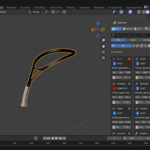
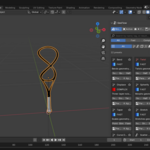
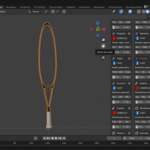
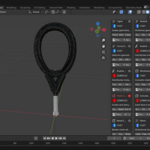
Yes. Every deformer preset auto-centers on the target mesh's actual geometry, not its object origin — so imported models, linked assets, and objects with off-center origins all behave correctly out of the box. No manual re-centering step required.
Can I apply a preset to more than one object at a time?
Yes — select all the objects you want, then use Apply to All Selected to push the preset onto every one of them in a single click.
Do I need to know how to use the Geometry Nodes editor to use GeoFlow?
No. Every preset applies with one click from the N-panel you never need to open the node editor itself
$20$10
 Included
Includes 12 months of
- Support from MeshMind
- Product updates
Extend this product’s Support Period +12 months: 50% of product price
Have questions before purchasing?
Login to message
| Published | 3 months ago |
| Blender Version | 4.2 - 5.0 |
| Extension Type | Add-on |
| Render Engine Used | Cycles, Eevee |
| License | Mit |
