 ghostWDFR





GH Script Manager for Blender
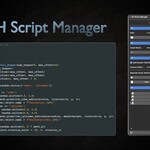
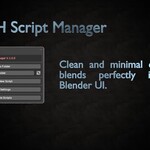
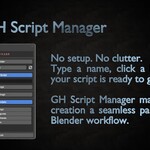
GH Script Manager is a lightweight yet powerful Blender addon designed to help you create, manage, and execute Python scripts directly from the sidebar. Whether you're a technical artist, addon developer, or automation enthusiast – this tool simplifies your scripting workflow.
✨ Key Features
- Create new scripts with a single click
- Browse and launch your scripts from a clean UI
- Open script folder directly from Blender
- Custom external editor support (e.g. Notepad++, VS Code)
- Auto-refresh script list on demand
- Organized UI with collapsible sections
🧩 Compatibility
- Blender 3.6 to 5.2+
- Works on Windows, macOS, and Linux
📂 Package Contents
-
GH Script Manager.zip— installable addon archive
After installation and first use, the addon generates two internal configuration files to preserve user settings:
-
config.txt— stores user preferences:
-
saved_path.txt— stores the scripts folder path:
Initially, it points to the internal default folder, but once changed by the user, it reflects the custom path.
🚀 How to Install
- Drag and drop GH Script Manager.zip directly into the Blender window and confirm installation
- — or —
- Go to Edit > Preferences > Add-ons
- Click Install and select the
GH Script Manager.zipfile - Enable the checkbox to activate the addon
- Find the panel in the N-panel > GH Tools tab