 ghostWDFR



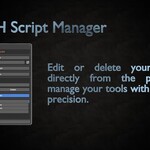
🧹 Can I delete or rename scripts from within the addon?
🧩 Is it safe to update the addon?
Yes. Just reinstall the new version over the existing one. Your settings (config files) will be preserved.
💡 Can I use this addon for team projects?
Yes — just point all users to a shared folder (e.g., via Dropbox or a synced project path) and make sure paths are consistent.
🐞 My script doesn’t appear in the list — what should I do?
Click the "Refresh" button to reload the list. Make sure the script has a .py extension and is located in the selected folder.
🛠 What are config.txt and saved_path.txt for?
These files store your addon preferences:
config.txt stores the external editor path and toggle.
saved_path.txt saves your selected script folder path.
📂 Where are my scripts saved?
By default, scripts are saved inside the addon's internal folder. You can set a custom folder path if you want to store them elsewhere.
🔧 How do I set a custom script editor?
Go to the addon settings panel, enable "Use Custom Editor", and enter the full path to your preferred editor (e.g., VS Code, Notepad++).
Discover more products like this
2025 addon Batch Script Execution addon scripts Blender python scripts addon Script Automation BlenderScripts advanced script