Ghoster — Animation Version Visualizer
 Oculis Studio



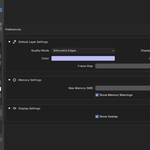
What is Ghoster?
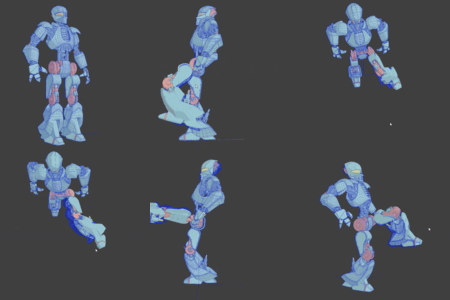
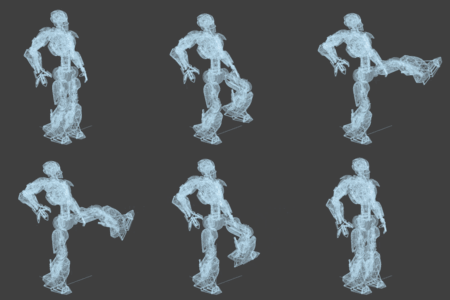
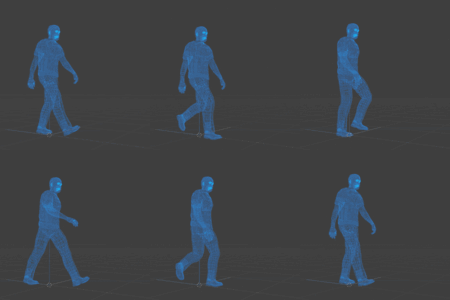
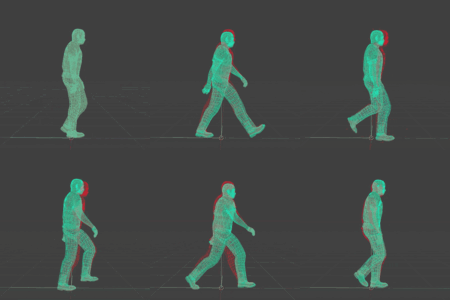
Ghoster is a Blender addon that lets you record animation sequences and replay them as semi-transparent ghost overlays in the viewport.
It’s designed to help you compare animation versions, analyze motion, and iterate faster—without rendering or duplicating scenes.
Installation
-
Download the Ghoster
.zipfile -
In Blender, go to Edit → Preferences → Add-ons
-
Click Install, select the zip, and enable Ghoster
-
The Ghoster panel will appear in the 3D Viewport → Sidebar (N) → Ghoster
Basic Workflow
1. Create a Ghost Layer
-
Open the Ghoster panel
-
Add a new ghost layer
-
Choose a source Collection containing the objects you want to record
-
Set the frame range
2. Record Animation
-
Click Record
-
Ghoster captures evaluated geometry frame-by-frame
-
Progress is shown in the header (ESC cancels)
3. Iterate Your Animation
-
Modify timing, spacing, poses, or keyframes
-
Your current animation plays normally
4. Play Back the Ghost
-
Enable the ghost layer
-
Play the timeline
-
The recorded animation appears as a semi-transparent overlay for real-time comparison
Ghost Layers
-
Up to 3 ghost layers can be active at once
-
Each layer has independent:
-
Color
-
Opacity
-
Frame range
-
Display mode
-
Quality level
-
-
Layers can be toggled on/off instantly
Display Modes
-
Solid – Filled geometry
-
Wireframe – Edge-only rendering
-
Silhouette – Boundary and sharp edges only (best for motion clarity)
Quality Modes
-
Full – Complete geometry
-
Low – 50% decimated geometry (lower memory usage)
-
Silhouette – Optimized edge-only capture (60–80% smaller memory footprint)
Performance & Memory
-
Ghoster estimates memory usage before recording
-
Runtime memory is tracked per layer
-
Warnings appear if usage exceeds limits
-
Caches are automatically cleared on file load to prevent leaks
Tip: Use Silhouette or increase frame stepping for heavy scenes.
Animation Restore
Before recording, Ghoster backs up animation data.
If needed, you can restore original keyframes and f-curves using Restore Animation.
Limitations
-
Geometry only (no materials or textures)
-
Mesh-based objects only
-
Ghost data is runtime-only (not saved in
.blend) -
Max 3 layers, 500 frames per layer
-
Memory usage depends on scene complexity
 Included
Includes 12 months of
- Support from Oculis Studio
- Product updates
Extend this product’s Support Period +12 months: 50% of product price
Have questions before purchasing?
Login to message
| Blender Extension Compatible | Yes |
| Dev Fund Contributor | |
| Published | 8 months ago |
| Blender Version | 4.5 - 5.0 |
| Extension Type | Add-on |
| Render Engine Used | Cycles |
| License | GPL |