GIS2BLEND
 jangstudio




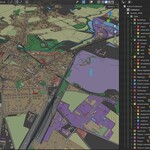
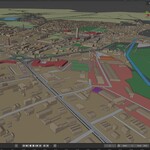

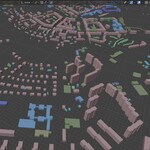
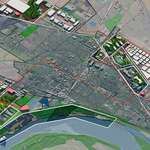
GIS2BLEND FAQ & Troubleshooting Guide
Updated for GIS2BLEND v0.9.26 / Blender 5.x
A practical support document for installation, GIS dependencies, OpenStreetMap imports, CRS/reprojection, terrain workflows, performance, rendering stability and common user issues.
|
Recommended first test Use a small OSM extent and selected categories only. |
Most common setup issue Missing or conflicting Fiona / GDAL / PROJ dependencies. |
Most common crash trigger Large OSM import, high tile/terrain settings, or unstable Vulkan backend. |
Prepared: 2 July 2026. This FAQ is written for the current GIS2BLEND workflow based on the provided v0.9.26 extension package and the earlier GIS2BLEND FAQ v0.3.14.
1. Quick diagnostic checklist
|
! Before reporting a crash or failed import Try the same workflow on a smaller area, import terrain first, save the .blend file, then import only a few selected OSM categories such as Buildings, Roads and Forests. This isolates whether the issue is caused by dataset size, a specific layer, graphics backend or missing dependencies. |
|
Symptom |
Recommended first action |
|
Blender fully closes or crashes |
Switch from Vulkan to OpenGL, update GPU drivers, test Blender 5.0/5.1, reduce the OSM area, and import fewer categories. |
|
Blender looks frozen |
Wait and watch CPU/RAM. Large OSM imports, geometry creation and terrain projection can take time. If memory keeps growing, stop and test a smaller extent. |
|
SHP/GPKG does not import |
Check Fiona/GDAL status in GIS2BLEND preferences. Install missing dependencies or use a supported backend. |
|
CRS is wrong or objects appear far away |
Use the Coordinate system / CRS panel. If CRS is not detected, set Manual EPSG/CRS and reproject to project coordinates. |
|
Mapbox terrain or satellite overlay fails |
Check Mapbox token in Add-on Preferences and install Pillow/PIL for tile stitching / Terrain-RGB processing. |
|
Imported local GIS layer does not align with OSM/terrain |
Use reproject-to-project coordinates and the correct source EPSG. Do not use raw coordinates unless the file is already in the same local project coordinate system. |
|
OSM import is too heavy |
Use Selected Categories Only, reduce bbox size, enable low-memory/safe import options, and avoid auto-applying Section 8/9 controls to huge collections. |
2. Core FAQ
What is GIS2BLEND?
GIS2BLEND is a Blender add-on for bringing GIS, OpenStreetMap, terrain, map overlays and procedural geospatial geometry workflows into Blender. It is designed for professional 3D visualization, planning, renewable energy, architecture, infrastructure, urban context and digital-twin style work.
Which Blender version is supported?
GIS2BLEND is designed for Blender 5.0 and newer versions. If you experience a full crash in a specific Blender build, test another nearby Blender version and report the exact version to support.
Which workflows are supported?
The current workflow supports local GIS files such as SHP and GPKG, online OpenStreetMap download, local OSM XML/PBF files, terrain and map overlay workflows, OSM category detection, collections/subcollections, material schemes, terrain projection controls and experimental spatial analysis.
Can GIS2BLEND import OpenStreetMap data directly?
Yes. GIS2BLEND can download OpenStreetMap data from a selected bounding box using an online extent selector, or load local OSM files from disk. For large projects, Selected Categories mode is recommended because it reduces data size before import.
Does the add-on create terrain and map textures?
Yes. GIS2BLEND includes a Terrain & Map Overlay workflow. Mapbox Satellite and Terrain-RGB workflows require a Mapbox access token. Standard OSM or custom tile overlay workflows may have different requirements depending on the selected source.
Does GIS2BLEND support automatic collections?
Yes. Imported objects can be organized into collections and subcollections based on GIS or OSM attributes/categories. This makes large datasets easier to manage and enables targeted Section 8 and Section 9 controls.
Does it generate procedural buildings and roads?
Yes. Buildings can be extruded from height or floor-count attributes, and line features can be converted into road, path or infrastructure-style geometry depending on the selected layer/category and workflow settings.
Can it be used commercially?
Yes. GIS2BLEND is intended for commercial visualization, environmental assessment, renewable energy visualization, urban planning, infrastructure and technical 3D workflows. Always check the product license and third-party data/source license obligations for your specific use case.
3. Installation, extension format and Python dependencies
Why does Blender / Superhive say that an extension was not detected?
New Blender extension packages require a blender_manifest.toml file inside the ZIP package. GIS2BLEND v0.9.26 is packaged as a Blender Extension and includes this manifest. Install the ZIP directly from Blender Preferences / Extensions / Install from Disk.
Why do I need Fiona, GDAL/OGR or pyproj?
Blender ships with its own Python environment, which normally does not include full GIS Python libraries. Fiona, GDAL/OGR and pyproj are used for reading GIS formats, attributes, coordinate reference systems and reprojection. SHP and GPKG workflows usually need one of these backends. Native XML .osm workflows can often work without them, but PBF and more complex GIS formats may require GDAL/OGR or Fiona.
Is Fiona/GDAL required for OpenStreetMap?
Not always. XML .osm import can work through the add-on’s native OSM reader. However, local OSM PBF, SHP, GPKG and other GIS files need a GIS backend. If you plan to use GIS files regularly, install Fiona and/or GDAL/OGR from the add-on preferences.
Where do I install GIS dependencies?
Use GIS2BLEND Add-on Preferences. The add-on includes dependency status indicators, active backend display, Check buttons, Copy install commands and helper buttons for Fiona / GDAL installation. Restart Blender after dependency installation.
What is Pillow/PIL used for?
Pillow/PIL is used for image processing tasks such as map tile stitching and Mapbox Terrain-RGB workflows. If the terrain or overlay workflow says Pillow is missing, install it from GIS2BLEND Add-on Preferences.
What does “No module named Fiona / GDAL / pyproj” mean?
It means Blender’s Python environment cannot import that library. This is not the same as having the library installed in your system Python, QGIS Python or Anaconda. GIS2BLEND must be able to import the library from Blender’s own Python environment.
What if pip says “Could not find a version that satisfies GDAL”?
This usually means the available wheel does not match Blender’s Python version, operating system or architecture. Use the add-on’s copied install commands, install Fiona first if supported, or use a compatible wheel. On Windows, avoid mixing unrelated Python/GDAL installations.
What if I see a PROJ database / PostgreSQL / PostGIS conflict?
This is a common Windows GIS environment issue. An external PROJ_LIB or PROJ_DATA path from PostgreSQL/PostGIS can point Blender/Fiona/pyproj to the wrong proj.db file. GIS2BLEND tries to prefer pyproj’s bundled PROJ database where possible and includes fallback handling for common CRS cases, but if it still fails you should repair the Python GIS dependencies or use manual/raw coordinate options when appropriate.
|
i Dependency rule of thumb For OSM XML only, try the workflow first. For SHP/GPKG/PBF and reliable CRS reprojection, install Fiona and/or GDAL/OGR. For Mapbox terrain and raster overlays, install Pillow/PIL and enter a valid Mapbox token. |
4. Coordinate system / CRS and alignment FAQ
Why do imported objects need reprojection?
OSM data, terrain, map overlays and local GIS files may use different coordinate reference systems. GIS2BLEND converts data into a local metric Blender project coordinate system so the scene remains accurate in meters while avoiding extremely large real-world coordinates inside Blender.
What CRS does OSM use?
OpenStreetMap data is normally stored as longitude/latitude in WGS84, commonly represented as EPSG:4326. Map tile services are often served in Web Mercator, but GIS2BLEND does not keep the final Blender scene directly in Web Mercator. It builds a local project coordinate system around the selected project extent/origin.
How should I import local SHP/GPKG so it aligns with OSM and terrain?
In the layer’s Coordinate system / CRS section, enable reprojection to project coordinates and use the correct source CRS. If the source CRS is detected from the file, use Auto-detect. If not, select a preset or enter the EPSG manually.
What should I do if CRS is not detected?
Set Source CRS to Manual EPSG / CRS and enter the correct EPSG code, for example EPSG:2180 for Poland PUWG 1992, EPSG:2176-2179 for Poland PUWG 2000 zones, EPSG:27700 for British National Grid, EPSG:25832/25833 for many ETRS89 UTM workflows, or another EPSG from QGIS / data documentation.
When should I use raw coordinates?
Use raw coordinates only if your data is already in the same local project coordinate system or you intentionally want to import coordinates exactly as stored. If you use raw coordinates on a national CRS file, the layer will usually appear far away or misaligned with OSM/terrain.
Why is my GIS layer shifted, rotated or mirrored?
Most often the source CRS is wrong, coordinates are lat/lon swapped, the file has missing/incorrect .prj metadata, or raw coordinates were used by mistake. Check the CRS in QGIS, use the CRS panel in GIS2BLEND and reimport after setting the correct EPSG.
Why are objects far from the Blender origin?
If data is imported as raw projected coordinates, the coordinates can be millions of meters from origin. Reproject to GIS2BLEND project coordinates so the scene stays close to the origin and aligned with OSM/terrain.
Can I combine OSM, SHP/GPKG and terrain in one scene?
Yes. The intended workflow is to set or download the OSM/terrain project first, then import local GIS layers with reprojection enabled so all data uses the same local metric coordinate system.
5. OpenStreetMap import, crashes and performance
Blender fully crashes during OSM import. What should I check first?
A full Blender crash is usually related to one of three areas: Blender version / graphics backend, memory pressure during a large import, or a specific OSM layer/object causing instability. First test a smaller area, selected categories only, and switch from Vulkan to OpenGL if Vulkan is enabled.
Should I use Full OSM Database or Selected Categories Only?
For first tests and professional production work, Selected Categories Only is safer. Full OSM Database can be useful for analysis or inspection, but it may download many nodes, ways and relations that are not needed for visualization and can significantly increase memory use.
Which categories should I test first?
Start with Buildings, Roads and Forests or Landuse. If that works, add Water, Railways, Power, Amenities or other categories one by one. This makes it easier to find a problematic layer or dataset.
Why should I import terrain first and save the file?
Creating terrain/map overlay first gives the scene a stable project origin and lets you confirm that the map/terrain workflow works before adding heavy OSM geometry. Saving after terrain import gives you a recovery point before importing a large OSM database.
Blender is not responding. Is it crashed?
Not necessarily. Heavy imports may block the UI while geometry, collections, materials or terrain projection are being created. Watch CPU and memory usage. If RAM keeps increasing toward system limits, cancel and use a smaller area or fewer layers.
The import seems stuck around a high percentage. What should I do?
Wait a few minutes and check CPU/RAM. Some final stages, such as building geometry, assigning collections, creating materials, applying projection or updating the viewport, can take longer than the download itself. If it does not finish, repeat with fewer categories and enable detailed import logging.
How can I reduce memory usage?
Use a smaller bbox, Selected Categories Only, lower terrain/tile resolution, keep Max Tiles conservative, enable low-memory OSM import if available, avoid heavy auto projection, and do not apply Section 8 or Section 9 controls to every collection at once.
What are Safe OSM import options?
Safe import options limit the number of imported objects/features and reduce expensive grid/resampling/projection operations. They are useful when testing large cities, dense infrastructure corridors or areas with very detailed roads/buildings/vegetation.
Why do long roads or rivers extend outside my selected extent?
Some OSM ways cross the selected bounding box. Use “Clip geometries to selected extent” for online downloads to trim imported geometries to the selected area and reduce unwanted long features.
Should I use very large map tile counts?
No. High tile counts and high terrain resolution increase download time, RAM usage and texture size. Start with the default or a conservative value, then increase only after the workflow is stable.
|
! Recommended crash-isolation workflow 1) Start a new Blender file. 2) Select a small OSM extent. 3) Import terrain/map overlay first. 4) Save the .blend file. 5) Download selected OSM categories only. 6) Import 2-3 categories first. 7) If stable, add more categories gradually. |
6. Vulkan, OpenGL and Blender stability
What is the Vulkan issue?
Some users have reported full Blender crashes or system instability when using Vulkan on certain Windows/GPU/driver configurations. If Blender closes completely, freezes the GPU, or crashes during heavy import/render tasks, test the same workflow with OpenGL.
How do I test whether Vulkan is the problem?
Open Blender Preferences, go to System / Display or the relevant graphics backend setting, switch the backend from Vulkan to OpenGL if available, restart Blender and repeat the same import on a smaller test area.
Is a Vulkan crash caused by GIS2BLEND?
Not necessarily. A Python add-on usually raises a Python error if it fails. A full application crash, driver reset or BSOD is more often related to Blender, GPU drivers, viewport backend, memory pressure or a low-level operation triggered during heavy geometry creation.
Should I update GPU drivers?
Yes. If crashes continue, update GPU drivers, restart Windows and test with a clean Blender configuration. Also test a stable Blender release and avoid experimental builds for production work.
Does GPU backend affect OSM download itself?
The download is not GPU-rendered, but the viewport, large geometry display, material previews and terrain/overlay visualization can stress the graphics backend after data is created in the scene.
7. Terrain, materials, Section 8, Section 9 and Section 10
Why does Mapbox terrain or satellite overlay not work?
Check that a Mapbox access token is entered in GIS2BLEND Add-on Preferences. Mapbox Satellite and Terrain-RGB require a valid token. Also check that Pillow/PIL is installed for image tile stitching and Terrain-RGB processing.
Why do red update buttons appear for terrain or overlay?
They indicate that the existing terrain/overlay is out of date after changing parameters such as tile count, resolution, bbox or source. Use the appropriate Update button to rebuild only what changed.
What is Section 8?
Section 8 provides optional Collection Terrain Controls after import. It can project selected collections to terrain, apply z-offsets, height scale, extrusion, subdivision/remesh and per-subcollection controls. It is opt-in to avoid adding heavy live controls to very large scenes automatically.
When should I use Shrinkwrap vs Base to terrain?
Shrinkwrap is appropriate for flat features such as roads, landuse polygons or water surfaces. Buildings should normally use Base to terrain so their bases follow the ground while walls remain vertical and heights stay useful.
What is the Stack Layer / Z-offset workflow?
It prevents overlapping coplanar geometry by separating collections or subcollections vertically. For example, road categories can be stacked with small z-offsets so primary/secondary roads, footways and tracks do not z-fight.
What is Section 9?
Section 9 provides Material & Colour Schemes. It can colour objects by collection/subcollection, GIS/OSM attribute values, height, slope/density or analysis outputs depending on available data. It includes live preview, ColorRamp-based controls and reversible material parameters.
Why should Section 9 be opt-in for large scenes?
Scanning and recolouring all objects in a huge OSM scene can be slow. Add a material parameter only for the collection you need, scan attributes for that collection, and disable live preview if the scene is heavy.
What does “Remove material parameter” do?
It removes the optional Section 9 material control and restores the original imported object materials and viewport colours where possible.
What is Section 10 Spatial Analysis - Experimental?
Section 10 is for experimental spatial values that can be written back to objects as attributes and then used in Section 9 for colouring. Treat it as a technical/experimental area and validate results before relying on them in client deliverables.
8. Common error messages and likely fixes
|
Message / symptom |
Likely solution |
|
Extension was not detected |
The ZIP does not include a valid blender_manifest.toml or the wrong folder structure was uploaded. Use the Extension-ready ZIP package. |
|
No module named fiona / osgeo / pyproj |
The library is not available inside Blender Python. Install from GIS2BLEND preferences and restart Blender. |
|
Could not read features with Fiona |
The file may be unsupported, corrupted, locked by another application, missing sidecar files, or using a CRS/encoding Fiona cannot resolve. Try GDAL/OGR, re-save from QGIS, or export to clean GPKG. |
|
Could not reproject geometry to EPSG:4326 |
Wrong/missing source CRS, pyproj/Fiona/PROJ conflict, or unsupported CRS. Set manual EPSG, repair dependencies, or use raw coordinates only if appropriate. |
|
PROJ database layout version mismatch |
An external PROJ_DATA/PROJ_LIB path from PostgreSQL/PostGIS/QGIS may be overriding the dependency used by Blender. Remove/repair environment conflict or reinstall compatible GIS Python packages. |
|
Mapbox token missing |
Enter a valid Mapbox token in Add-on Preferences for Mapbox Satellite or Terrain-RGB. |
|
Pillow/PIL missing |
Install Pillow from Add-on Preferences. It is required for tile stitching and Terrain-RGB processing. |
|
Blender closes without Python error |
Likely Blender/GPU/backend/memory level crash. Test OpenGL instead of Vulkan, smaller area, fewer layers and another Blender version. |
|
Imported layer appears far away |
Layer was imported in raw projected coordinates or wrong CRS. Reproject to project coordinates with the correct EPSG. |
|
Very slow viewport after import |
Too many objects/materials/modifiers. Hide heavy collections, import fewer categories, reduce projection/material live controls and use collection-level workflows. |
9. What to send when asking for support
When reporting an issue, send enough information to reproduce the problem. This is especially important for full Blender crashes, CRS alignment issues and large OSM imports.
Blender version and operating system.
GPU model, graphics backend used in Blender: Vulkan or OpenGL.
GIS2BLEND version and whether it is installed as a Blender Extension.
Workflow used: GIS files, online OSM download, local OSM file, terrain/overlay, Section 8/9/10.
Whether the crash happened during download, category scan, import, terrain generation, material preview or viewport update.
OSM extent / bbox or screenshot of selected area.
Selected OSM categories or local files used.
Whether Fiona/GDAL/Pillow/pyproj are installed according to GIS2BLEND preferences.
Console output, crash log or GIS2BLEND import diagnostic log if available.
A .blend file saved after terrain/OSM details were loaded but before the failing import, if possible.
Suggested support message template
Hello, I am using GIS2BLEND version [version] with Blender [version] on [OS]. The issue happens when [describe workflow]. I am using [Vulkan/OpenGL]. The selected area is [small/medium/large bbox] and I imported [selected categories/files]. Dependencies shown in preferences are: Fiona [status], GDAL/OGR [status], Pillow [status]. I have attached the console/log and the test file if available.
10. Recommended stable workflow for heavy GIS/OSM scenes
|
1 |
Start with a clean Blender scene and install/check dependencies in Add-on Preferences. |
|
2 |
Use the OSM extent selector to choose a small test area. |
|
3 |
Create the terrain/map overlay first. Check Mapbox token and Pillow if needed. |
|
4 |
Save the .blend file before importing large OSM/GIS geometry. |
|
5 |
Use Selected Categories Only and start with Buildings, Roads and Forests/Landuse. |
|
6 |
Import layers, verify alignment and viewport performance. |
|
7 |
Add Section 8 controls only for selected collections that need terrain adjustment. |
|
8 |
Add Section 9 material controls only where needed. Disable live preview in very large scenes. |
|
9 |
Increase bbox size, category count or tile resolution gradually after the test works. |
|
10 |
If a full crash happens, switch Vulkan to OpenGL, reduce data size and send logs/test files to support. |
11. Official references
These references are included for installation and troubleshooting context. GIS2BLEND-specific workflow recommendations are based on the add-on functionality and common support cases.
Have questions about this product?
Login to message
| Blender Extension Compatible | Yes |
| Sales | 10+ |
| Rating | 1 ratings |
| Dev Fund Contributor | |
| Published | 5 months ago |
| Blender Version | 5.0 |
| Extension Type | Add-on |
| Render Engine Used | Arnold, Blender-Internal, Blender-Game-Engine, Cycles, Eevee, Freestyle, Luxrender, Mental-Ray, Octane, Vray, Yafaray |
| License | GPL |
Discover more products like this
Geospatial osm OpenStreetMap procedural modeling SHP blender 3d-city GIS Automation GIS GeoPackage digital twin Urban Planning