 jangstudio



GIS2BLEND
Advanced GIS-to-3D Automation for Blender
Product Description - Updated for v0.9.26 - July 2026
Transform geospatial data into production-ready Blender scenes
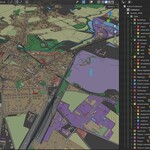
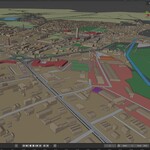
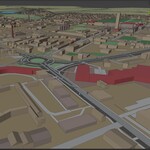
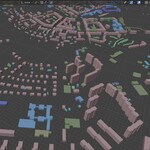
GIS2BLEND is a professional Blender add-on for importing, organizing, projecting and procedurally generating GIS and OpenStreetMap data directly inside Blender. It combines online OSM download, satellite map overlay, terrain generation, CRS-aware local GIS import, attribute-driven collections, procedural buildings, roads, terrain projection controls, material schemes and experimental spatial analysis into one guided workflow.
Why GIS2BLEND?
GIS2BLEND was built for artists, planners, GIS specialists, engineers, architects and visualization professionals who need a faster bridge between real-world geospatial data and 3D production. Instead of manually preparing data across multiple applications, the addon guides the user through a structured workflow from data source to terrain, map overlay, imported objects, procedural geometry, material styling and spatial analysis.
Key features
|
Feature |
What it does |
|
Guided 10-section UI |
A clean step-by-step workflow with collapsible sections and red navigation buttons for the current action. |
|
Online OSM download |
Download OpenStreetMap data directly from an online map extent or load existing local OSM files. |
|
OSM Extent Selector |
Search, paste coordinates or draw a bounding box on a map with satellite/topographic backgrounds. |
|
Selected OSM categories |
Download only the data you need: buildings, roads, water, waterways, forests, land use, railways, power, amenities, tourism, public transport and historic objects. |
|
Automatic OSM category detection |
Scan downloaded or loaded OSM data and see available categories with object counts. |
|
Terrain and map overlay |
Create a satellite/image overlay and optional terrain model for the selected project area. |
|
Local metric project coordinates |
Convert OSM, terrain, map overlay and local GIS layers into shared local Blender scene coordinates. |
|
CRS-aware GIS import |
Import SHP/GPKG/GeoJSON layers with automatic or manual CRS handling and reprojection. |
|
Attribute-driven organization |
Create collections, subcollections, materials and colors from GIS/OSM attributes. |
|
Procedural buildings and roads |
Generate building massing, road geometry, line widths, heights and type-based subcollections. |
|
Safe large-data workflow |
Low-memory import, logging, safe OSM limits, import-time grid/projection safety and selected-category downloads. |
|
Collection Terrain Controls |
Refine imported collections with Z offsets, extrusion, terrain projection and building height multipliers. |
|
Material & Colour Schemes |
Use editable ColorRamps, distance gradients, distance thresholds in metres and collection-based styling. |
|
Experimental spatial analysis |
Prepare spatial values and use them as inputs for visual analysis and material schemes. |
Professional applications
Urban planning and city-scale context models
Architecture and site visualization
Renewable energy visualization: wind, solar and battery storage projects
Environmental assessment and landscape analysis
Infrastructure and transport visualization
Digital twins and large-scale 3D mapping
GIS visualization, technical documentation and planning studies
Rapid Blender scene setup from OSM, SHP, GPKG and other GIS datasets
Workflow overview
The current version uses a guided workflow. Only the relevant step is expanded, while later steps remain collapsed until needed. This keeps the interface clean and reduces confusion in complex GIS/OSM projects.
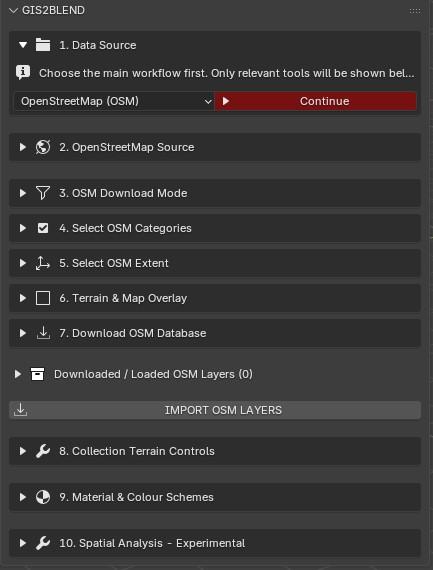
Current GIS2BLEND workflow starts with a clear data source selection and guided Continue button.
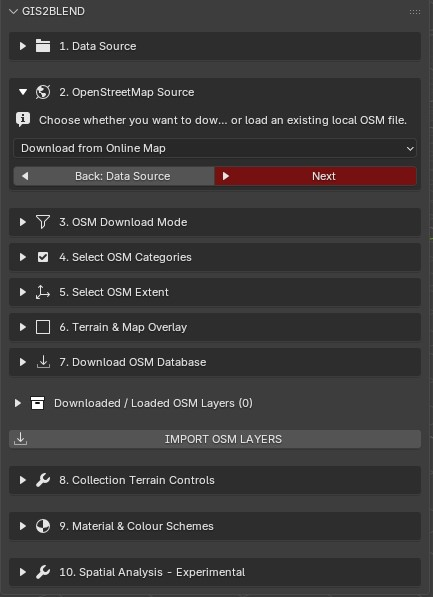
Choose online OSM download or a local OSM file source.
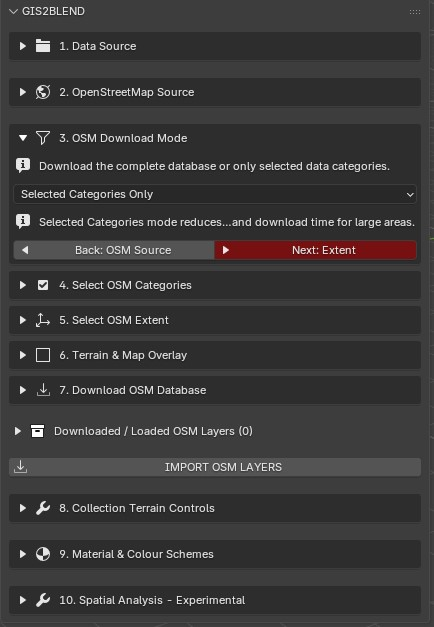
Selected Categories Only is recommended for controlled downloads and large areas.
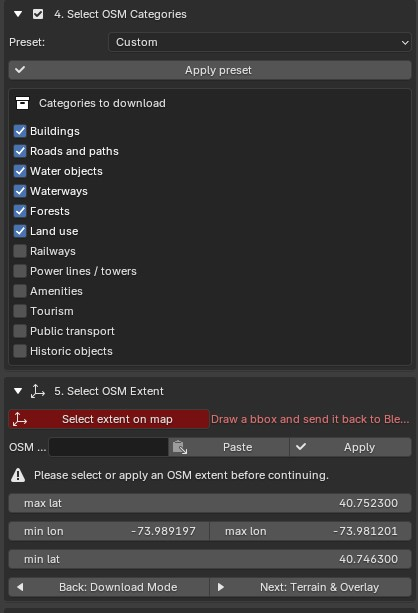
OSM categories and import extent can be configured before creating terrain or downloading data.
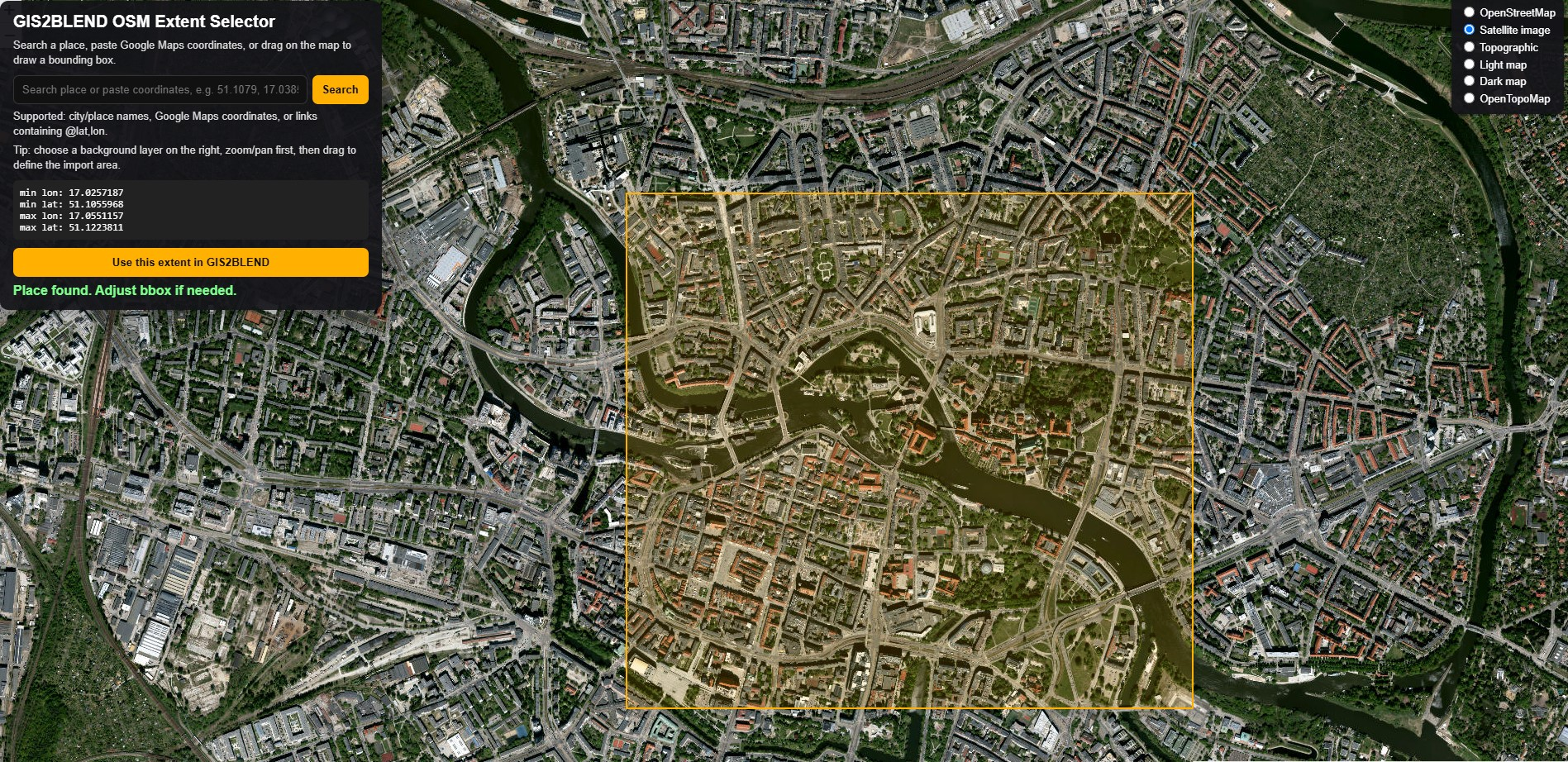
Map-based extent selection with satellite background and editable bounding box.
Terrain, overlay and safe import
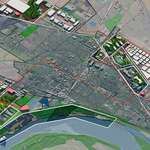
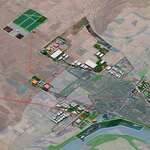
GIS2BLEND can create a map overlay and optional terrain mesh for the selected extent. It includes tile limits, low-memory import, detailed logging and safe import settings for heavier datasets.
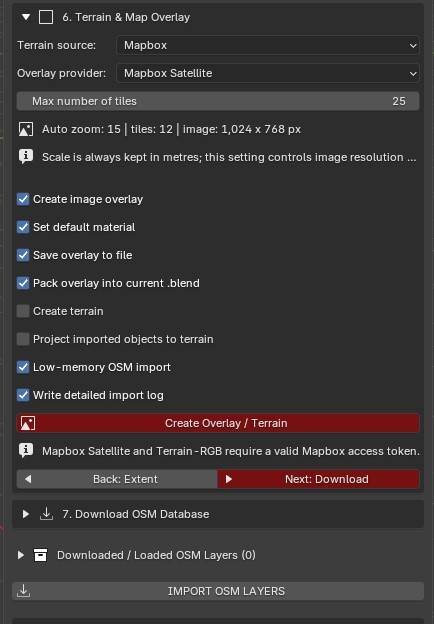
Map overlay workflow with tile limit, Mapbox satellite provider and low-memory import options.
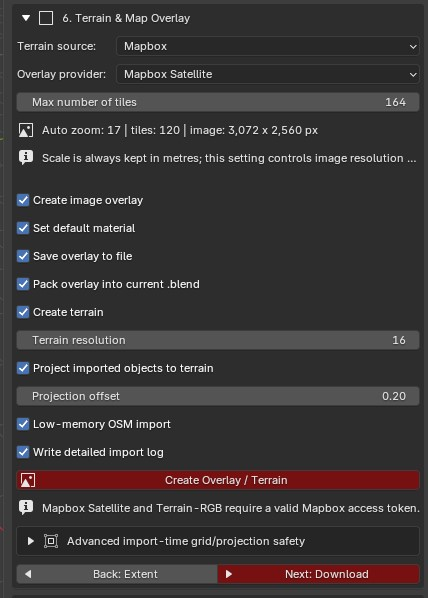
Terrain creation, projection offset and higher-resolution overlay/terrain settings.
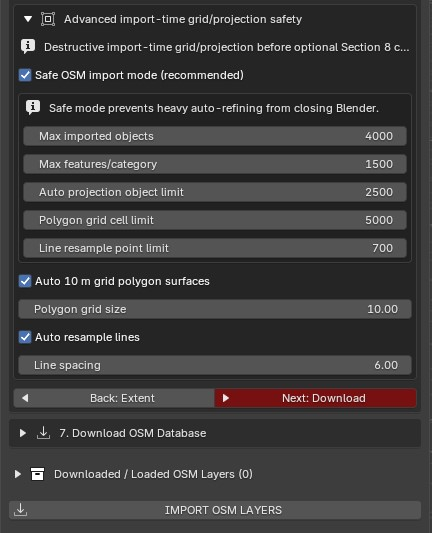
Advanced import-time safety controls for dense OSM data and terrain projection.
OSM category import
After OSM data is downloaded or loaded, GIS2BLEND detects categories and object counts. Users can enable only what they need and adjust per-category splitting, joining and geometry options before import.
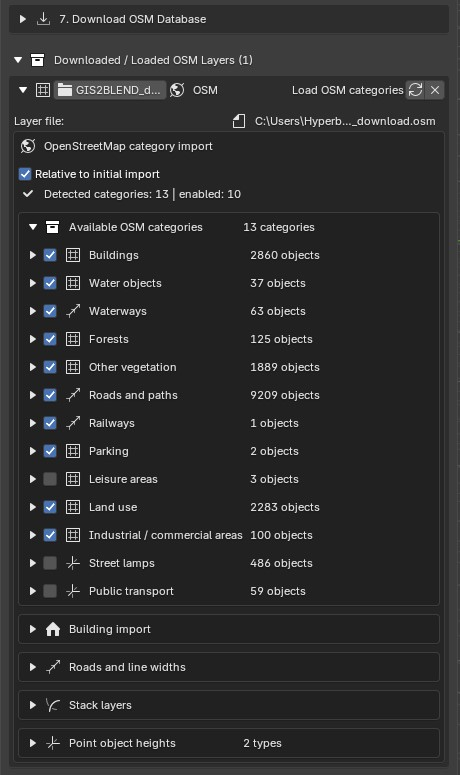
Detected OSM categories with object counts and category-specific import controls.
Post-import controls
Sections 8 and 9 are designed for controlled post-import refinement. Instead of processing every collection globally, you add controls only for the collections you want to adjust.
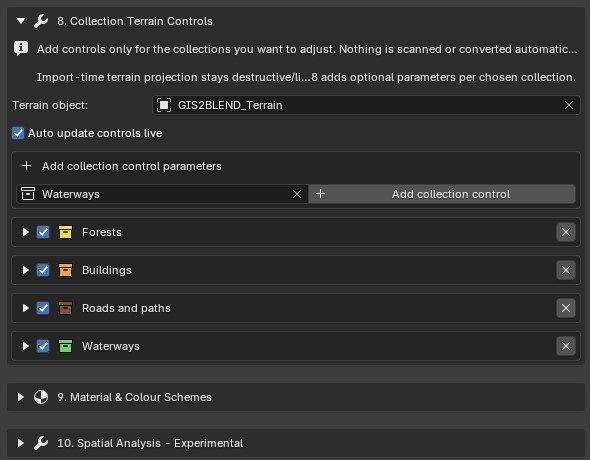
Add terrain controls only for selected collections such as buildings, roads, forests or waterways.
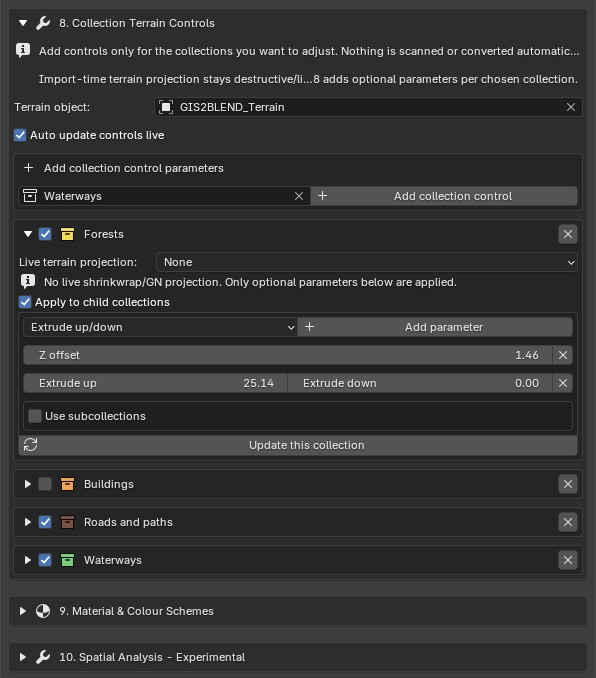
Collection-level terrain and extrusion controls for a selected category.
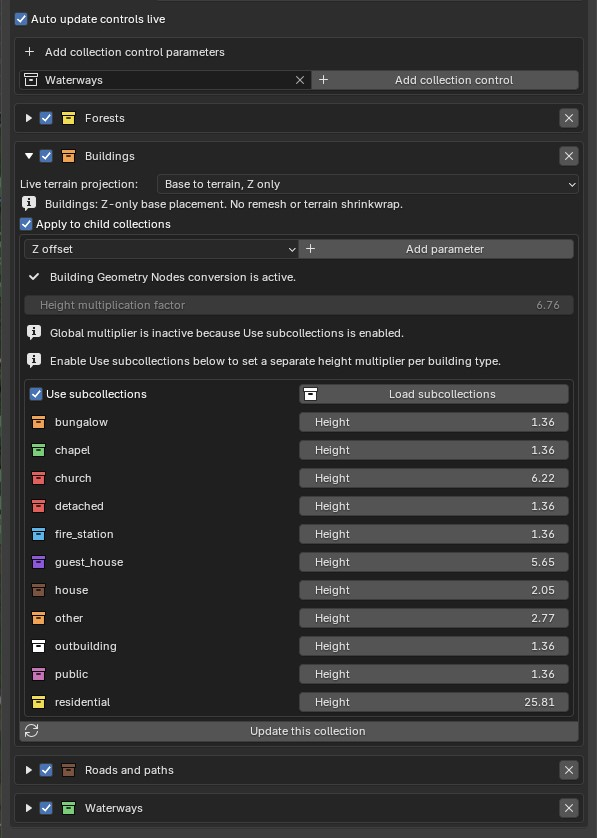
Building Geometry Nodes conversion with per-subcollection height controls.
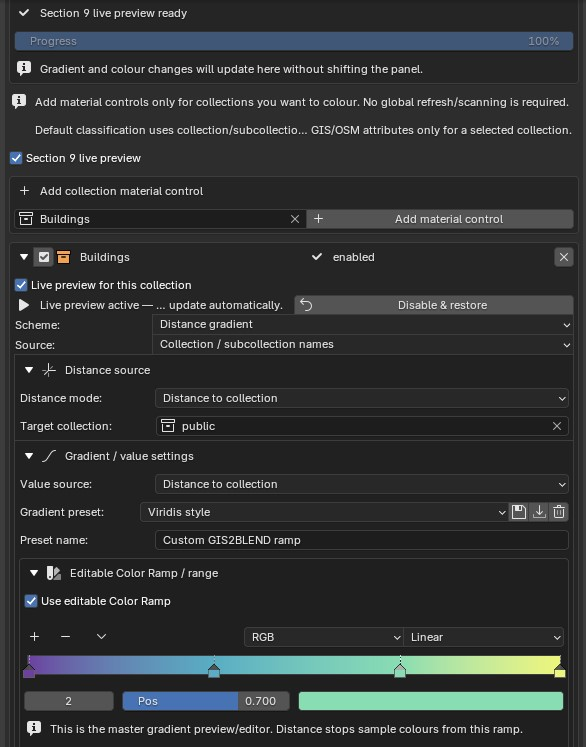
Live material preview, distance gradients and editable ColorRamp control.
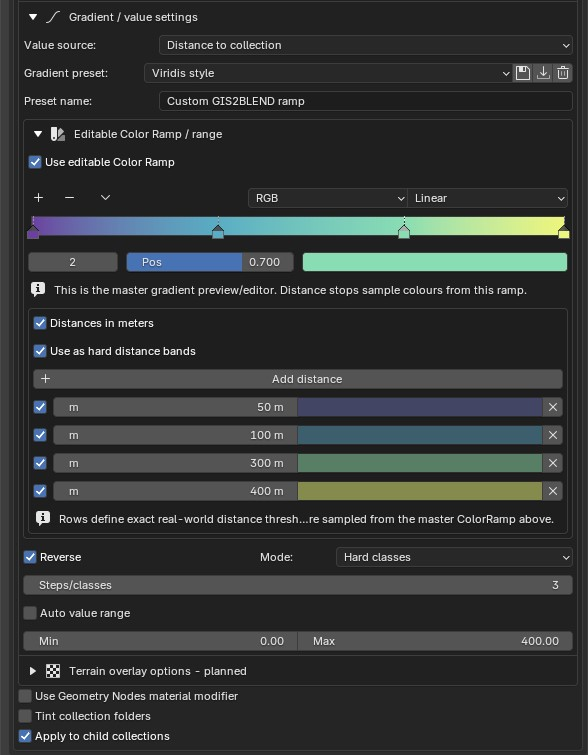
Distance bands in metres with hard classes and exact thresholds.
Local GIS and CRS workflow
Local GIS layers can be imported into the same local metric project coordinate system used by the OSM, terrain and overlay workflow. If the CRS is not detected automatically, the user can manually select an EPSG code or enter a custom CRS string.
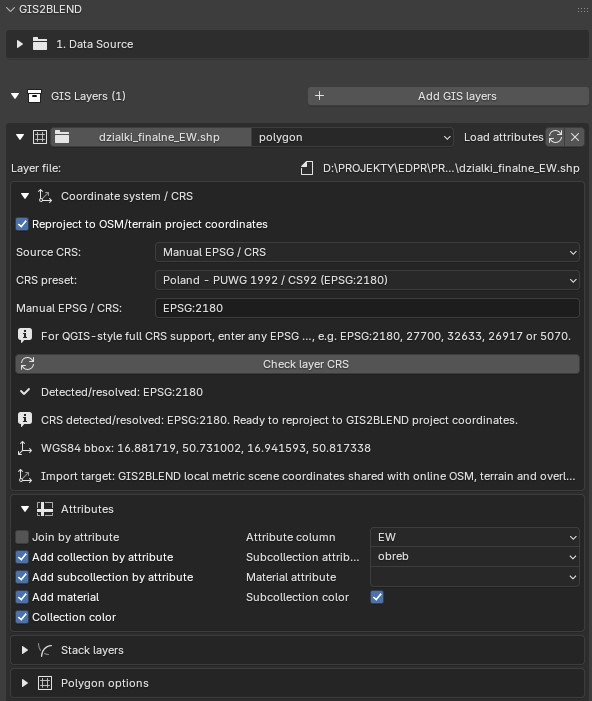
CRS-aware local GIS import with manual EPSG support and reprojection to project coordinates.
Recommended workflow
Start with a small extent or selected OSM categories to validate scale, location and performance.
Create the map overlay and terrain first if you need a geospatial visual reference.
Download or load OSM data and scan categories before import.
Import only the categories required for the current visualization or analysis.
Use Section 8 to adjust terrain projection, offsets, extrusions and building heights.
Use Section 9 to style imported collections with materials, gradients and distance-based classes.
Use Section 10 experimental tools when spatial analysis values are needed for further visualization.
Important technical notes
|
Topic |
Recommendation |
|
Mapbox token |
Required for Mapbox Satellite and Terrain-RGB workflows. |
|
Fiona / GDAL / pyproj |
Recommended for robust local GIS import and CRS reprojection. |
|
CRS setup |
If a local layer appears in the wrong place, check the source CRS and use manual EPSG if auto-detection fails. |
|
Large datasets |
Use Selected Categories Only, smaller extents, low-memory import and safe import limits. |
|
Vulkan |
If Blender fully crashes on some Windows/GPU configurations, try switching from Vulkan to OpenGL and test again. |
|
Memory |
Dense OSM layers such as roads, buildings, land use and vegetation can be heavy. Increase complexity gradually. |
GIS2BLEND is an advanced GIS-to-3D automation addon for Blender 5.x. It imports and generates organized 3D scenes from OpenStreetMap and local GIS datasets, including SHP/GPKG workflows, CRS reprojection, terrain and satellite map overlays, attribute-driven collections, procedural buildings and roads, collection terrain controls, material schemes, distance gradients and experimental spatial analysis tools.
Blender addon, GIS, Blender GIS, OpenStreetMap, OSM, Shapefile,
GeoPackage, GPKG, terrain, satellite overlay, city generation, urban
planning, digital twin, geospatial visualization, architectural
visualization, infrastructure visualization, renewable energy
visualization, procedural buildings, procedural roads, CRS, EPSG,
Mapbox, 3D mapping, environmental analysis
License & Copyright
GIS2BLEND Python source code is licensed under GNU GPL v3.0 or later, in accordance with Blender add-on licensing requirements.
Documentation, logo, product name, screenshots, marketing materials, demo assets, tutorial files, example scenes, presets, product descriptions and other non-code materials are not licensed under the GPL unless explicitly stated otherwise.
Unauthorized copying of non-code materials, false authorship claims, removal of copyright notices, misleading forks, misuse of the GIS2BLEND name or branding, and non-compliant redistribution may result in takedown requests and legal enforcement.