Gobo Light Pro — One-Click Gobo Spotlights (65 Built-in Patterns)
 blenderustad



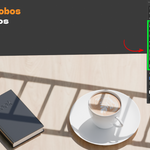
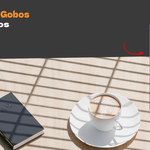
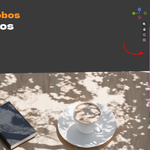
I picked a new gobo and it made a second light instead of changing the first one. Why?
The Add As New Light toggle is on by default, so every click creates a new Gobo Light. Turn it off if you
Can I use my own gobo images?
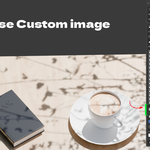
Yes. Click Use Custom Image and load a PNG, JPG, or JPEG. A transparent PNG works best because the add-on reads the image alpha to shape the light. High contrast black and white images also work.
The projected pattern is too big or too small. How do I fix it?
Use the Texture Scale slider in the Adjust section. It drives the Mapping node, so you resize the pattern without opening the shader editor. Also check the spot light cone angle and how far the light sits from the surface.
Why does my render engine switch to Cycles when I add a gobo?
The gobo projection uses light shader nodes that render correctly in Cycles. The add-on switches the scene to Cycles for you and saves your previous engine so you can switch back. Eevee handles light textures differently and is not the target here.
Do I still need to set up shader nodes by hand?
No. When you click a pattern, Gobo Light Pro builds the full node tree on the light: Texture Coordinate, Mapping, Image Texture, Invert, and Emission, wired to the Light Output. You control it with sliders in the N-panel.
Have questions about this product?
Login to message
| Blender Extension Compatible | Yes |
| Published | about 2 months ago |
| Blender Version | |
| Extension Type | Add-on |
| Render Engine Used | Cycles, Eevee |
| License | GPL |

Discover more products like this
window blinds shadow projection foliage shadow lighting addon dappled tree light shadow gobo spotlight for blender blender spot light gobo blender archviz window light blender cinematic lighting addon custom image gobo blender one click gobo light hard shadow lighting addon ready made gobo library project image through light