 blenderustad


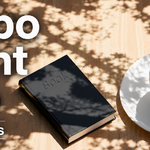
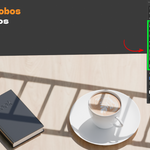
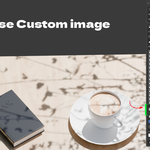
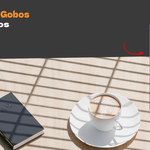
What Gobo Light Pro Does
Gobo Light Pro is a lighting add-on for Blender 4.2 and newer that projects images through a spot light to create patterned light and shadows in your scene.
Artists commonly call this a gobo, short for “goes before optics.” It is a simple but powerful technique used to create effects such as sunlight passing through windows, dappled light under trees, or hard blinds shadows in cinematic and noir-style lighting.
Normally, creating a gobo setup manually requires adding a spot light, enabling light nodes, adding Texture Coordinate, Mapping, and Image Texture nodes, routing the alpha through an Invert node into an Emission node, and then adjusting the scale and projection until everything looks right.
Gobo Light Pro does all of this automatically. Simply choose a pattern and the add-on creates the complete setup for you.
What Problem Does It Solve?
Manual gobo setups are time-consuming and easy to get wrong. The projection setup can be fiddly, the alpha-to-emission technique is not immediately obvious, and every new light requires rebuilding or duplicating the node setup.
Many artists instead place a textured plane in front of a light. However, this can block bounce light, introduce unnecessary geometry, and produce a flatter result.
Gobo Light Pro removes that friction.
You get:
A correct node setup every time.
A simple texture scale slider instead of manually adjusting Mapping values.
A curated library of clean gobo patterns.
The ability to create and manage multiple gobo lights quickly.
-
A workflow that keeps you focused on lighting and art direction instead of node setup.
Who Should Use Gobo Light Pro?
Archviz Artists
Create believable window, foliage, curtain, and architectural light patterns for interior and exterior scenes.
Product & Food Renderers
Add subtle leaf shadows, blinds, or window patterns behind your hero products.
Character & Portrait Artists
Create atmospheric and dramatic lighting setups for portraits and characters.
Animation & Short Film Makers
Build cinematic lighting setups quickly while experimenting with different patterns.
Motion Designers & Studio Artists
Create and adjust lighting across multiple scenes without repeatedly rebuilding node networks.
Blender Beginners
Get professional-looking gobo lighting without having to learn the Shader Editor first.
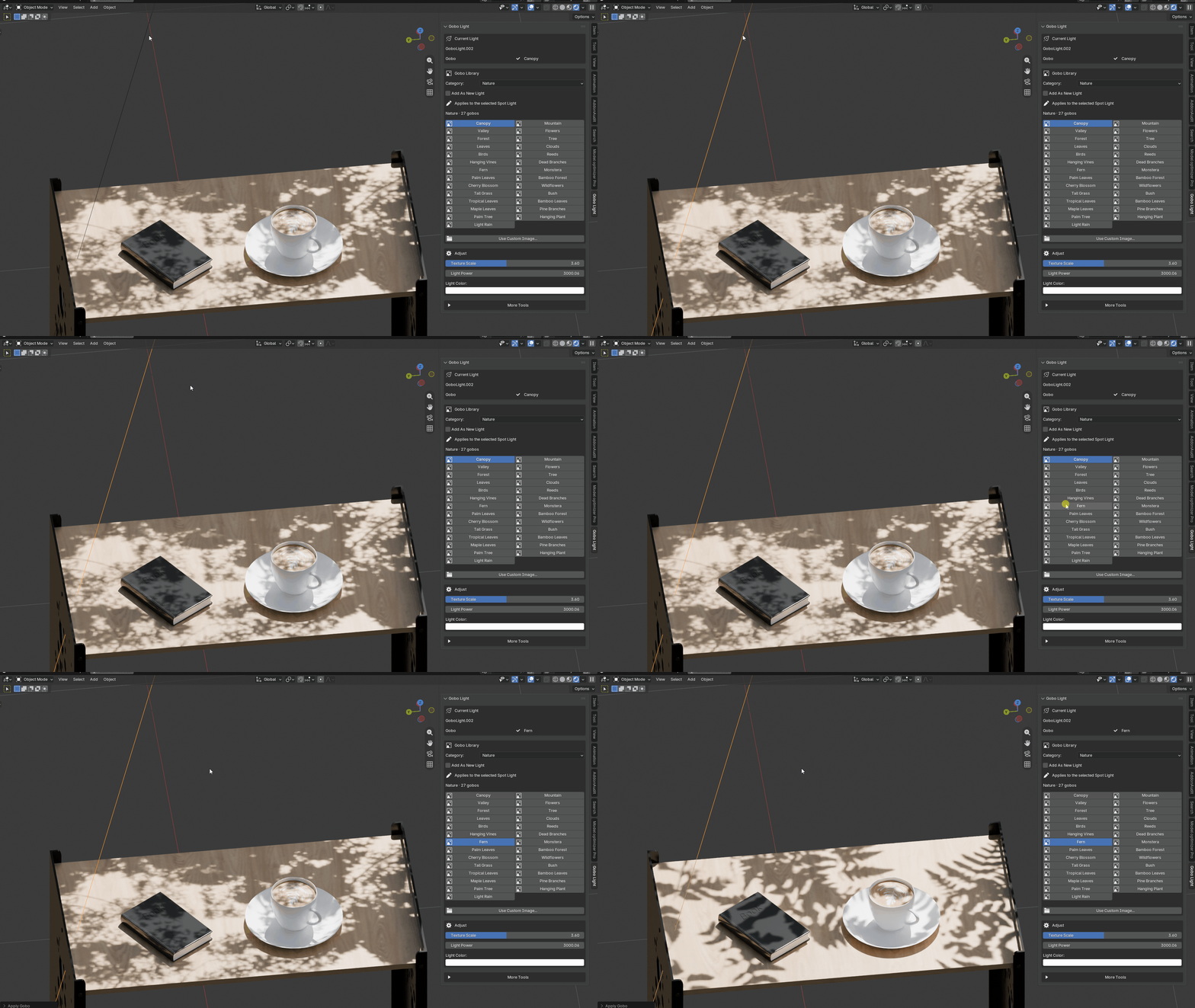
Why It Beats a Manual Workflow
One-Click Setup
Instead of manually creating and connecting multiple nodes, choose a pattern and get a working gobo light instantly.
Scale With a Slider
The Texture Scale control drives the Mapping node, allowing you to resize the projected pattern without opening the Shader Editor.
Uses a Real Light
The pattern is applied directly to the light shader rather than using a blocker plane. This keeps your lighting setup cleaner while preserving bounce light and color interaction.
Curated Gobo Library
Choose from 65 built-in patterns designed to produce useful and visually appealing shadows.
Repeatable Workflow
Use Add As New Light to quickly create multiple gobo lights and build complex lighting rigs.
Portable Scenes
Gobo images are packed into the Blender file, so your scenes remain functional when opened on another machine or render farm.
How It Works
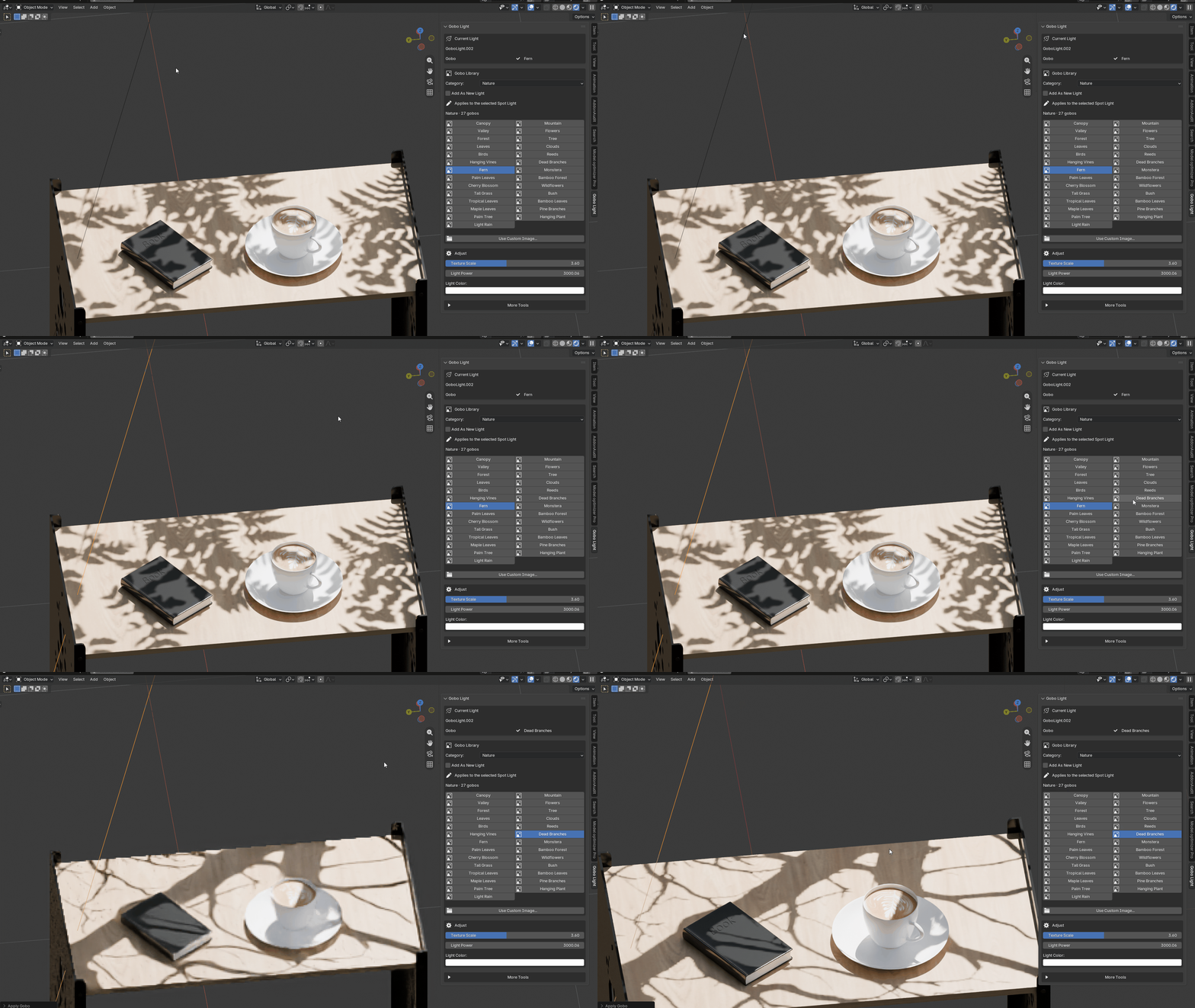
Press N in the 3D Viewport to open the sidebar.
Open the Gobo Light tab.
Click Create Gobo Light, or select a pattern and let the add-on create the light automatically.
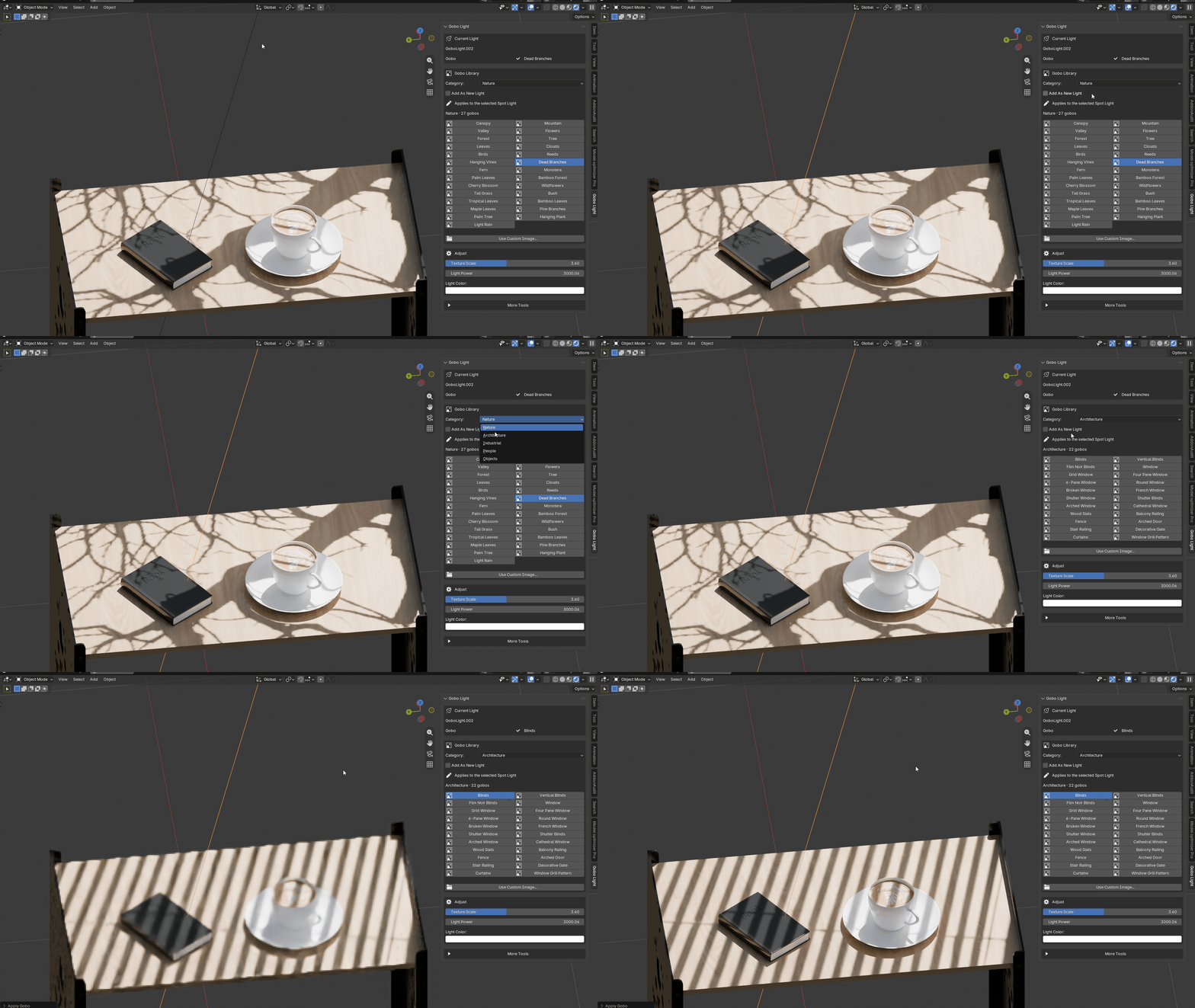
Choose a category: Nature, Architecture, Industrial, People, or Objects.
Select a gobo pattern.
Use Aim to Selected to point the light toward your subject.
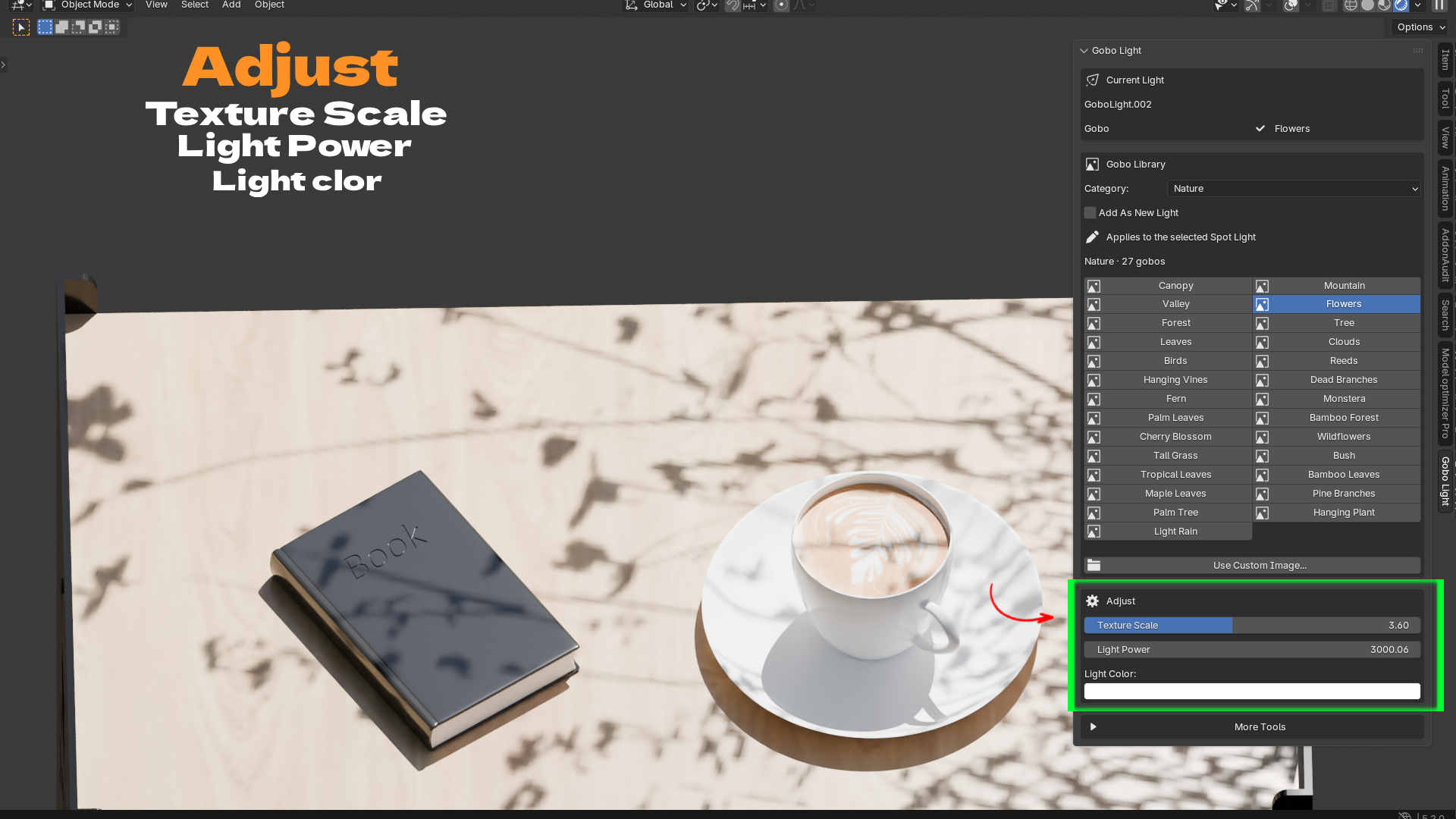
Adjust Texture Scale, Light Power, and Light Color until the lighting looks right.
-
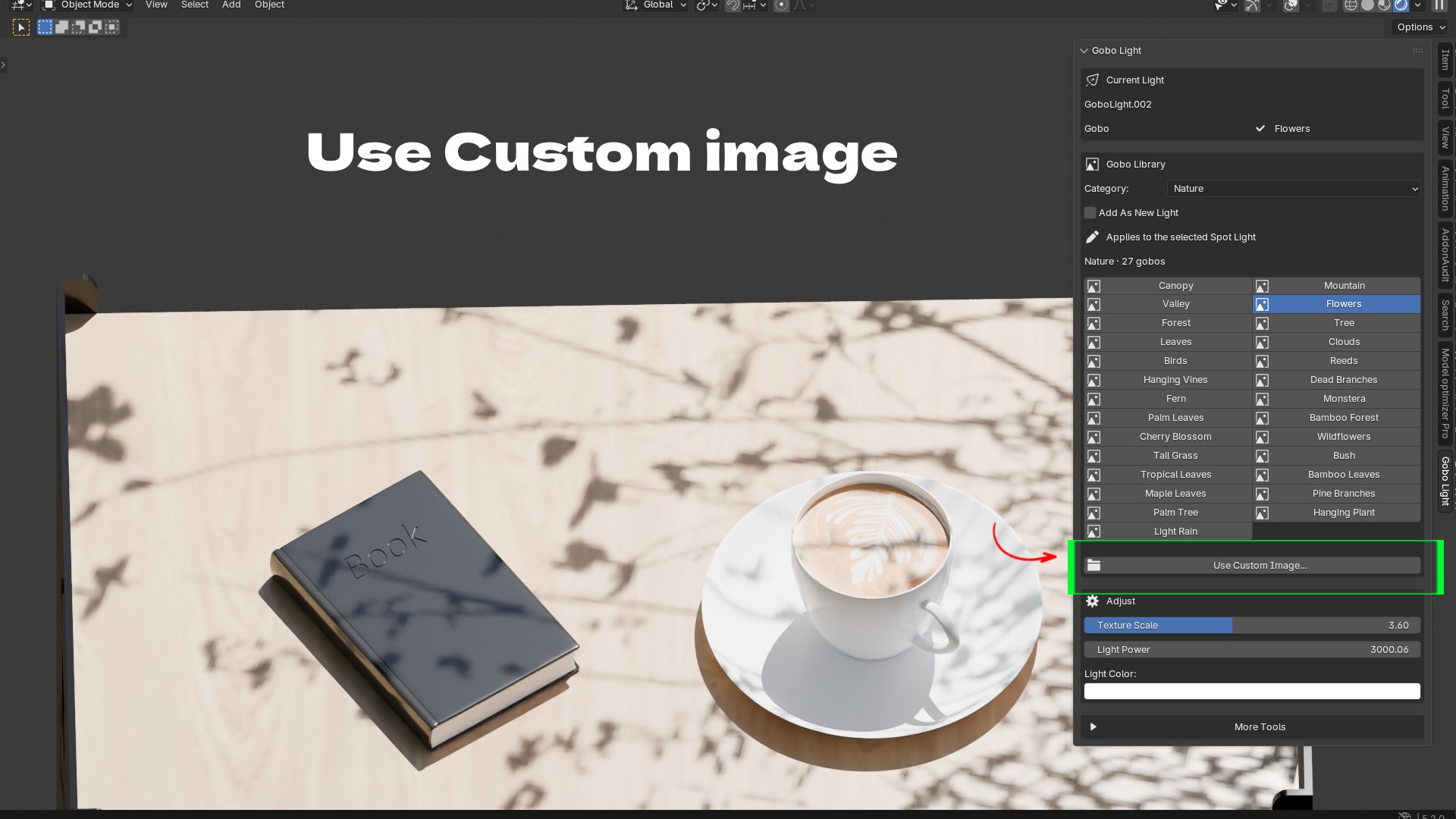
Want to use your own pattern? Click Use Custom Image and load a transparent PNG, JPG, or JPEG.
Built-In Gobo Library
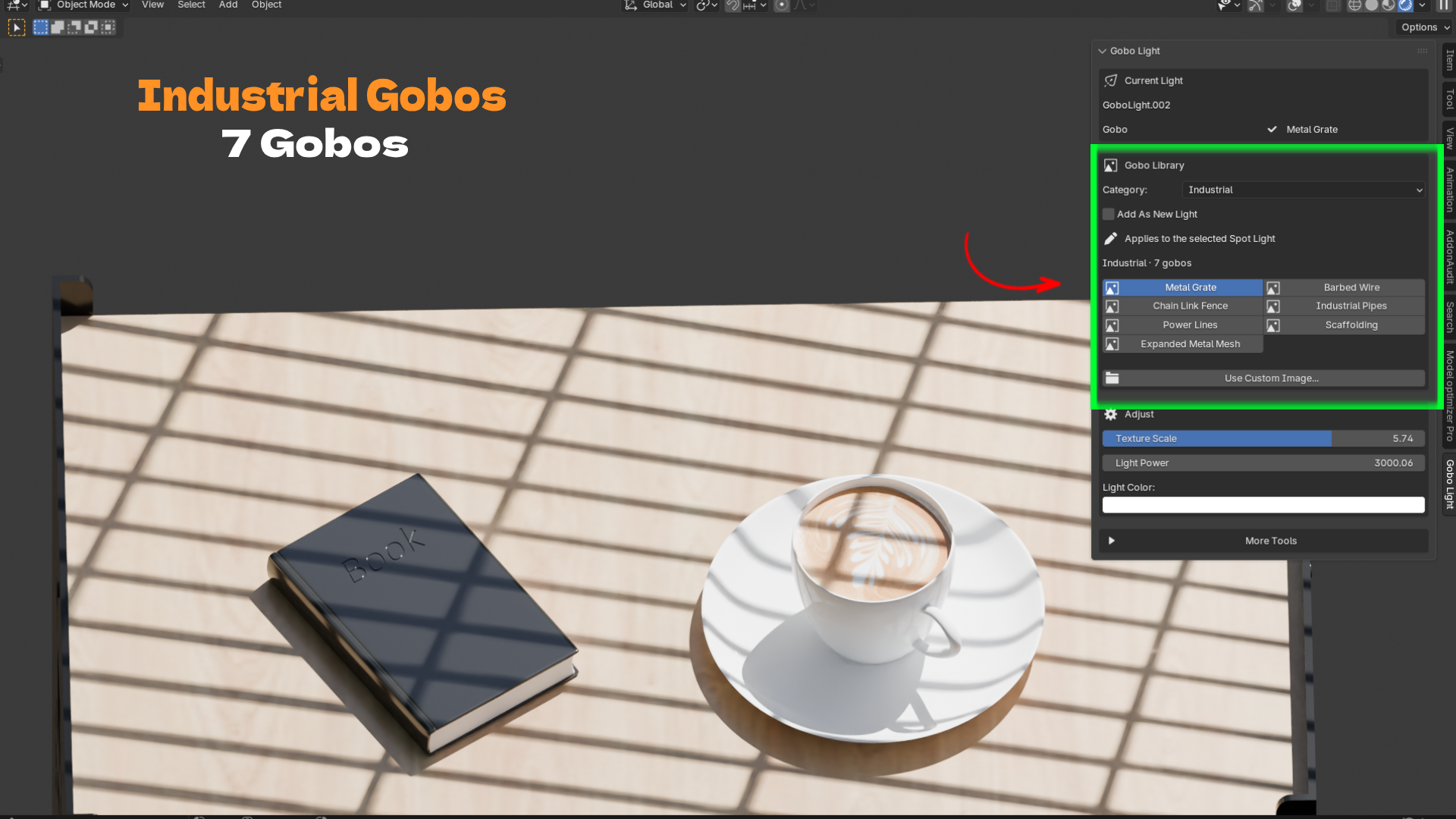
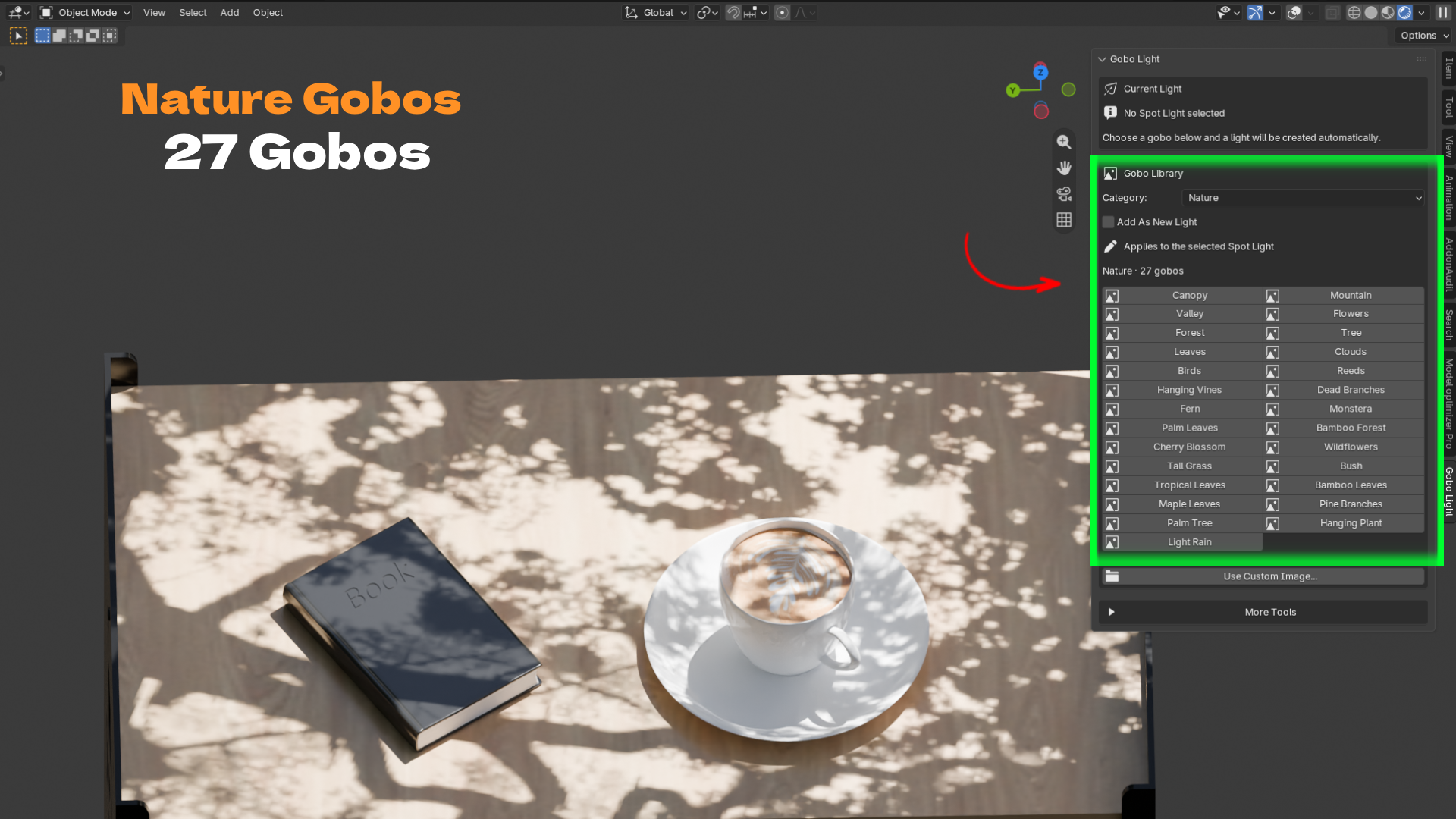
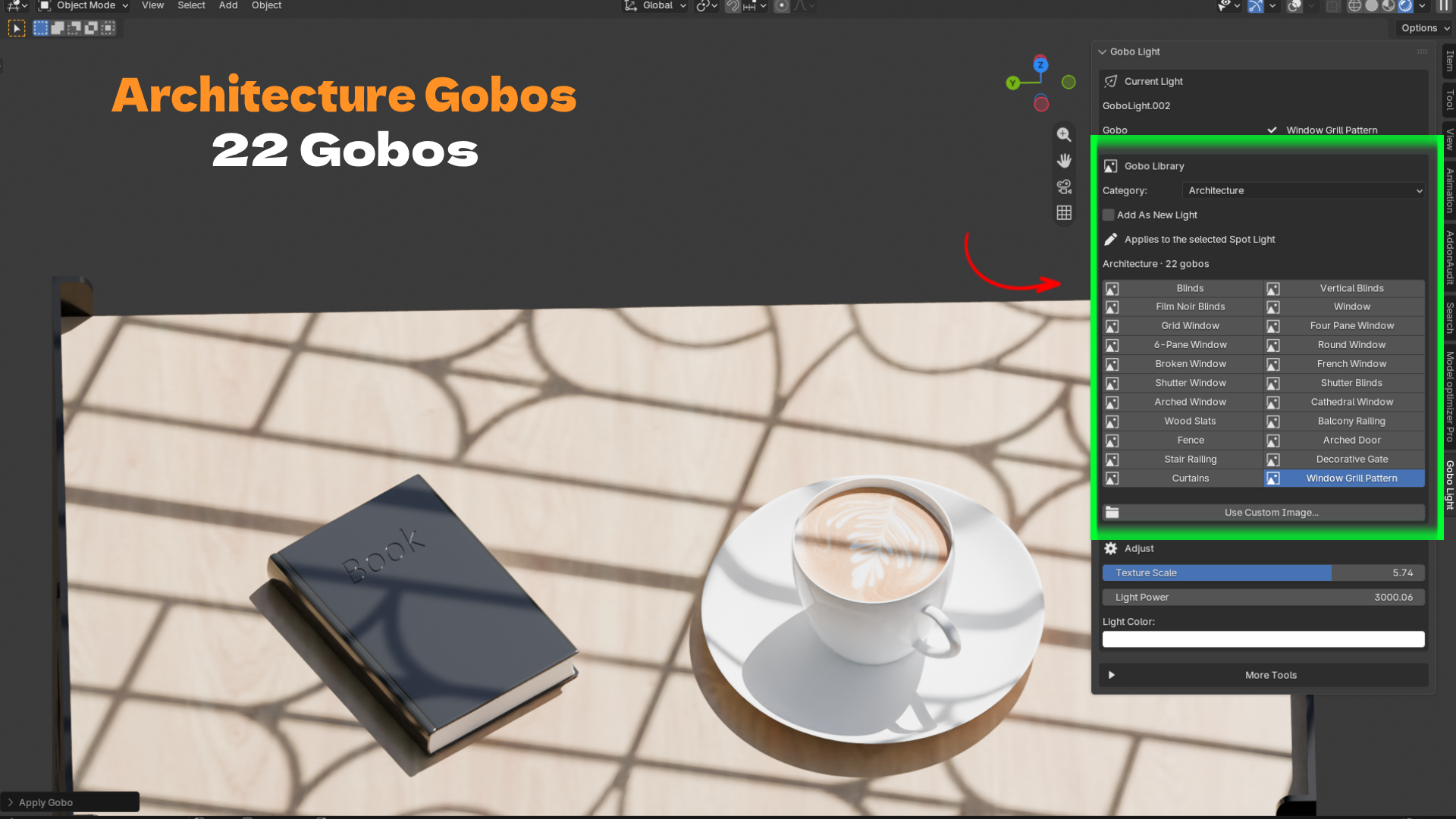
Gobo Light Pro includes 65 built-in patterns across five categories.
Nature — 27 Patterns
Canopy, forest, tree, leaves, fern, monstera, palm leaves, bamboo forest, cherry blossom, wildflowers, tall grass, bush, tropical leaves, maple leaves, pine branches, hanging vines, dead branches, reeds, clouds, birds, mountain, valley, palm tree, hanging plant, light rain, and more.
Architecture — 22 Patterns
Blinds, vertical blinds, film noir blinds, shutter blinds, plain window, grid window, four-pane window, six-pane window, round window, arched window, cathedral window, French window, shutter window, broken window, curtains, wood slats, fence, balcony railing, stair railing, arched door, decorative gate, and window grill patterns.
Industrial — 7 Patterns
Metal grate, expanded metal mesh, chain-link fence, barbed wire, industrial pipes, power lines, and scaffolding.
People — 3 Patterns
Crowd, silhouette, and peace hand.
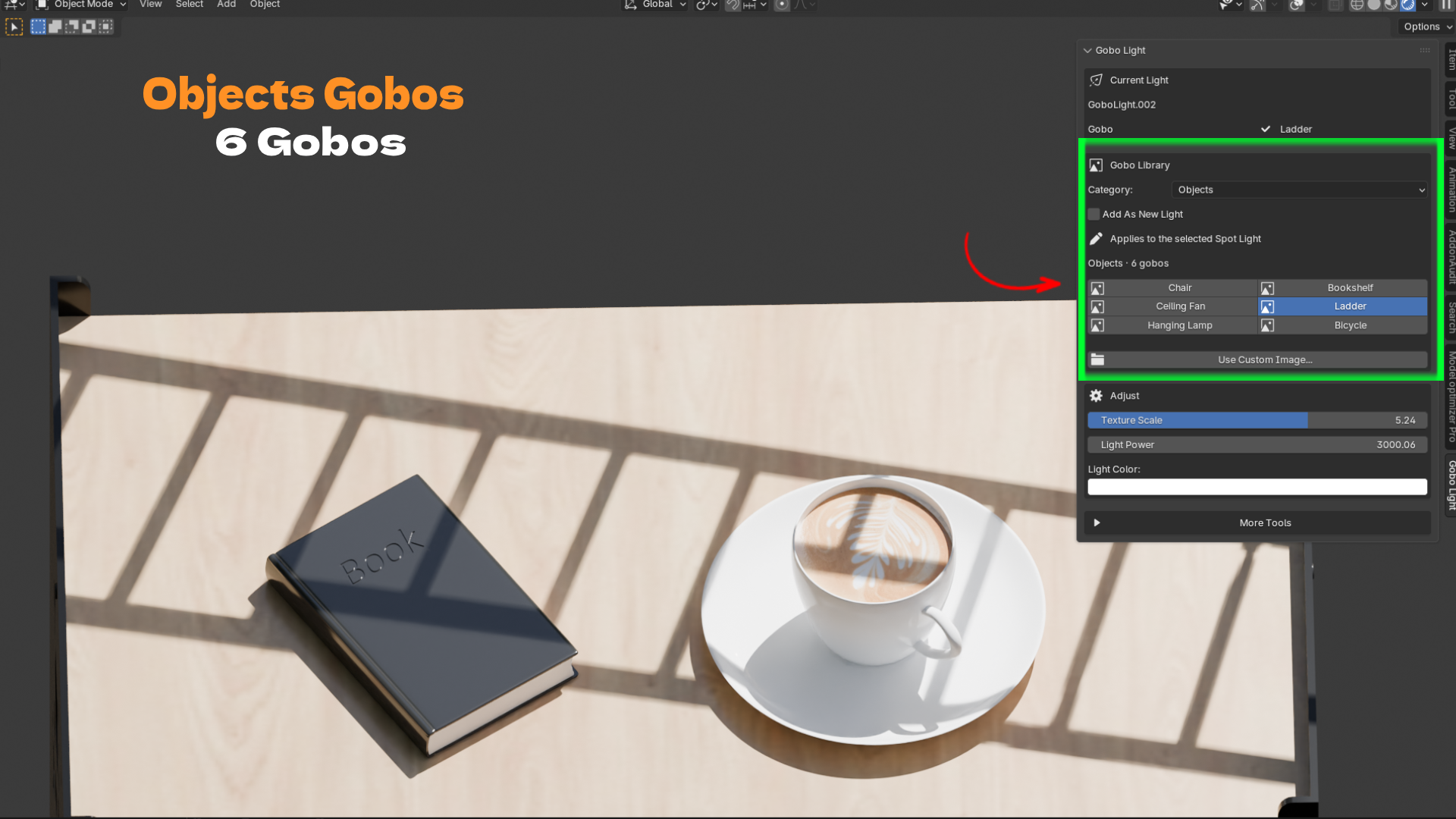
Objects — 6 Patterns
Chair, bookshelf, ceiling fan, ladder, hanging lamp, and bicycle.
Render Engine
Gobo Light Pro applies the gobo effect in Cycles.
When you add a gobo, the add-on automatically switches the scene to Cycles and remembers your previous render engine. This allows you to return to your previous engine after working with the gobo setup.
Using Cycles helps maintain crisp, physically accurate projected shadows.
What Is Included?
Gobo Light Pro add-on for Blender 4.2+
Blender Extension format
65 built-in gobo images
N-panel interface with gobo library, adjustment controls, and tools
Free updates throughout the 2.x release line
Key Features & Benefits
One-Click Gobo Spot Light
Skip the multi-node setup. Select a pattern and instantly create a working gobo light.
65 Built-In Patterns in 5 Categories
Create window, foliage, industrial, people, and object shadows without searching for your own masks.
Custom Image Loading
Load your own PNG, JPG, or JPEG images to create custom gobo patterns.
Texture Scale Slider
Resize the projected pattern without opening or modifying the Mapping node.
Light Power & Light Color Controls
Adjust the brightness and color of your gobo directly from the N-panel.
Add As New Light
Create additional gobo lights to build complex lighting rigs, or replace the pattern on your existing light.
Aim to Selected
Point the gobo light toward your selected subject with a single click instead of manually rotating the light.
Reset & Remove Gobo
Return to a clean light or remove the gobo setup without deleting the light.
Packed Images
Keep your scenes portable by packing gobo images directly into the Blender file.
Clean N-Panel Interface
Manage your library and lighting controls from a single, organized interface, with a status card showing the active light and gobo.
Workflow Benefits
Faster Look Development
Test ten different patterns in the time it previously took to manually build one setup.
Fewer Mistakes
The projection and alpha-to-emission setup is generated correctly every time.
Less Context Switching
Stay in the 3D Viewport and control your gobo without constantly switching to the Shader Editor.
Easy Iteration
Adjust texture scale, light power, and color with simple sliders. Client revisions take seconds instead of minutes.
Reusable Lighting Rigs
Create multiple gobo lights, organize them, and reuse lighting setups across different shots.
Cleaner Scenes
Avoid unnecessary blocker planes and extra geometry in front of your lights.
Team Friendly
Packed images ensure that teammates, collaborators, and render farms see the same result when opening the file.
Use Cases
Archviz Interior
Project a four-pane window and curtain gobo to create warm morning sunlight across a living room.
Archviz Exterior
Use a tree canopy gobo over a patio to create natural, dappled shade.
Product Photography
Place a soft leaf shadow behind a skincare bottle to add depth and visual interest.
Food Photography
Cast blinds or window patterns across a coffee-and-book setup for a natural photography look.
Character Portraits
Use film noir blinds to create dramatic, hard-edged mood lighting.
Sci-Fi & Industrial Scenes
Project metal grate, scaffolding, or industrial patterns to add grime, texture, and scale.
Music Videos & Short Films
Build cinematic key lighting quickly using a window gobo combined with colored fill lights.
Motion Graphics
Animate light power or light rotation to create moving shadow patterns.
Learning Blender
Inspect the generated node tree to understand how gobo projection works and learn how the individual nodes work together.
