Gradient Flow
 duchen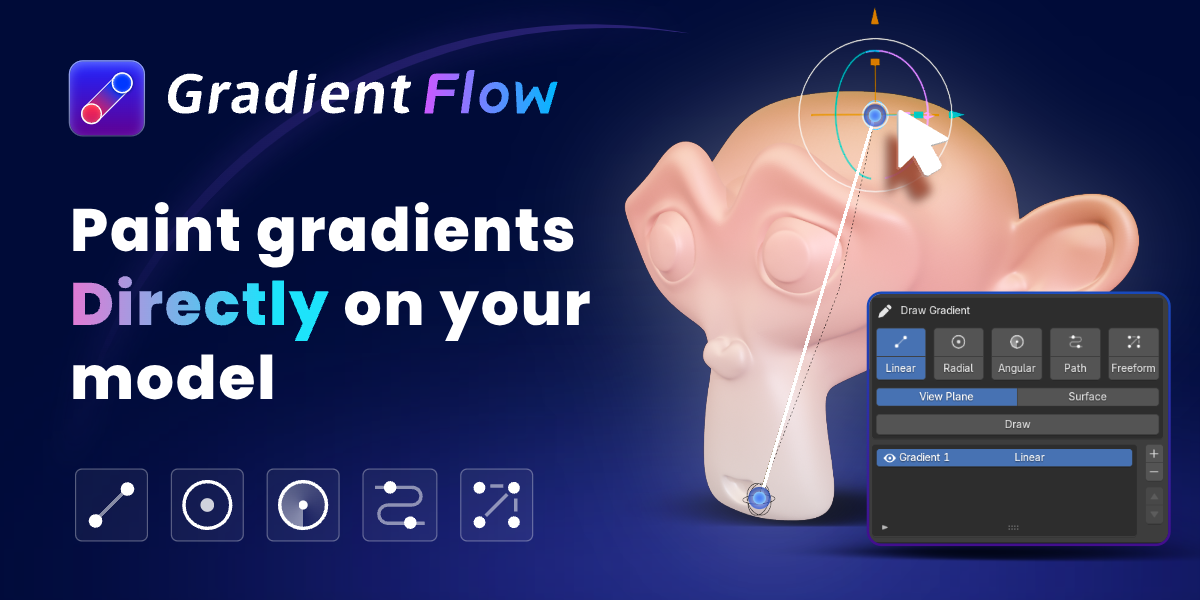




GradientFlow Lite V2.0.0
This update expands the Lite workflow with more creative control and a clearer upgrade path to Pro.
- Up to 2 Linear Gradient layers
- Full Preset Palette Library
- Auto Motion support
- Smooth Noise Distortion
- Uniform Stepped Gradients
- Clearer Pro feature locks and upgrade prompts
- Improved stability and workflow
GradientFlow Demo V1.0.0 Release Notes
This update introduces stepped gradients and improves material node connection behavior.
- Added a Stepped Gradient mode for Linear Gradients, creating clearly separated color bands.
- Supports between 2 and 64 gradient steps.
- Stepped gradients work consistently in both live previews and baked results.
- GradientFlow automatically detects and connects to the Base Color input during initial setup.
- User-defined node connections are now preserved during later gradient edits and material rebuilds.
- Improved overall stability and the material node editing experience.
GradientFlow Demo
GradientFlow Demo offers a focused introduction to GradientFlow’s interactive gradient-design workflow in Blender. It includes the essential tools needed to create, edit, and combine Linear gradients directly on mesh surfaces.
Linear Gradient Creation
Create editable Linear gradients and apply color transitions directly to mesh surfaces.Interactive Viewport Controls
Position and adjust gradients visually through intuitive controls in Blender’s 3D Viewport.Layer-Based Composition
Stack multiple Linear gradient layers and independently control their visibility, opacity, blending modes, and colors.Native Color Ramp Integration
Edit color stops and interpolation using Blender’s native Color Ramp for a familiar and flexible workflow.Designed for Evaluation and Lightweight Workflows
The Demo edition is ideal for exploring GradientFlow’s core workflow or handling projects that only require Linear gradients.
Demo Limitation
GradientFlow Demo includes the Linear gradient type only. Upgrade to GradientFlow Pro to unlock all five gradient types, image-based color extraction, palette management, gradient property cloning, and color attribute baking.
Gradient Flow 3.0.7
- Added S-key scaling for the center control point in Radial and Angular gradient modes.
- Fixed an issue where the Base Color could be reset after adjusting other parameters while Clip Outside Domain was enabled.
- Improved gradient editing stability and parameter preservation.
GradientFlow 3.0 Release Notes
1. Local Gradients and Edit Mode
- Draw gradients on selected faces while in Blender Edit Mode.
- Automatically creates an independent material so local gradients remain separate from the object’s main material.
- Linear, Radial, Angular, Path, and Freeform gradients all support local drawing.
- Automatically cleans up temporary materials when local gradients are removed, restoring the original material whenever possible.
2. Gradient Drawing and Controls
- Create Bézier gradient paths from continuous edge chains or closed edge loops, with support for reversing path direction.
- Added Angular Seam Blend to soften the transition between the last and first colors.
- Added stepped gradients with Uniform and Independent per-segment modes.
- Hold Shift during initial drawing or secondary handle movement to snap angles in 15° increments.
3. Built-in Gradient Palettes
- Replaced the original V2 palettes with 70 gradients across 7 English categories:
- Fresh Ocean
- Soft Pastels
- Warm Sunset
- Natural Earth
- Neon Spectrum
- Dark Luxury
- Metallic Anisotropy
- Metallic gradients support non-uniform color-stop positions.
- All palette categories are collapsed by default and can be expanded as needed.
- Improved palette scrolling so the outer panel can continue scrolling after the color area reaches its limit.
4. Image-to-Gradient Extraction
- Automatically analyze and extract dominant colors from images.
- Uses the perceptual OKLab color space for more accurate color extraction.
- Supports full-image analysis, path sampling, and individual color-point sampling.
- Extracted colors can be removed, reordered, enabled, or disabled.
- Apply extracted colors directly to the active gradient or save them as Project / Personal palettes.
- Images are used only for sidebar sampling and are not added to the Blender scene.
5. Animation System
Motion
- Motion has been upgraded from a drawing option into a dedicated animation module.
- Linear, Radial, Angular, and Path gradients support automatic motion and directional controls.
- Supports Once, Loop, and Ping-Pong playback, with Loop as the default mode.
- Freeform gradients support seeded Wiggle animation.
- Includes controls for speed, start frame, and phase offset.
K Gradient Frame
- Records complete gradient states, including colors, color stops, stop positions, and control handles.
- Supports state interpolation and Loop / Ping-Pong playback.
- Creates editable proxy keyframes in the Timeline and Dope Sheet.
- Moving, scaling, duplicating, or deleting keyframes automatically synchronizes with GradientFlow.
- Fixed repeated keyframe overrides while editing at a stationary frame.
- Automatically removes related keyframes when a layer is deleted.
Distortion
Added five animatable gradient distortion types:
- Smooth Noise
- Turbulence
- Waves
- Ripple
- Twist
Distortion results remain consistent across shader nodes, viewport previews, multi-object transfers, and current-frame baking.
GradientFlow V2.2.2 Release Notes
This update introduces the new Stepped Gradient feature.
- Convert smooth gradients into clearly separated color bands.
- Available for Linear, Radial, Angular, and Path gradients.
- Adjust the number of steps from 2 to 64.
- Preserve existing Color Ramp stops and interpolation settings.
- Stepped Gradient settings are retained in live materials, baked results, and transferred layers.
- Improved overall stability and user experience.
GradientFlow Pro V2.2.1 Release Notes
This release focuses on fixes related to freeform gradient controls and material node connections, improving stability and workflow compatibility.
- Fixed an issue where deleting a freeform gradient control point in the viewport did not update the color point list.
- Fixed an issue where deleting a color point from the list caused the target object to lose its active state and the add-on panel to disappear.
- Improved selection behavior after deleting a control point. An adjacent point is now activated automatically, while the remaining controls stay visible.
- Fixed an issue where material updates could overwrite user-defined node connections.
- Gradient output is now connected to
Base Coloronly during initial creation. Connections moved to other inputs, such asRoughness, are preserved. - Improved deleted-control detection and orphaned-data cleanup in Blender 5.x.
GradientFlow V2.2.0 Update
Release Date: August 24, 2026
Compatible with Blender 4.5+
This update introduces more precise gradient controls, a redesigned palette workflow, and improved material stability.
What’s New
- Added Planar and Volume modes for radial gradients, including adjustable depth controls.
- Added domain clipping and edge feathering for Linear, Radial, Angular, and Path gradients.
- Redesigned the palette system with Public, Project, and Personal libraries.
- Added palette categories, gradient previews, rename/delete tools, and JSON import/export.
- New gradients now inherit the material’s original base color for a more natural starting result.
Fixes & Improvements
- Fixed material node feedback loops and unstable shader connections.
- Improved compatibility with complex node graphs and localized Blender interfaces.
- Fixed generated nodes overlapping existing shader nodes.
- Fixed washed-out colors in the image sampler preview.
- Improved ColorRamp synchronization after reopening
.blendfiles. - Fixed incorrect target counts after batch gradient transfer.
- Improved legacy project and palette migration.
GradientFlow V2.2.0 makes gradients easier to control in 3D while turning palettes into reusable creative assets.
GradientFlow v2.1.2 — Layer Stability Fix
- Fixed an issue where material updates could stop responding when using three or more gradient layers.
- Improved shader recompilation reliability for complex multi-layer gradients.
- Reworked node-group rebuilding to prevent incomplete material states.
- Added automatic retry handling for temporary Blender RNA update failures.
- Improved stability when enabling, disabling, or adjusting gradient layers.
GradientFlow v2.1.1 — Stability Update
This maintenance release improves material-node reliability in complex Blender projects.
Fixes
- Fixed an issue where reopening a project could create duplicate or circular GradientFlow node connections.
- Fixed materials appearing completely black when custom or complex shader node groups were used.
- Prevented GradientFlow-generated outputs from being incorrectly detected as original material inputs.
- Added automatic cleanup of invalid feedback connections created by previous versions.
Improvements
- Improved target shader and input-socket detection for custom node groups.
- Added stable socket identification to preserve connections across project reloads.
- Improved restoration of previously saved material connections.
Users experiencing this issue should update to v2.1.1 and reopen the original .blend file.
GradientFlow Pro 2.1.0 — Release Notes
GradientFlow Pro 2.1.0 expands the original four-gradient system with Angular gradients and introduces several workflow and synchronization improvements.
Added Angular Gradient

Angular joins Linear, Radial, Bézier Path, and Freeform as the fifth gradient type. Create rotational color transitions around a customizable center and adjust individual color stops directly through viewport controls.Improved Gradient Property Cloning
Select multiple target objects and copy gradient properties to them in a single operation. Once copying is complete, the target list is cleared automatically while the source object remains available for the next batch.Added Related Color Generation
When creating a new gradient, GradientFlow automatically reads the active material’s base color and generates a coordinated color variation. This provides a more natural starting point and reduces the need for manual color adjustments.Fixed Color Card Synchronization
Resolved an issue where the color cards below the gradient editor did not update correctly after adding a new color stop.


Create Linear, Radial, Bézier Path, and Freeform multi-point gradients for a wide range of visual styles.
Stack multiple gradient layers on a single object and independently control their visibility, opacity, blending modes, and color transitions.
Position and adjust gradients directly on mesh surfaces using intuitive controls in the 3D Viewport.
Extract colors from reference images and apply them directly to gradients, making it easier to build palettes from existing visual material.
Choose from built-in palettes or create and save custom color collections for future projects.
Copy complete gradient setups between objects while proportionally adapting their placement to different model dimensions.
Refine gradient colors, stops, and interpolation through Blender's native Color Ramp for a familiar and fully editable workflow.
Bake gradient results into color attributes for efficient integration with materials, procedural workflows, and downstream production tasks.
-
$1 $1.66
Create Linear gradients with up to 2 layers, preset palettes, Auto Motion, and basic distortion. Upgrade to Pro anytime.
-
$12 $20
Full GradientFlow toolkit with all 5 gradient types, complete features, ongoing updates, and technical support.
-
$49 $81.67
For up to 5 users in one organization. Includes all Pro features, ongoing updates, and technical support.
-
$119 $198.33
For up to 15 users in one organization. Includes all Pro features, ongoing updates, and technical support.
Have questions about this product?
Login to message