 Raih
Raih


🍂 Autumn Sale — 50% off until Oct 31
Graft — Blender PSD Auto-Compositor
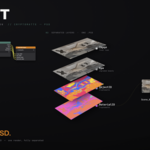
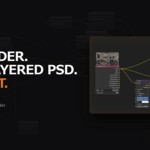
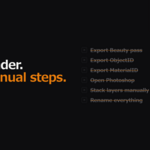
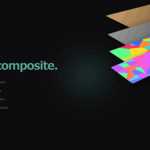
Graft is a Blender add-on for architectural and interior visualization. It automatically generates a layered PSD from your Render Layers output — the moment rendering finishes, a Photoshop-ready PSD is created automatically.
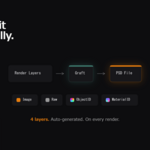
The base layer set is Beauty / Raw / ObjectID / MaterialID. Any other render pass — Mist, Normal, Diffuse Direct, custom AOVs, anything the Render Layers node outputs — can be added as its own layer with a single checkbox.
What it does
- Automatically creates a Photoshop-ready PSD on render completion
- Base layers: Beauty (graded), Raw (ungraded), ObjectID (Cryptomatte), MaterialID (Cryptomatte)
- Add any render pass as its own PSD layer — Mist, Normal, Diffuse Direct, Glossy, Transmission, AO, custom AOVs…
- Detects existing compositing chains (Glare, Color Correction, etc.) and wires automatically
- One-click setup via the Graft tab in the 3D Viewport Sidebar
Extra Passes
Open the Graft sidebar → Extra Passes and tick what you need. Graft enables the render pass, adds the output slot, wires it to Render Layers and includes it in the PSD. Untick it and the layer goes away — no manual node work.
- Every standard Blender pass is listed, grouped into Data and Light
- Custom AOVs are picked up automatically and appear under "Other" — no fixed list, no limit on how many layers you add
- Normal is remapped from -1..1 to 0..1 so it survives 8-bit export; the remap node stays visible in the Compositor, so you can remove it if you want the raw values
- Data passes (Mist, Normal, Position, Depth…) are written without the view transform, so AgX doesn't shift their values
PSD layer order: Image / Raw / your extra passes / ObjectID / MaterialID
Output
{SceneName}_0001.jpg — Beauty image{SceneName}_0001.psd — layered PSD
For multi-angle workflows, assign each camera angle to a separate frame number.
Requirements
- Blender 4.0 or later — both the 4.x compositor and the 5.x node-group compositor are supported
- Cycles or EEVEE — Cryptomatte Object and Material passes are used for the ID layers
- ImageMagick (free external dependency — not bundled)
- Windows: one-click installer available in the Graft Preferences panel
- Mac:
brew install imagemagick(Homebrew required) - Linux:
sudo apt install imagemagick
Tested Blender Versions
- 4.0.2 ✅
- 4.2.2 LTS ✅
- 4.3.2 ✅
- 4.5 LTS ✅
- 5.0.0 ✅
- 5.1 ✅
- 5.2 LTS ✅
Installation
- Download
graft_v1.8.0.zip - Blender → Edit → Preferences → Get Extensions → Install from Disk
- Search "Graft" → Enable
- Open Graft Preferences — if ImageMagick is not detected, click [Install ImageMagick] (Windows) or run
brew install imagemagick(Mac) - Restart Blender
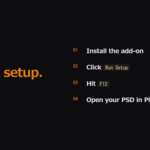
Setup
- Open a scene in Blender
- View3D → Sidebar (N) → Graft tab
- Click Run Setup — enables Cryptomatte passes and adds the Graft node set automatically
- Hit F12 to render — PSD is generated automatically on completion
Change log
[Graft v1.8.0 Update]
- New: Any render pass can now be added to the PSD as its own layer. A new "Extra Passes" panel in the Graft sidebar lists every standard Blender pass, plus any custom AOV your scene defines. Tick a pass and Graft enables it, wires it up and includes it in the PSD; untick it and the layer goes away.
- Normal is remapped from -1..1 to 0..1 before saving, because JPG cannot hold negative values and half the normal would otherwise clip to black. The remap node is placed in the Compositor in plain sight, so you can remove it if you want the raw values.
- Data passes (Mist, Normal, Position, Depth, Vector, UV, Object/Material Index) are written without the view transform, so AgX doesn't shift their values. Light passes keep the node format so they match the beauty.
PSD layer order: Image / Raw / your extra passes / ObjectID / MaterialID.
Nothing changes if you don't use the new panel — with no extra passes ticked the output is exactly the same 4-layer PSD as before. Just update and re-render. Verified on Blender 4.0.2 / 4.2.2 LTS / 4.3.2 / 4.5 LTS / 5.0 / 5.1 / 5.2 LTS. Existing customers can re-download the latest version for free.
Thanks to Tytus for suggesting this one.
[Graft v1.7.4 Update]
- Fixed: The Graft sidebar panel could fail to appear (blank/empty panel) when Graft was installed as a Blender 4.2+ extension. The version label read Blender’s internal bl_info, which Blender removes after loading; Graft now reads the version from its own constant, so the panel always draws.
Display-only bug — no effect on PSD generation, Cryptomatte setup, or any other feature. Just update and re-render. Verified on Blender 5.1.
[Graft v1.7.3 Update]
- Fixed: Photoshop showed an "unsupported blend mode" warning when opening Graft PSDs. A newer ImageMagick build wrote the bottom helper layer's blend mode incorrectly; Graft now writes a clean Normal blend mode on every layer.
- Fixed: All layers opened locked in Photoshop. Graft now clears the transparency-lock flag, so every layer opens unlocked and editable.
Both fixes are automatic — just update and re-render. Verified on Blender 5.1. Existing customers can re-download the latest version for free.
[Graft v1.7.2 Update]
- Fixed: PSD was not generated for scenes duplicated from another scene. Graft now auto-corrects the Cryptomatte scene reference at render time, so duplicated scenes export PSDs correctly. The fix is automatic: just update and re-render.
Verified on Blender 5.1. Existing customers can re-download the latest version for free.
[Graft v1.7.1 Update]
- Fixed: PSD was not generated when the File Output node's "File Name" field was set.
- New: The "File Name" field now sets the output file name.
e.g. "2F03_" → 2F03_0001.psd / 2F03_0001.jpg
Leave it empty to keep scene-name based naming.
Verified on Blender 5.1. Existing customers can re-download the latest version for free.
Developed by Raih Inc. — Tokyo, Japan
