Grease Pencil Image Importer
 GoblinInTheVoid


1️⃣ Installation
DISCLAIMER!!!!
THIS ADDON NEED GREASE PENCIL TOOLS ADDON IN ORDER TO WORK!
https://extensions.blender.org/add-ons/grease-pencil-tools/
-
In Blender, go to:
-
Click Install…
-
Select the file:
-
Enable the checkbox next to GP Image Importer.
2️⃣ Importing Images
From Clipboard
-
Copy an image to your clipboard.
-
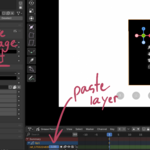
In Blender, go to N-Panel → GP Image Importer and click Paste from Clipboard.
From File
-
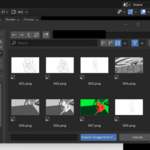
Click Import from File and choose one or more images.
Options:
-
Use active layer: Paste the image in your current layer
-
Sequence to Frame: Place each image in consecutive frames
-
Stack image: Prevents auto-offset when importing multiple images.
3️⃣ Transform Tools (N-Panel)
All transform tools automatically switch to Edit Mode for correct Grease Pencil editing. Native blender tool will not work.
Move, Rotate, Scale
-
Supports:
-
Multi-frame editing
-
Multi-layer editing
-
Pivot Point modes
-
Falloff for smooth scaling across frames (when multi-frame is enabled)
-
4️⃣ Tips
-
Enable Multi-Frame Editing (timeline icon) to transform across frames.
-
Use Falloff for smoother transformations across frames.
-
Lock layers you don’t want to affect.
-
Always select the strokes/images you want to transform.
Have questions about this product?
Login to message
| Blender Extension Compatible | Yes |
| Published | about 1 year ago |
| Blender Version | 4.3 - 5.1 |
| Extension Type | Add-on |
| Render Engine Used | Cycles, Eevee |
| License | GPL |
Discover more products like this
importing support image picture grease pencil shader Grease Pencil Layers grease pencil add-on Grease Pencil greasepencil