Grid Designer
 Team Blender



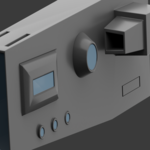
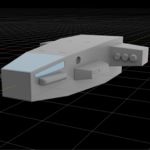
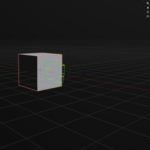
Documentation: Grid Designer v5.0 Author: Nuh Unver Category: Mesh / Non-Destructive Modeling Blender Version: 4.0.0+ 1. Overview Grid Designer is a powerful, modal-based modeling tool for Blender that allows users to draw shapes directly onto mesh surfaces. It features a non-destructive workflow where boolean operations, modifiers (Array, Mirror, Bevel), and extrusions can be edited live before being committed to the final mesh. 2. Core Features Face-Aware Grid: Snaps the drawing plane perfectly to any selected face, matching its orientation and dimensions. Multi-Mode Drawing: Supports Rectangles, Circles, Lines, and Polygons. Interactive Finish: After drawing a shape, the tool automatically enters a "Depth-Drag" mode, allowing you to set extrusion or cut depth with your mouse. Per-Corner Beveling (Fillets): Select individual corners of your 2D outline to apply specific rounding or chamfering before extruding. Live Modifiers: Adjust Bevel, Solidify, Array, and Mirror settings in real-time using keyboard shortcuts. 3. Installation Open Blender and go to Edit > Preferences > Add-ons. Click Install... and select your .py script. Enable Mesh: Grid Designer First. Access the tool in the 3D Viewport > Sidebar (N) > Grid Designer tab or use the shortcut Ctrl + Shift + A. 4. Keymap & Controls (Modal Mode) When the tool is active, the following shortcuts control the drawing and editing process: Drawing & Navigation Key Action LMB Draw shape / Select existing shape or corner RMB Undo last point / Remove last shape TAB Re-snap grid plane to the face under the cursor G Toggle Grid Snapping Scroll / +/- Adjust Grid Size Operation Modes (Top Row Keys) Key Mode Description 1 ADD Creates a new extrusion on the surface 2 CUT Performs a boolean subtraction into the mesh 3 INSET Creates an inset face and optional recess 4 SUBTRACT Standard boolean difference 5 INTERSECT Keeps only the overlapping volume Live Editing (The "Neon" Workflow) Key Action W / Q Increase / Decrease Extrusion Depth E / D Increase / Decrease Cut Depth (Cut Mode) S / B Interactive Drag: Toggle Top-Face Scale or Top-Face Bevel V Cycle through corners for per-corner beveling X / Y / Z Toggle Mirror axis (Local Object Space) K / J Toggle Array / Cycle Array Axis Up / Down Adjust Array Count Finishing Key Action ENTER Confirm current shape / Commit all shapes to mesh (if idle) ESC Cancel current step / Exit tool 5. Visual Guide: The "Neon Light" Aesthetic Your addon utilizes the gpu module to render high-contrast lines. To achieve the Neon Look for your promotional materials, the UI follows these color conventions: Green Outlines: Addition / Union operations. Red/Orange Outlines: Boolean Cuts and Subtractions. Cyan Handles: Active corner bevels and rim bevels. Yellow Measurements: Live dimension labels. Promotional Image Concept (AI Prompt) If you want to generate a banner or cover image for this addon, use this prompt: "A professional software showcase for a Blender 3D addon called 'Grid Designer'. The scene features a dark, futuristic mechanical part. Overlaid on the part is a vibrant neon-blue digital grid. A magenta neon rectangle is being 'boolean cut' into the surface, with glowing light rays and digital measurement callouts in yellow. Sleek, high-tech UI aesthetic, Cyberpunk style, 8k resolution, cinematic lighting." 6. Technical Notes N-Panel Integration: The addon includes a custom sidebar panel with a banner preview. Non-Destructive: Shapes remain in a "Queue" (state.shapes) and are only converted to real mesh data once Commit All is triggered. Performance: Uses gpu_extras.batch for efficient viewport drawing, ensuring no lag even with complex grids. © 2026
Grid Designer – Developed by Nuh Unver