Grid Designer
 Team Blender



Can I edit shapes after I have committed them?
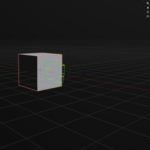
No. Once you press "Commit All" (or press Enter while idle), the shapes are baked into the mesh data using Blender's boolean system. However, before committing, you can click on any queued shape (yellow outline) to change its operation (Add, Cut, Inset), depth, bevel, or array settings.
Why does the tool close when I press ESC?
The tool operates in phases. If you are currently drawing a shape, ESC cancels the current shape. If you are in the "Idle" phase (nothing currently being drawn), ESC exits the tool and clears the queue. To save your work, always make sure to press ENTER to commit your shapes to the mesh before exiting.