Hair Card UV Tool
 Dreamy Art World


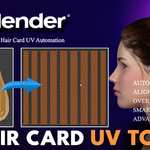
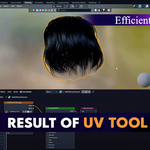
Hair Card UV Tools – Blender Addon
Advanced UV Workflow for Hair Cards
Version 1.0 | Compatible with Blender 2.80+
📌 Overview
The Hair Card UV Tools addon is a specialized UV
manipulation toolkit designed for hair card workflows in Blender. It streamlines
the process of organizing, aligning, overlapping, and packing UVs for hair
cards with speed and precision, enabling artists to focus more on creativity
and less on repetitive UV work.
Ideal for:
- Game-ready characters
- Real-time hair systems
- Cinematic hair setups
- Any project using hair cards & alpha planes
🛠 Installation
1. Download the addon package `.zip` file
2. Open Blender → Edit → Preferences → Add-ons
3. Click Install and select the `.zip` file
4. Enable the addon (check the box)
5. Access the tools from 3D View → Sidebar → Hair Card UV tab
⚙ Core Features & Tools
1. Auto UV
Automatically unwraps and orients selected faces for optimal
UV layout.
Usage:
- Select hair card faces in Edit Mode
- Click Auto UV
Behavior:
- Angle-based unwrapping
- Rotates islands for best fit
- Keeps hair flow vertical
[Placeholder: Add Screenshot Here]
2. Alignment Tools
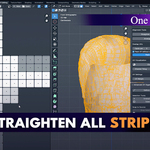
Straighten All Strips:
- Aligns selected UV strips horizontally
- Uses largest quad as reference where possible
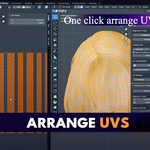
Arrange UVs:
- Normalizes island height to 1.0
- Maintains width proportions
- Arranges islands horizontally with margin control
[Placeholder: Add Screenshot Here]
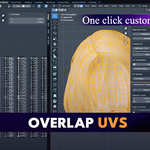
3. Overlapping System
Overlap UVs:
- Groups and overlaps UVs for baking
- Cards per Set setting
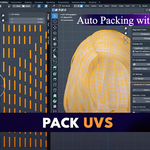
Pack UVs:
- Efficiently packs islands/stacks
- Supports overlap and non-overlap modes
- Respects UV margin
[Placeholder: Add Screenshot Here]
4. Advanced UV Organizer
Interactive Selection:
- Additive UV island selection
Source Definition & Snapping:
- Define a source island
- Snap targets to match source position
[Placeholder: Add Screenshot Here]
5. Visualization Tools
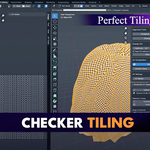
Checker Material:
- High-contrast UV distortion check
- Adjustable tiling
- Restores original materials when disabled
[Placeholder: Add Screenshot Here]
📋 Properties Panel
- UV Margin – Space between islands during packing (default:
0.05)
- Cards per Set – Number of cards grouped in overlap mode
- Pack Without Overlapping – Toggle packing mode
- Checker Tiling – Adjusts checker scale
- Show Checker – Enable/disable checker mode
🎯 Recommended Workflow
1. Create hair cards in Blender
2. Use Auto UV for initial unwrap
3. Straighten All Strips → Arrange UVs
4. Overlap UVs (set cards per set) → Pack UVs
5. Enable Checker Material and fine-tune layout
[Placeholder: Add Workflow Diagram/Screenshot Here]
🔧 Troubleshooting
No UV islands detected – Select faces in Edit Mode
Alignment fails – Check for non-manifold geometry / zero-area faces
Checker texture stays – Disable checker before saving
Slow performance – Process hair cards in smaller batches
💡 Performance Tips
- Lower Cards per Set for dense hair
- Adjust UV Margin for texture resolution
- Use Checker mode early to catch distortions
📢 Support & Contact
For help, suggestions, or feature requests:
Email: [email protected]
Version: 1.0
Compatible with: Blender 2.80+
Planned updates: More hair-specific UV tools and automation
-
$19.99
-
$79.99
Have questions about this product?
Login to message
| Sales | 10+ |
| Published | about 1 year ago |
| Blender Version | 4.1 - 5.1 |
| Extension Type | N/A |
| Render Engine Used | Arnold, Blender-Internal, Blender-Game-Engine, Cycles, Eevee, Freestyle, Mental-Ray, Vray |
| License | GPL |
