 MeshMind



# Hardsurface Doctor — Documentation
## Installation
1. Download the product ZIP from your Superhive library.
2. In Blender go to **Edit → Preferences → Add-ons**.
3. Click **Install from Disk** and choose the ZIP (or drag the ZIP into Blender).
4. Enable **Hardsurface Doctor**.
5. In a 3D Viewport press **N** and open the **Hardsurface Doctor** tab.
**Requirements:** Blender 4.2 or later (4.x and 5.x).
---
## Overview
Hardsurface Doctor is a cleanup and management suite for hard-surface modeling **after** boolean cuts.
It does not replace Hard Ops or Boxcutter. Those tools cut. This addon:
- **Scans and repairs** boolean-damaged mesh data
- **Stores and reapplies** bevel weights when topology changes
- **Lists and controls** the boolean modifier stack (mute, reorder, jump to cutter)
All features ship in one product — no tiers.
---
## Health score
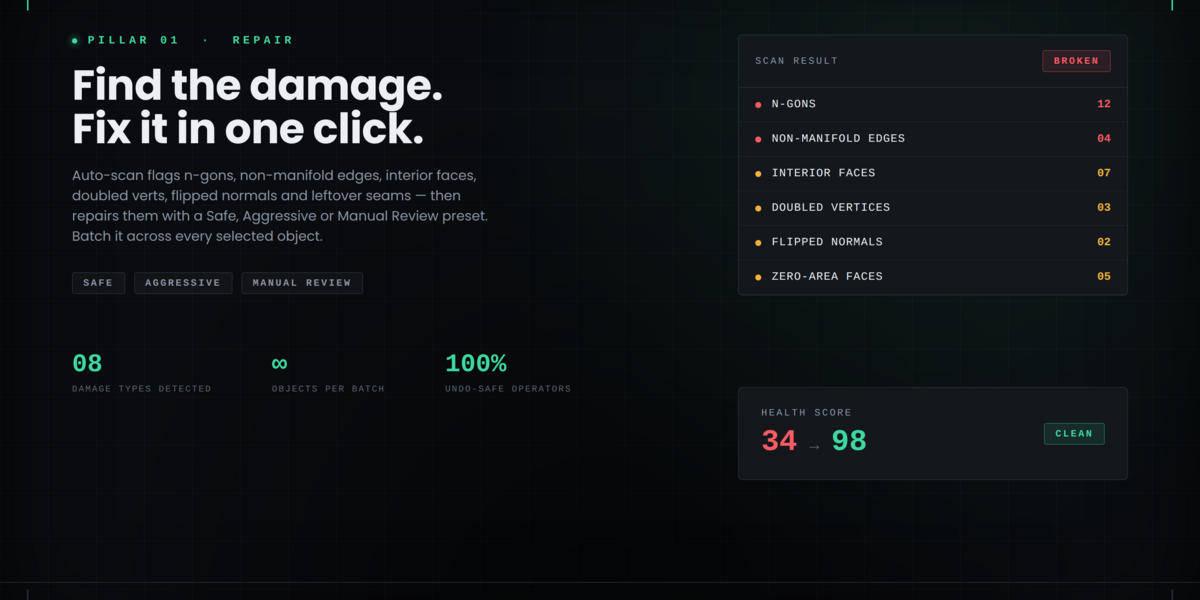
Select a mesh and click **Scan for Boolean Damage**.
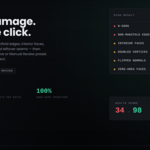
You get a score from **0–100** and a status:
- **90–100 CLEAN** — little damage detected
- **60–89 NEEDS ATTENTION** — issues present
- **0–59 BROKEN** — heavy damage
The scanner reports: n-gons, non-manifold edges, interior faces, zero-area faces, doubled vertices, flipped normals, shading artifacts, and thin boolean seams.
**Note:** Scan uses actual mesh data. Live (unapplied) booleans alone may still show CLEAN. Apply cuts you are finished with, or edit the mesh, so Repair has real damage to work on.
---
## Repair
| Button | Action |
|--------|--------|
| **Scan for Boolean Damage** | Diagnose the active mesh; optional highlight of problem geometry |
| **Scan Selected Objects** | Diagnose all selected meshes |
| **Safe Repair** | Merge doubles, remove zero-area and loose geometry, fill **small** holes only, dissolve multi-face non-manifold edges |
| **Aggressive Repair** | Safe plus triangulate n-gons and remove paper-thin faces |
| **Manual Review** | Select issues only — does not modify the mesh |
| **Batch Safe / Batch Aggressive** | Run the preset on all selected meshes |
**Important:** Hole filling is limited to small holes so intentional openings (visors, vents, panel gaps) are not sealed. If a result looks wrong, use **Ctrl+Z**.
---
## Bevel Manager
1. In Edit Mode, set **Bevel Weight** on edges (Sidebar → Item).
2. Use a Bevel modifier with **Limit Method = Weight** to preview.
| Tool | Purpose |
|------|---------|
| **Store Current Bevel Weights** | Save weights on the object |
| **Apply Stored Bevel Weights** | Restore stored weights |
| **Reapply Bevel Weights** | Convenience store-then-apply after edits |
| **Set 1.0 / 0.5 / Clear** | Paint weight on selected edges |
| **Detect Bevel Conflicts** | Highlight tight high-weight corners |
| **Profile library** | Add, apply, export, and import bevel profiles (JSON) |
After heavy remeshing, store weights again so edge keys stay valid.
---
## Boolean Stack
Requires at least one **live** Boolean modifier on the object.
1. Click **Refresh Boolean Stack**.
2. Use the list to:
- **Mute / unmute** individual booleans
- **Move up / down** to reorder
- **Jump to Cutter** to select the cutter object
- **Rename** and **Group** operations for complex props
- **Export / Import** stack presets (JSON) for kit-bashing
Apply modifiers from top to bottom when baking final cuts.
---
## Typical workflow
1. Finish cutting (Hard Ops, Boxcutter, or manual Booleans).
2. Apply booleans you no longer need to edit.
3. **Scan** → note score.
4. **Safe Repair** → Scan again.
5. **Aggressive Repair** if n-gons remain.
6. **Store bevel weights** before further edits; reapply after.
7. **Refresh Stack** to mute, reorder, or jump to cutters on live booleans.
---
## Preferences
**Edit → Preferences → Add-ons → Hardsurface Doctor**
- Auto Repair on Boolean Apply (off by default)
- Default repair mode
- Max batch objects (default 50)
- Bevel reapply distance
---
## Troubleshooting
- **Always CLEAN** — apply a boolean or edit the mesh, then Scan again.
- **Select a mesh object** — make sure the hard-surface mesh is active, not a cutter or camera.
- **Stack empty** — add a Boolean and leave it unapplied, then Refresh.
- **Unexpected repair result** — Undo immediately; prefer Safe first on dense production meshes.
---
## Support
Email: **[email protected]**
Please include Blender version, what you clicked, and the exact message or traceback from the Info editor / console.
---
## License
GNU General Public License v3.0 or later. Source is included with the product.
Have questions about this product?
Login to message
| Blender Extension Compatible | Yes |
| Dev Fund Contributor | |
| Published | about 2 months ago |
| Blender Version | 4.2 - 5.2 |
| Extension Type | Add-on |
| Render Engine Used | Cycles, Eevee |
| License | GPL |
