Harmonica Generator – Procedural Harmonica Model For Blender
 Egon Castle


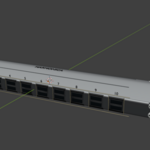
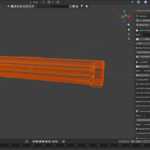
Harmonica Generator – Documentation
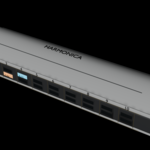
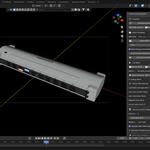
Harmonica Generator is a Blender add-on that creates a procedural harmonica model inside Blender.
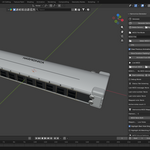
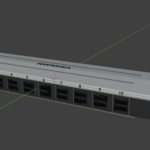
The add-on is designed to help users quickly generate a harmonica prop without manually modeling every part. It creates a harmonica-style object with a dark body, metallic cover plates, front air holes, screws, bevels, and optional label details.
Basic Usage
1. Install the add-on in Blender.
2. Enable the add-on from Blender Preferences.
3. Open the 3D Viewport.
4. Press N to open the sidebar.
5. Go to the Harmonica panel.
6. Click Generate Harmonica.
7. Adjust the available settings if needed.
8. Regenerate the model after changing settings.
Main Controls
Generate Harmonica:
Creates a new harmonica model in the scene.
Delete Generated Harmonica:
Removes the generated harmonica objects from the scene.
Regenerate Harmonica:
Deletes the previous generated harmonica and creates a new one using the current settings.
Scale:
Controls the overall size of the harmonica.
Hole Count:
Controls how many front air holes are created. The default is 10, which matches a classic diatonic harmonica style.
Add Screws:
Adds screw details to the end plates.
Add Labels:
Adds simple text labels to the harmonica model.
Add Cover Plate Detail:
Adds extra visual detail to the metal cover plates.
Add Realistic Metal Material:
Applies metallic materials to the cover plates and screw objects.
Generated Parts
The add-on can generate:
- Main harmonica body
- Front air holes
- Top metal cover plate
- Bottom / side metal details
- Left and right end plates
- Screw details
- Optional labels
- Beveled edges
Recommended Workflow
First generate the harmonica with the default settings. After that, adjust the scale, hole count, bevel amount, and detail options based on your scene. Once the model looks correct, you can add your own lights, camera, background, and materials if you want a more customized render.
For product-style renders, use a clean background, area lighting, and a camera angle slightly above the harmonica.
Important Notes
This add-on creates a visual harmonica model for Blender scenes and renders. It does not simulate real harmonica sound or airflow. It is intended for modeling, rendering, animation, and prop creation.
Troubleshooting
If the harmonica does not appear:
- Make sure the add-on is enabled.
- Check the Harmonica panel in the 3D Viewport sidebar.
- Try clicking Regenerate Harmonica.
- Make sure the object is not hidden in the viewport.
- Check the scene collection for generated harmonica objects.
If the model looks too large or too small:
- Adjust the Scale setting and regenerate.
If the old model remains after regenerating:
- Click Delete Generated Harmonica first, then generate again.
Support
If you need support, please provide:
- Your Blender version
- A screenshot of the issue
- A short explanation of what happened
- The steps you followed before the issue appeared
 Included
Includes 12 months of
- Support from Egon Castle
- Product updates
Extend this product’s Support Period +12 months: 25% of product price
Have questions before purchasing?
Login to message
| Blender Extension Compatible | Yes |
| Dev Fund Contributor | |
| Published | about 2 months ago |
| Blender Version | 5.1 |
| Extension Type | Add-on |
| Render Engine Used | Blender-Internal, Cycles, Eevee |
| License | GPL |
Discover more products like this
asset prop product render Music procedural animation Blender Add-on 3d model modeling harmonica Instrument Generator