 3D Tudor


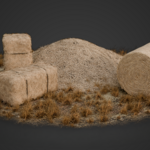
Hay Shader Pack — Quick Start & Workflow Guide
Set up, reshape and export the supplied hay, straw and thatch assets while preserving an editable procedural version.
1. Install and open
- Download and extract the supplied files to a writable project folder.
- Open the Hay Shader Pack Blender project in Blender 5.1 or later. The project has been verified in Blender 5.2 LTS.
- Save a working copy before making scene-specific changes.
- Use Cycles for the prepared material setup.
2. Find the supplied assets
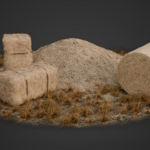
The Assets collection contains 23 core prototype objects arranged into practical groups:
- Ground surfaces and loose-straw decals
- Rectangular bale and separate rope geometry
- Two rolled-bale variations
- Reshapeable loose hay pile
- Hay flyaway cards and dry vegetation cards
- Long directional trims and smaller secondary trims
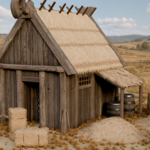
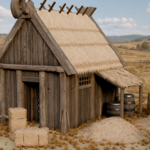
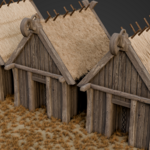
Three prepared example compositions and the dedicated roof comparison collection demonstrate how the same building blocks can be used for props, ground dressing, fitted loads and thatched architecture.
3. Reshape a bale, pile or fitted load
- Choose the closest starting asset.
- Edit or scale its low-complexity support mesh to match the required silhouette or container.
- Keep the Geometry Nodes modifier active while adjusting the shape.
- Use the wagon composition as a reference for fitting hay inside another object.
4. Tune Scatter on Surface
Use the modifier controls to art-direct the procedural breakup:
- Distribution: amount or density, minimum distance, seed and distribution mask
- Source: object or collection input and instance selection
- Placement: surface offset, surface alignment and alignment axis
- Variation: rotation, scale, offset, flipping and randomisation seed
- Workflow: viewport visibility and optional Realize Instances
Recommended: Keep instances procedural during look development for easier changes.
5. Use the texture package
The Blender materials use packed images, and the separate texture folder supplies 11 PBR texture sets containing 62 PNG maps for custom workflows.
- 45 maps are 2048 × 2048 and 17 maps are 1024 × 1024.
- All supplied normal and height maps are 2048 × 2048 in 16-bit format.
- Opacity maps are supplied for the alpha-card texture sets that require them.
6. Export to another application or engine
- Duplicate the completed procedural asset so the editable original remains available.
- Enable Realize Instances when the destination requires actual mesh geometry.
- Apply the Geometry Nodes modifier or convert the evaluated duplicate to a mesh.
- Check material slots, alpha handling, normals, scale and evaluated polygon count.
- Export in the format required by the destination and perform target-specific optimisation and testing.
Compatibility and important limits
- Blender 5.1-era project, verified in Blender 5.2 LTS.
- Prepared for Cycles; earlier Blender versions have not been tested.
- Example compositions are included, but cameras and lighting are not.
- Final evaluated geometry depends on the selected scatter sources, density settings and whether instances are realised.
- The pack provides an editable Blender source workflow; engine preparation is not automatic.
Have questions about this product?
Login to message
| Sales | 10 |
| Dev Fund Contributor | |
| Published | about 2 months ago |
| Blender Version | 5.1 - 5.2 |
| Render Engine Used | Cycles |
| Misc Data | Normal-Mapped, Textured |
| License | Royalty Free |