 Brock Creative



HDRI Forge
The Professional HDRI Lighting Addon for Blender
Every other professional 3D application has per-object HDRI lighting.
Blender doesn't.
Your World HDRI lights everything in your scene equally — every object, every surface, every material receiving identical light from the same environment with zero control over what it touches. Artists have been manually faking it with area lights and emission planes for years.
HDRI Forge fixes that.
What It Does
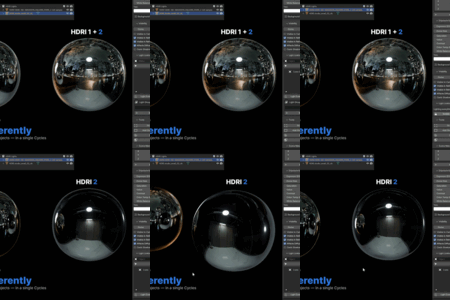
HDRI Forge turns any 360° HDRI into a real, light-linkable dome light object in Cycles. Assign it to exactly the objects you want lit — and nothing else. Add a second dome with a completely different HDRI. Assign it to different objects. One scene. One render. Total lighting control.
Every dome is a real object in your outliner. Move it. Rotate it. Keyframe it. It behaves like a professional dome light — because that's exactly what it is.
Core Features
Per-Object HDRI Isolation
Isolate any HDRI dome to specific objects using Cycles light linking. One click. Your hero product gets a warm studio environment. Your background gets a cool overcast sky. Your fill object gets something else entirely. All in the same render.
HDRI Layer Blending
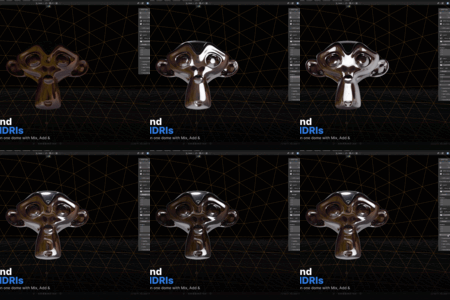
Stack unlimited HDRIs on a single dome and blend them together. Each layer has its own image, strength, XYZ rotation and blend mode — Mix, Add, Multiply, Screen. Create environments that don't exist by combining two or three HDRIs into one.
Per-Dome Colour Grading
Grade each dome independently without touching a node editor. Exposure in photographic EV stops. Colour temperature in Kelvin from tungsten warm to overcast cool. Saturation, value, contrast and tint — all per dome, all in real time.
Full Ray Visibility Control
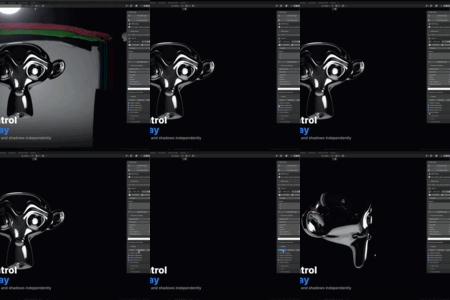
Toggle camera, reflections, refractions, diffuse / GI and shadows independently per dome. One click presets — Dome, Backdrop and Light Only — for the most common setups.
HDRI Library Browser
Point HDRI Forge at any folder of .hdr or .exr files and get a thumbnail browser inside Blender. Subfolders are scanned automatically. Use the prev / next arrows to cycle through your entire library and preview each HDRI live on the active dome — no more file browser hunting.
Scene Manager
Every dome listed in one panel. Solo, mute and toggle camera visibility per dome without touching the outliner. Manage complex multi-dome lighting rigs in seconds.
Tools
Fit Dome to Selected auto-sizes the dome around your objects. Lock to Camera parents the dome to your active camera for camera-matched HDRIs. Push to World converts any dome back to a standard Blender World HDRI.
How It Works
Three clicks.
- Click Add HDRI Light — a dome appears in your scene
- Pick your HDRI file
- Hit Isolate — the dome now lights only the objects you assign
No node editing. No manual material setup. No workarounds.
Requirements
- Blender 4.0 or higher
- Cycles renderer — light isolation is a Cycles feature. EEVEE users will see a warning in the panel; domes still render as emissive backdrops but cannot be isolated per object
- Any .hdr or .exr file — HDRI Forge does not include an HDRI library. Works with Poly Haven and any existing HDRI collection you own
What Makes It Different
vs the World HDRI — the World HDRI lights everything equally, cannot be moved or animated, cannot be isolated to specific objects. HDRI Forge solves all three.
vs other HDRI addons — other tools manage your HDRI settings or bundle content libraries. HDRI Forge does something none of them do: it makes the HDRI a real, isolated, light-linkable object. That's the feature. Everything else is built around it.
