 Al-Dezel




HDRI-fy — Documentation
Everything you need, in under two minutes.
Install
- Blender: Edit → Preferences → Add-ons → Install from Disk…
- Select the HDRI-fy
.zip(don't unzip it). - Enable the checkbox next to HDRI-fy.
Or
Drag and drop the .zip file into blender.
Quick Start
- Open the sidebar (
N) → HDRI-fy tab. - Add New Gallery and name it.
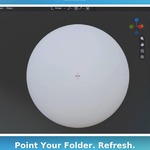
- Point it at your HDRI folder (.exr files) → click Refresh.
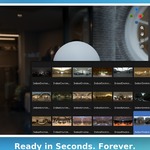
- Click a thumbnail → Apply. Scene's lit.
The folder is remembered from here on — no need to set it again, ever.
HDRI Settings
Troubleshooting
Refresh finds nothing? Make sure the folder path points directly to your .hdr/.exr files, not a parent folder.
Moved your folder? Re-select it once, click Refresh, done.
No HDRI-fy tab? Confirm it's enabled in Preferences and the sidebar is open.
Still stuck? Join our Discord →
 Included
Includes 12 months of
- Support from Al-Dezel
- Product updates
Extend this product’s Support Period +12 months: 75% of product price
Have questions before purchasing?
Login to message
| Blender Extension Compatible | Yes |
| Sales | 20+ |
| Published | about 2 months ago |
| Blender Version | 4.2 - 5.2 |
| Extension Type | Add-on |
| License | GPL |