 Al-Dezel



Do I need to relink my HDRIs every time I open a new project?
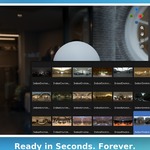
No — point HDRI-fy to your HDRI folder once, and it's remembered forever, in every future project.
Will the HDRIs be saved in all my projects?
Yes, it automatically gets saved and you'll find your HDRIs exactly as you left them the last time you used the add-on.
What Blender version do I need?
HDRI-fy works with Blender 4.2.x.
What HDRI file formats are supported?
Standard HDRI formats like .hdr and .exr.
Can I organize my HDRIs into different categories?
Yes — create unlimited galleries and split your library by mood, project, or client, however makes sense to you.
Can I adjust an HDRI's brightness, rotation, or color after applying it?
Yes — the panel gives you Strength, Rotation, Hue, Saturation, Value, and Tint controls, all without touching the node editor.
Does removing a gallery delete my actual HDRI files?
No — removing a gallery only removes it from HDRI-fy's panel. Your HDRI files on disk are never touched or deleted.
Where can I get help if something isn't working?
Join our Discord — we read every message and usually reply fast.
 Included
Includes 12 months of
- Support from Al-Dezel
- Product updates
Extend this product’s Support Period +12 months: 75% of product price
Have questions before purchasing?
Login to message
| Blender Extension Compatible | Yes |
| Sales | 20+ |
| Published | about 2 months ago |
| Blender Version | 4.2 - 5.2 |
| Extension Type | Add-on |
| License | GPL |