 HR
HR


Quick User Manual
Installation
- Open Blender.
- Go to
Edit > Preferences > Get Extensions. - Install the add-on
.zipfile. - Enable Hole Remover.
- Open the 3D Viewport sidebar with
N, then go to the Hole Remover tab.
Basic Workflow
- Select one or more mesh objects.
- Set Max Diameter. Only holes with a diameter equal to or smaller than this value will be considered.
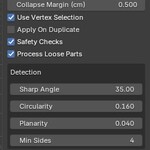
- Adjust the detection settings if needed:
- Sharp Angle: sensitivity to hard edge transitions.
- Circularity: tolerance for slightly irregular circular holes.
- Planarity: tolerance for rings that are not perfectly flat.
- Min Sides: minimum number of vertices required for a hole ring.
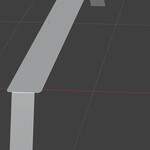
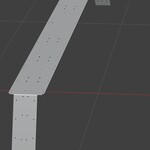
- Click Preview Holes to display the detected holes.
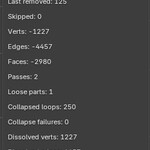
- Click Remove Holes to remove them.
Main Options
Apply On Duplicate
Creates a copy of the object and removes holes from the duplicate, keeping the original mesh unchanged.Safety Checks
Simulates the removal before modifying the real mesh. Recommended for complex CAD geometry.Process Loose Parts
Temporarily processes disconnected mesh parts separately, then joins them back together.Use Vertex Selection
When used from Edit Mode, limits hole detection to the selected area.
Important Notes
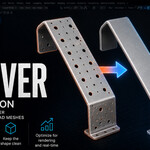
Hole Remover is designed for circular or near-circular CAD-style through-holes. It does not detect countersunk holes, blind holes, slots, or heavily distorted features.
Hole removal can deform the mesh, especially on complex surfaces or when only some holes are removed from the same surface area. For best results, use Preview Holes, test with Apply On Duplicate, and adjust the settings over multiple attempts when needed.
Use Cases
- Cleaning imported CAD meshes
- Reducing polygon count
- Optimizing assets for real-time 3D
- Preparing hard-surface models
- Simplifying mechanical parts
- Cleanup before rendering, editing, or export
 Included
Includes 12 months of
- Support from HR
- Product updates
Extend this product’s Support Period +12 months: 50% of product price
Have questions before purchasing?
Login to message

Discover more products like this
retopology optimization hard surface triangle reduction cad hole removal import cleanup realtime mesh cleanup Geometry Cleanup modelling low poly