 Studio156


Does this work with complex objects or only simple shapes like cubes?
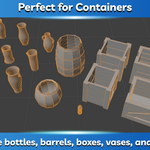
Hollow Object Creator works with a wide variety of mesh shapes, including bottles, vases, barrels, decorative objects, and other complex models. For the best results, make sure the object's origin is positioned at its center before hollowing it out, as the tool relies on the origin for accurate wall thickness and cutout placement. Clean, manifold meshes will also produce the best results.
Can I place openings anywhere on the object or create custom-shaped holes?
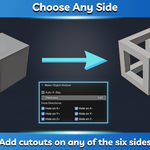
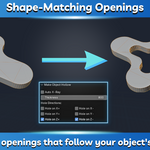
The add-on creates openings centered on any of the six sides of the object's bounding box, and each opening automatically matches the object's shape. It is designed for quickly creating containers and similar objects, rather than performing arbitrary Boolean editing.
Will the original object be modified?
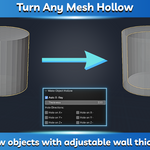
Yes. The selected object is converted into its hollow version. If you'd like to keep the original, simply duplicate it before running the tool. The operation also supports Blender's Undo (Ctrl + Z), so you can easily revert the result if needed.
Have questions about this product?
Login to message
| Published | 3 months ago |
| Blender Version | 2.8 - 5.2 |
| Extension Type | N/A |
| Render Engine Used | Cycles, Eevee |
| License | GPL |
Discover more products like this
time saver boolean hollow Blender boolean make object hollow hollow object creator cutouts make hollow Blender time saver