Hotkeyboard - Interactive Keyboard Shortcut Overlay For Blender
 Salman Naseem


What is HotkeyBoard?
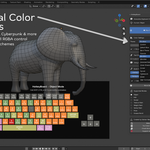
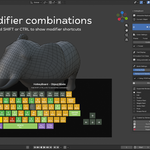
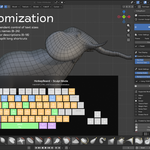
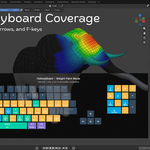
HotkeyBoard is a comprehensive interactive keyboard overlay addon that displays all keyboard shortcuts in real-time directly in your 3D viewport. Perfect for:
Beginners learning Blender shortcuts
Experienced artists discovering new shortcuts
Teachers demonstrating shortcuts to students
Does it slow down Blender or affect performance?
No.
It is lightweight and optimized, no lag during key presses or viewport use.
What operating systems are supported?
HotkeyBoard works on:
• Windows
• macOS
• Linux
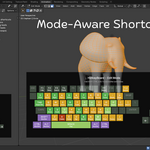
Does the addon detect different Blender modes?
Yes — the overlay changes shortcuts based on:
• Object Mode
• Edit Mode
• Sculpt Mode
• Texture Paint
• Weight/Vertex Paint
• Pose Mode
• Grease Pencil
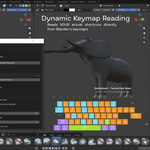
Does it work with custom Blender keymaps?
Absolutely.
HotkeyBoard reads your actual keymaps
Can I customize the colors?
Yes!
HotkeyBoard v2.0 includes:
• 12 preset themes
• Full custom color editor
• Import/Export color schemes
How do I install the addon?
• Download the ZIP file
• In Blender go to Edit → Preferences
• Blender 4.2+ → Extensions → Install from Disk
• Blender 3.0–4.1 → Add-ons → Install
• Enable HotkeyBoard
Still faceing the Issue? Watch my tutorial on Addon installation Issue or Contact on Email [email protected]
Does HotkeyBoard support Blender 5.0?
Yes! HotkeyBoard v2.0 is fully compatible with Blender 5.0 and newer.
It also works with Blender 3.x and 4.x.
