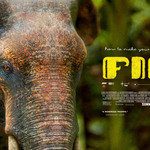
How to Make Your First Short Film in Blender
 millanaire
in Video Tutorials
millanaire
in Video Tutorials








HOW TO UNZIP THE COURSE FILES
==============================
The course was split into numbered parts (.zip.001, .zip.002, ...). Keep
them all in the same folder, then:
- Install 7-Zip (free, works on Windows, Mac, and Linux): https://www.7-zip.org/download.html
- Make sure every numbered part is in the same folder, untouched and unrenamed.
- Right-click (or on Mac, Control-click) the file ending in ".001" and choose "Extract Here" / "7-Zip > Extract Here" — it automatically pulls in all the other parts.
- Wait for it to finish, then you'll have a normal course folder.
- If Windows' built-in "Extract All" doesn't work, that's expected — it can't do split archives, so 7-Zip is required.
-
$59
The Same Whole Course but in Optimized 1080p Quality. (+Free Color Grading Tool For Davinci Resolve Windows Only)
-
$59
The Whole Course in 4k Quality. Only Download If you intend to Watch this on a TV or a Huge Monitor. Otherwise this could be overkill! (+Free Color Grading Tool For Davinci Resolve Windows Only)
Have questions about this product?
Login to message
| Sales | 30+ |
| Dev Fund Contributor | |
| Published | about 2 months ago |
| Blender Version | 2.6x - 5.2 |
| Render Engine Used | Cycles |
| License | Royalty Free |

Discover more products like this
short film colorgrading Short Film Animation stache_obj animation shortfilm stache beginner course how to make short film postprocessing how to make your first short film