Hyper Asset Browser
 DC Labs



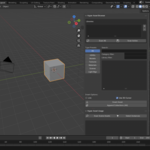
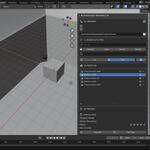
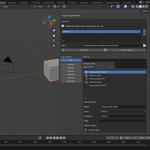
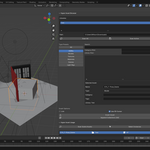
Hyper Asset Browser — Documentation
Overview
Hyper Asset Browser is a next-generation Blender addon designed to transform the way artists explore, organize, and deploy assets. Built for creators who work with large or growing asset libraries, it introduces a clean, intuitive interface with powerful filtering, prefab management, and library organization tools.
Whether you’re a 3D artist, animator, game developer, or studio team, Hyper Asset Browser helps you stay organized and dramatically speed up your workflow.
Key Features
Advanced Asset Filtering
Navigate massive asset libraries effortlessly using multiple filter types:
Asset Type
Category
Library
Tags
Star Rating
Favorites
The smart filtering engine ensures you find the exact asset you need in seconds.
⭐ Rating System & Favorites
Add star ratings to your assets to highlight quality or priority items.
Mark your frequently used assets as Favorites to access them instantly.
Perfect for studio pipelines, large teams, and creators with vast collections.
🧱 One-Click Prefab Creation
Generate reusable prefabs directly from selected objects:
Automatically creates a clean collection
Saves prefab to an organized folder structure
Writes a compressed
.blendprefab fileEnsures consistent library organization
Ideal for modular design, environment creation, and kitbashing workflows.
📁 Library Manager
Create, manage, and organize multiple libraries without leaving Blender.
You can:
Add new libraries
Assign storage paths
Maintain structured folders
Switch libraries quickly
A must-have for studios or artists with shared or project-specific libraries.
Smart Preview Controls
Customize how your asset previews appear:
Toggle preview visibility
Choose compact or detailed views
Improve navigation performance when libraries are large
Designed to adapt to any workflow.
How to Use
1. Install the Addon
Open Blender → Preferences → Add-ons
Click Install
Select the
hyper_asset_browser.zipEnable Hyper Asset Browser
2. Set Up a Library
Enter a library name
Choose a folder location
Save
Your new asset library becomes available immediately inside the browser.
3. Create Prefabs
Select any objects in your scene
Enter a prefab name
Click Create Prefab
The addon automatically creates a prefab collection and saves it into your library’s prefab directory.
4. Browse & Add Assets
Use the filtering, tagging, and preview tools to explore your collections.
Drag and drop assets directly into your scene for fast, frictionless workflow.
Who Is This For?
Environment artists who manage large prop and vegetation libraries
Animators handling rigs, cameras, and reusable scene elements
Game developers using modular kits, prefabs, and VFX elements
Studios & teams building shared asset ecosystems
Freelancers who want to speed up production and stay organized
If your workflow involves assets, this addon will save you hours every week.
Compatibility
Blender 3.0 or later
Windows, macOS, Linux
Supports local and network-shared libraries
Version
v1.0 — Initial Release
Created by DC Labs
A studio focused on building powerful tools and automation solutions for creators.
Have questions about this product?
Login to message
| Published | 10 months ago |
| Blender Version | 4.0 - 5.0 |
| Extension Type | N/A |
| Render Engine Used | Cycles, Eevee |
| License | Mit |
Discover more products like this
hard surface assets Blender productivity Scene Management Asset Rating 3D Workflow Tools asset library Asset Manager Prefab Creator Blender Asset System blender tools