 guillaume martin



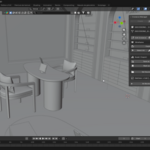
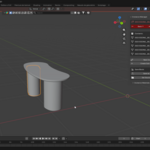
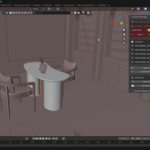
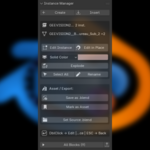

Double-click any collection instance to edit it. Every copy updates live.
The block workflow Blender never shipped — edit in isolation or in place, swap definitions, make copies unique, move insertion points, and manage a whole library of blocks from one panel.
By Guillaume Martin — Blender 4.2 to 5.1+ — [email protected]
The problem
Blender has no block editing workflow
Without the add-onHunt for the source collection in the Outliner Un-exclude it, unhide the objects Edit far from where the instance actually sits Put everything back and hope nothing broke Repeat at every nested level |
With Instancer Editor +Double-click the instance Edit it right where it stands Press ESC Every instance in the scene is updated Nested blocks work the same, at any depth |
Editing
Two ways to edit, one keystroke away
Edit InstanceThe scene steps aside so you can focus on the block alone. Objects appear exactly where the instance sits, with its rotation and scale. Double-click to enter, ESC to leave. |
Edit in PlaceKeep your whole scene visible for context, safely locked so nothing moves by accident. Ctrl + double-click to enter. |
Nested blocks, any depthDrill from a block into the blocks it contains. A breadcrumb shows where you are, ESC steps back one level, Shift + ESC leaves them all at once. |
Ghost instancesOptionally keep the other copies visible as locked wireframes while you work, so you watch your edits ripple through the scene in context. |
Smart localizationAssets from the Asset Library become editable local blocks the moment you double-click them — keeping the modifier settings you already tuned in your own file. |
MaterialsList every material used inside the block, select objects by material, and assign a material to the whole block in one click. |
Managing blocks
Everything you'd expect from a CAD block system
ReplaceSelect any number of instances and point them at a different definition. Position, rotation and scale untouched — swap fifty chairs in one click. |
Make UniqueGive the selected copies their own definition so they can diverge from the original. The Rhino workflow, in Blender. |
Set Block OriginMove a block's insertion point to its centroid, its bottom centre, or the 3D cursor. Every instance stays exactly where it is. |
Add & Remove contentPush scene objects into a block or pull them back out without breaking positions. Pick & Add lets you click objects directly in the viewport, even locked ones. |
Block browserEvery definition in the file with its instance count, searchable, one click to select all copies. |
CSV reportExport a schedule of your blocks — definitions, instance counts, object and polygon totals, source files. Straight into a spreadsheet. |
Edit in Place
Choose how the locked scene looks
Switch between the three modes while you are editing — the change applies instantly.
WireframeLight and unambiguous. The default. |
Solid ColorUniform tint you pick yourself, with transparency. |
Bounding BoxMinimal. Maximum focus on the block. |
Workflow
Three steps
|
1
Double-clickAny collection instance in the viewport. |
2
EditMove, add, delete, assign materials. New objects land inside the block automatically. |
3
ESCEvery instance updates. Your scene comes back exactly as it was. |
Shortcuts
Keyboard-first workflow
| Double Click | Edit Instance — isolated mode |
| Ctrl + Double Click | Edit in Place — scene visible, locked |
| ESC | Exit one editing level |
| Shift + ESC | Exit all editing levels |
Object Mode only. The double-click bindings can be turned off in the add-on preferences if they clash with your setup.
Compatibility
Works with the instances you already have
Blender NativeCollection instances |
Asset LibraryAuto-localized |
Rhino Blocks3DM import |
FBX / glTFImported hierarchies |
Geometry NodesModifiers preserved |
Localization is verified against an automated test bench covering 41 modifier types plus Geometry Nodes, armatures and parenting, simulation and volume modifiers, Grease Pencil and Line Art, ten constraint types and drivers — every internal reference is rewired to the local copy.
Instancer Editor + v1.2 — By Guillaume Martin / gmart3d
Blender 4.2 to 5.1+ — Collection Instance Editing