IvyFig Studio – Paint Growing Ivy, Trees & Plants
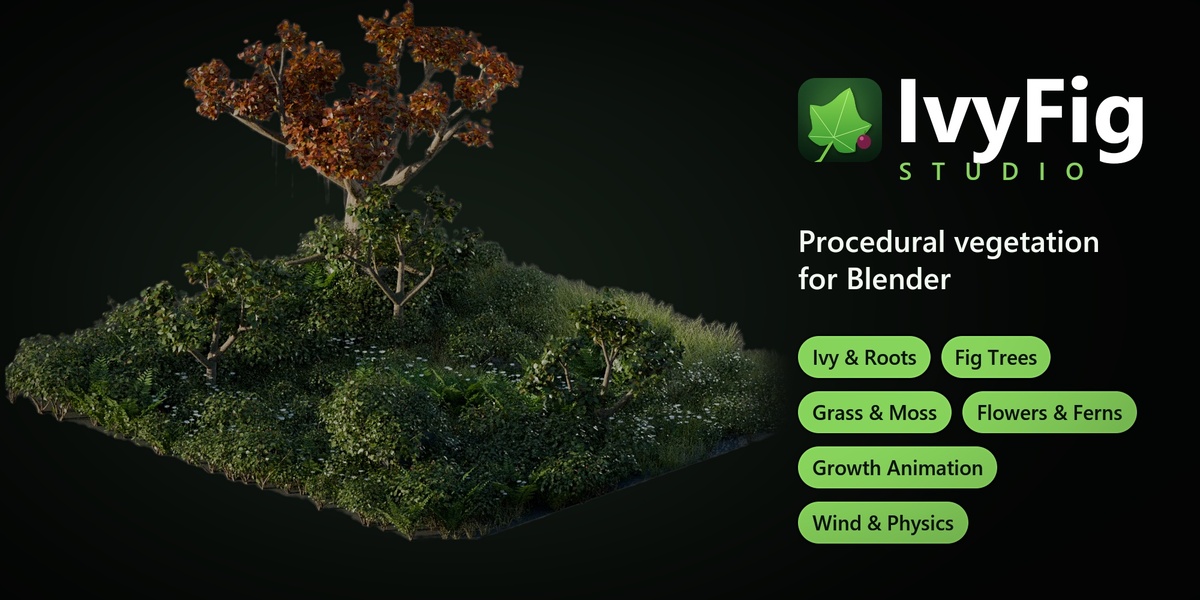
 Blender Procedural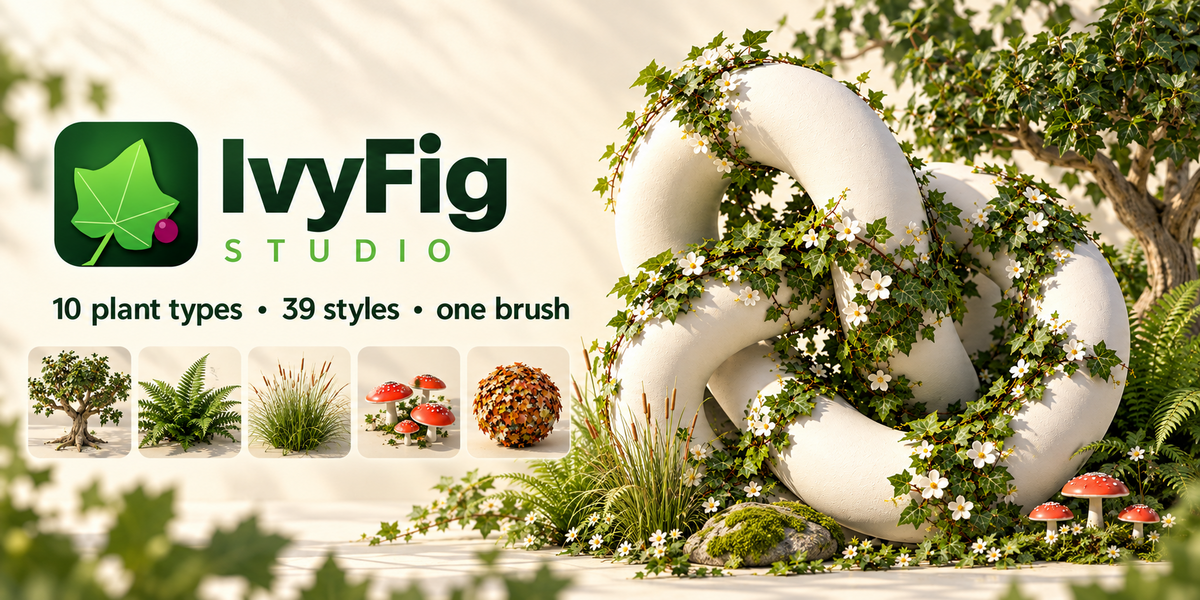



IVYFIG STUDIO · DOCUMENTATION
Everything you need to grow your first plant, and every setting after that. 📖
|
1 Installation 2 Quick start 3 The IvyFig tab 4 Drawing & painting 5 Plant types & styles |
6 Shape, placement & look 7 Wind 8 Growth animation 9 Spring physics 10 Finish & export |
11 Performance 12 Preferences 13 Keyboard shortcuts 14 Troubleshooting |
🧩 1. Installation
1 |
In Blender open Edit → Preferences → Get Extensions. |
2 |
Click the ⌄ menu in the top-right corner and choose Install from Disk… |
3 |
Pick ivyfig_studio-1.4.0.zip without unzipping it. The add-on is enabled right away. Dragging the zip onto Blender's window works too. |
4 |
In the 3D Viewport press N to open the sidebar and click the IvyFig tab. |
🚀 2. Quick start
1 |
Select any mesh, or click one of the Demo surface buttons in the panel (ground, sphere, knot, wall, pillar). |
2 |
Choose a Plant Type and a Style in the two preview galleries. |
3 |
Click the big button (Draw Ivy, Paint Grass, Plant Trees…) or press Shift + Alt + D. |
4 |
Drag over the surface with the left mouse button. Let go and the plant grows in. |
5 |
Press Esc, D or right-click to leave draw mode. Every setting in the sidebar stays live afterwards. |
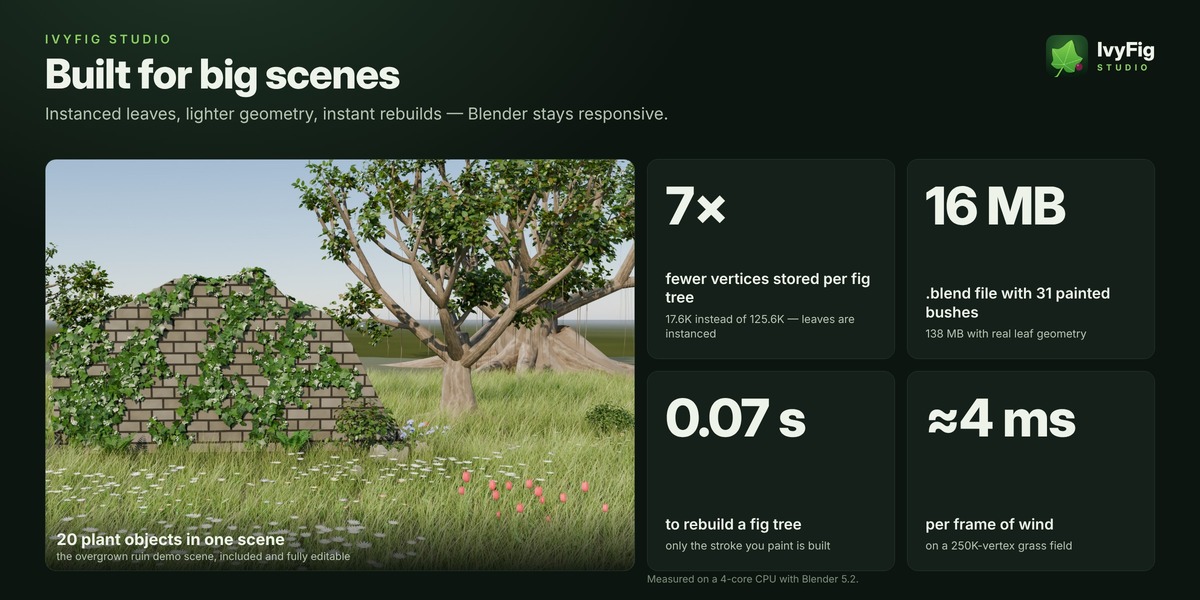
Open IvyFig_Demo_Scene.blend from the download to explore a finished scene. All 20 plants in it are still editable: select one and its settings appear in the IvyFig tab.
🧭 3. The IvyFig tab
3D Viewport › Sidebar (N) › IvyFig
Press N in the 3D Viewport. The top panel is where you pick what to grow; the panels below show the settings of the selected plant. Panels marked (live) rebuild the plant while you drag a slider.
| IvyFig Studio | Plant Type and Style galleries, the Draw / Paint / Plant button, Brush Size, New, Undo Last, Clear, the Demo surface buttons and an info box (strokes, leaves, vertices, build time). |
| Shape panels (live) | The plant's own settings. Ivy: Ivy Shape, Ivy Leaves, Flowers. Fig tree: Trunk & Limbs, Canopy, Hanging Vines, Figs. Other types: Shape. |
| Placement (live) | Painted types: density, scale and how plants sit on the surface. |
| Wind (live) | Strength, speed, direction and leaf flutter, with a Play button to preview. |
| Look | Realistic or Low Poly, Viewport Leaves and the seed. |
| Growth Animation | How the plant grows, Replay Growth, Keyframe and Clear Keys. |
| Spring Physics | Fig trees only: springy crown, Shake Test and Simulate for Render. |
| Finish & Export | Rebuild, Convert to Static Mesh and Real Leaves (for export). |
✏️ 4. Drawing, painting & planting
| Mode | How | Types |
|---|---|---|
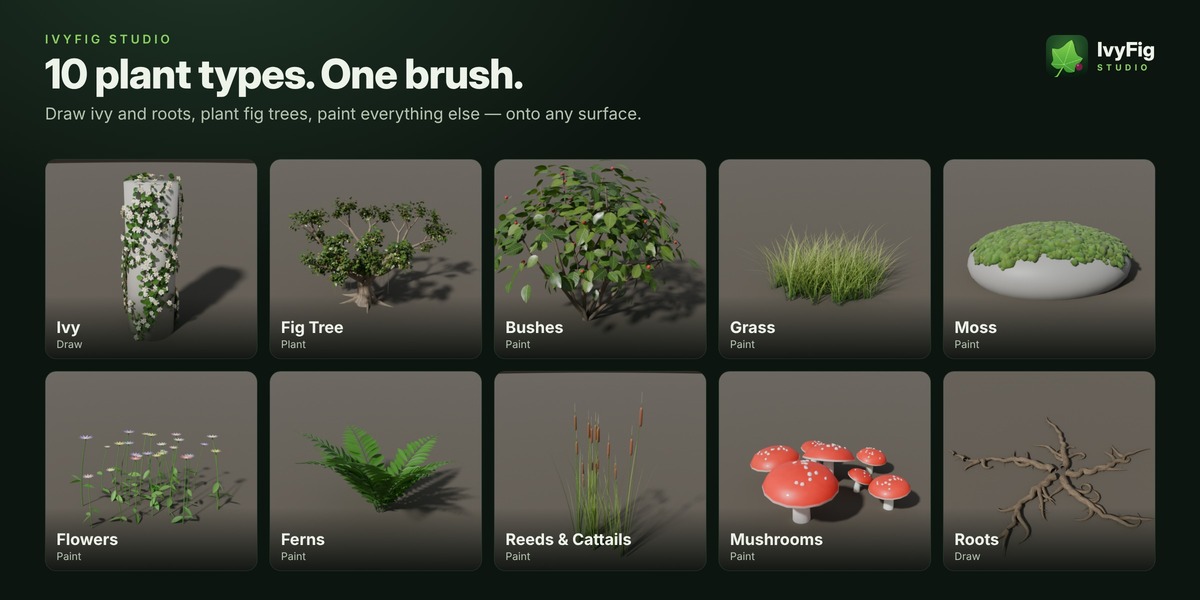
| ✏️ Draw | Drag along a surface. The stroke becomes a stem that climbs, branches and wraps around edges. | Ivy, Roots |
| 🌳 Plant | Click the ground. Each click plants one tree. Add Fig Tree at 3D Cursor places one at the 3D cursor. | Fig Tree |
| 🖌️ Paint | Drag to place plants under the brush. A single click places one clump. | Grass, Moss, Flowers, Ferns, Reeds, Bushes, Mushrooms |
Controls in draw mode
| LMB drag | Draw ivy or roots, or paint plants |
| LMB click | Plant a tree, a single bush, fern or mushroom cluster, or an ivy seedling |
| Shift + drag | Erase painted plants under the brush |
| Ctrl + wheel, [ ] | Brush size (remembered per plant type) |
| R, move, click | Set the brush size by moving the mouse (right-click cancels) |
| F | Flower brush on ivy, fig brush on trees: paints blossoms or ripens figs |
| N | The next stroke starts a new object |
| Ctrl + Z | Undo the last stroke |
| Esc RMB D Enter | Leave draw mode |
| Space, MMB, wheel | Play the timeline, orbit and zoom as usual |
Good to know
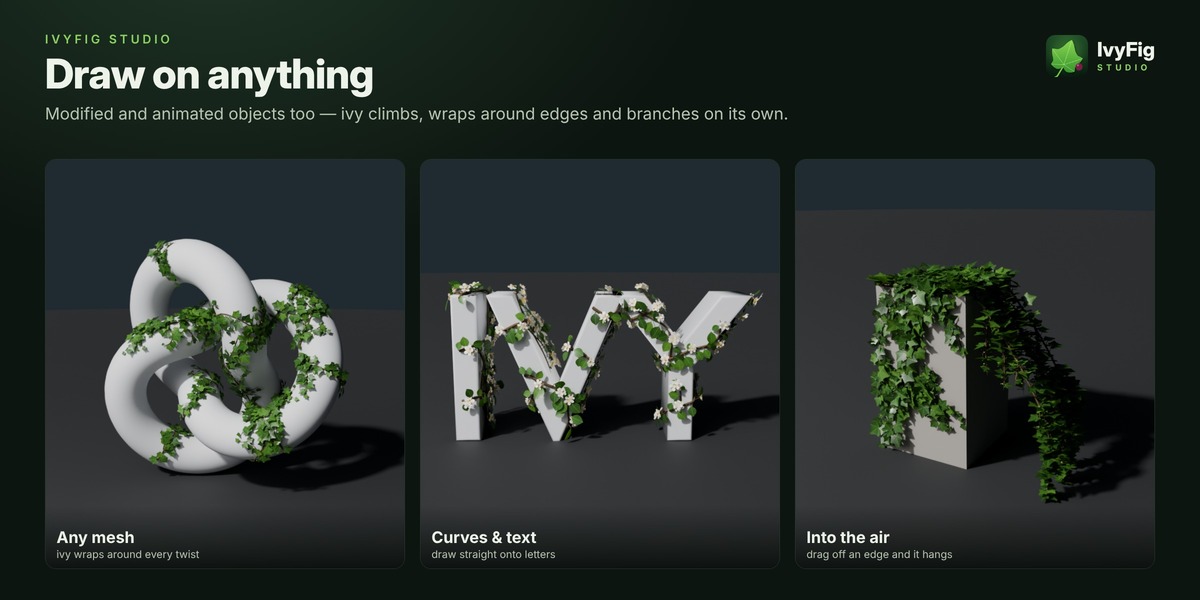
- What you can draw on: any visible mesh, curve or text object, including objects with modifiers and animated objects. New plants are parented to the surface, so they follow it when it moves. Plants themselves are not surfaces: to grow ivy on a fig tree, convert the tree to a static mesh first.
- Drawing in the air: drag off the edge of an object and the stroke continues in the air at the same depth, sagging under its own weight. Ivy hangs from ledges even when nothing is behind them. Hang Over Edges and Droop in Air control it.
- Painting over an area again keeps the density even and never reshuffles the plants that are already there.
- New makes the next stroke a separate object (handy for different settings on different patches). Undo Last removes the newest stroke and Clear removes all strokes of the plant.
🌱 5. Plant types & styles
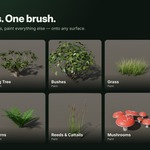
Ten types share one workflow. Every type has a Realistic and a Low Poly look and a seed.
| Type | Made by | Main settings |
|---|---|---|
| Ivy | Draw | Stem radius, branches, length, wildness, overgrow, sub-branching, climb, hang, droop; leaf shape (ivy, heart, oval, ficus), density, size, lift, autumn hue; umbels or blossoms |
| Fig Tree | Plant | Trunk height and girth, buttress roots, main limbs, limb length, crown spread, gnarl, forks; leaf clumps; hanging aerial roots; figs |
| Roots | Draw | Root radius, branches, branch length, wildness, overgrow, sub-branching, buried, gnarl, rootlets, hang, droop |
| Grass | Paint | Blade height and width, blades per clump, bend, dry tips, base and tip colour |
| Moss | Paint | Bumpiness, spore stalks, base and top colour |
| Flowers | Paint | Daisy, tulip or bluebell; stem height, flower size, petals, leaves; petal colour, mixed colours |
| Fern | Paint · click | Frond length, fronds, arch, leaflets, colour |
| Reeds | Paint | Height, blades, cattails, colours |
| Bush | Paint · click | Height, width, stems, leaf shape, leaves, leaf size, hue, berries and berry colour |
| Mushrooms | Paint · click | Cap size, stem height, cap shape, cluster, spots, cap, stem and gill colour |
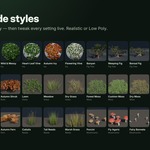
The 39 styles
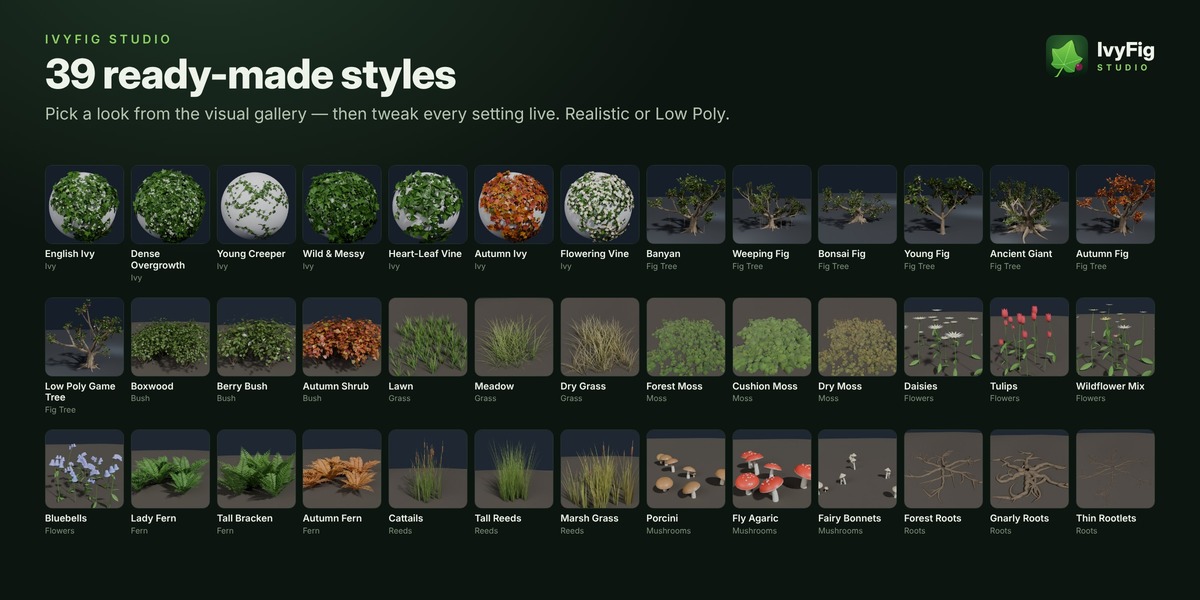
A style is a starting point: it sets the plant's settings and you can change any of them afterwards. Wind, growth and physics settings are kept when you switch styles. Click a style to apply it to the selected plant, or to the next one you make when no plant is selected.
| Ivy · 7 | English Ivy, Dense Overgrowth, Young Creeper, Wild & Messy, Heart-Leaf Vine, Autumn Ivy, Flowering Vine |
| Fig Tree · 7 | Banyan, Weeping Fig, Bonsai Fig, Young Fig, Ancient Giant, Autumn Fig, Low Poly Game Tree |
| Roots · 3 | Forest Roots, Gnarly Roots, Thin Rootlets |
| Grass · 3 | Lawn, Meadow, Dry Grass |
| Moss · 3 | Forest Moss, Cushion Moss, Dry Moss |
| Flowers · 4 | Daisies, Tulips, Wildflower Mix, Bluebells |
| Fern · 3 | Lady Fern, Tall Bracken, Autumn Fern |
| Reeds · 3 | Cattails, Tall Reeds, Marsh Grass |
| Bush · 3 | Boxwood, Berry Bush, Autumn Shrub |
| Mushrooms · 3 | Porcini, Fly Agaric, Fairy Bonnets |
📐 6. Shape, placement & look
IvyFig › Placement (live) · IvyFig › Look
The shape panels hold each type's own settings (see section 5). Painted types also have a Placement panel.
| Density | Plants per square metre |
| Scale | Overall plant size |
| Scale Variation | How much the size varies from plant to plant |
| Align to Surface | 0 = always grow straight up, 1 = grow along the surface |
| Variations | Number of different plant shapes that are mixed |
| Brush Size | Brush radius for this plant type |
Look
| Realistic / Low Poly | Choose the detailed look or a light, flat-shaded one for games and stylised scenes. |
| Viewport Leaves | Ivy, fig trees and bushes: show only a share of the leaves in the viewport. The rest are drawn a little bigger so the crown still looks full. Renders always show every leaf. |
| Seed | A different variation of the same plant. The button next to it picks a random seed. |
Materials
The materials are procedural, work in Cycles and EEVEE and are saved inside the .blend. To use your own, put it into the plant's material slot, or duplicate an IvyFig material and edit the copy. IvyFig only replaces its own untouched materials, never one you made or renamed.
💨 7. Wind
IvyFig › Wind (live)
| Strength | How strongly the plant moves. Animates on playback. |
| Speed | How fast the wind moves |
| Direction (°) | Where the wind blows, in degrees |
| Leaf Flutter | Extra flutter of individual leaves |
| Play (preview wind) | Starts the timeline so you can see it. Space does the same. |
Gusts roll through fields and canopies, and every plant is slightly out of phase with its neighbours. Wind runs inside the IvyFig Motion Geometry Nodes modifier, costs a few milliseconds per frame and renders exactly as it plays.
The size of the gusts (Wind Scale) can be changed on the IvyFig Motion modifier in the Modifier properties.
🌳 8. Growth animation
IvyFig › Growth Animation
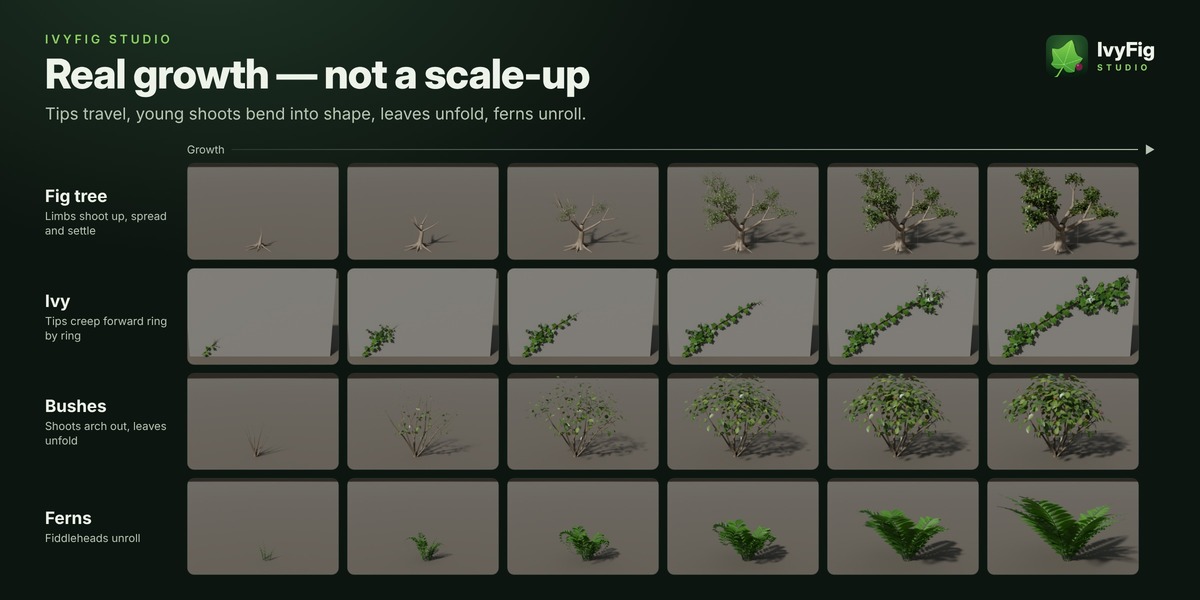
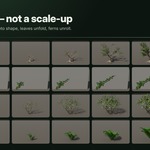
Every plant grows from its Growth value, from 0 (nothing yet) to 1 (fully grown). Tips travel forward and stems thicken behind them. Young shoots, blades, leaves and petals start bent and swing into shape. Ferns unroll, mushrooms push out as buttons and open their caps, and moss spreads and swells.
| Growth Speed | Speed of the growth after each stroke, of Replay Growth and of Keyframe. Existing keys stay as they are. |
| Thicken While Growing | Stems start thin and thicken as the plant matures |
| Sapling Size | Fig trees: size at the start. 1 turns it off, so the tree grows from the ground up. |
| Tip Softness | Length of the soft, growing tip |
| Unfold Time | How long young parts take to reach their final shape |
| Bend While Growing | How far young shoots, blades, leaves and petals are bent while young |
| Springiness | Parts overshoot a little and spring back as they settle. 0 = smooth. |
Animate it
- Replay Growth plays the growth in the viewport without adding keyframes.
- Keyframe keys Growth from 0 at the current frame to 1 a few seconds later, ready for rendering, and extends the end frame if needed. Clear Keys removes the keys and shows the plant fully grown.
- For full control, keyframe Growth yourself on the IvyFig Motion modifier.
🌀 9. Spring physics
IvyFig › Spring Physics · fig trees
Tick Spring Physics in the panel header and play the timeline. When the tree, or the object it is parented to, moves or rotates, the crown lags behind, whips around and springs back. Tilted trees sag under their weight and gusts push the crown.
| Stiffness | How fast the tree swings back (sway frequency in Hz) |
| Damping | How quickly the swinging calms down |
| Flexibility | How strongly the crown lags behind and whips around |
| Weight | How much the crown sags when the tree is tilted |
| Shake Test | Keyframes a quick tug and starts playback, so you can judge the settings. The ✕ button removes it. |
| Simulate for Render | Runs the simulation over the frame range so renders pick it up |
🎮 10. Finish & export
IvyFig › Finish & Export
| Rebuild | Rebuilds the plant, for example after you edited the surface mesh |
| Convert to Static Mesh | Bakes the current frame into a regular mesh, instanced leaves included. It can keep the ivf_wind and ivf_flutter vertex attributes for engine wind shaders. |
| Real Leaves (for export) | FBX, glTF and OBJ exporters include the instanced leaves while the plant stays editable |
For Unity, Unreal or Godot: convert with the wind attributes, export to FBX or glTF, and read the attributes in your wind shader.
⚡ 11. Performance
Measured on a 4-core CPU with Blender 5.2.
- Instanced leaves: leaves, figs, berries and florets are stored once and instanced. A fig tree stores about 7× fewer vertices than with real leaf geometry, a field of bushes about 9× fewer, and .blend files are 5–8× smaller.
- Viewport Leaves: lower it in the Look panel when the viewport gets slow with many trees.
- Same look, fewer polygons: leaf outlines keep their shape with fewer vertices, and stems get extra rings only where they bend.
- Only what changed is built: a new stroke builds only that stroke. A default fig tree rebuilds in about 0.07 s, and heavy plants update smoothly while you drag a slider.
- Safe by design: undo and redo stay in sync, nothing rebuilds in Sculpt or Edit mode, and your own materials are never overwritten.
⚙️ 12. Preferences
Edit › Preferences › Add-ons › IvyFig Studio
| Preference | Default | What it does |
|---|---|---|
| Animate Growth While Drawing | On | Play a short growth animation after every stroke |
| Growth Animation Length | 1.8 s | Length of that animation at speed 1 |
| Parent Ivy to Surface | On | New plants follow the object they were drawn on |
| On-Screen Help | On | Shortcut overlay in draw mode |
| Instanced Leaves | On | Instance leaves, fruits and berries (lighter and faster) |
| Leaf Limit per Object | 40,000 | Safety limit for leaves |
| Plant Limit per Object | 20,000 | Safety limit for painted plants |
| Show Display Banner, Banner Size | On | The IvyFig image at the top of the panel |
| Stroke Color, Brush Color | Colours of the draw-mode overlay | |
| Draw shortcut | Shift Alt D | The key that starts draw mode |
⌨️ 13. Keyboard shortcuts
| Shift + Alt + D | Start draw mode (3D Viewport, Object Mode) |
| LMB drag / click | Draw or paint / plant one |
| Shift + drag | Erase painted plants |
| Ctrl + wheel, [ ] | Brush size |
| R | Set the brush size by moving the mouse |
| F | Flower brush (ivy) / fig brush (trees) |
| N | Next stroke starts a new object |
| Ctrl + Z | Undo the last stroke |
| Esc RMB D Enter | Leave draw mode |
| Space | Play the timeline: wind, growth and physics |
🛠️ 14. Troubleshooting
Nothing happens when I drag.
Start the stroke on a visible mesh, curve or text object. The message at the top of the viewport tells you what is missing.
A plant stopped updating.
Plants rebuild only in Object Mode. Changes made in Edit, Sculpt or Paint mode apply as soon as you switch back. After editing the surface mesh, press Rebuild.
“Limit reached”.
Lower the density, or raise Leaf Limit or Plant Limit in the add-on preferences.
Leaves are missing in my FBX / glTF.
Tick Real Leaves (for export) or use Convert to Static Mesh.
The physics doesn't show in my render.
Press Simulate for Render, or play the timeline once, before rendering.
The viewport is slow with many trees.
Lower Viewport Leaves in the Look panel of the trees.
Ivy won't grow on my tree or bush.
Plants are not used as surfaces. Convert the tree to a static mesh first, or draw on the ground and walls around it.
Linked plants can't be edited.
Plants linked from a library file are read-only. Edit them in their own file, or make a library override.
Have questions about this product?
Login to message
| Blender Extension Compatible | Yes |
| Dev Fund Contributor | |
| Published | about 5 hours ago |
| Blender Version | 4.2 - 5.2 |
| Extension Type | Add-on |
| Render Engine Used | Cycles, Eevee |
| License | GPL |
Discover more products like this
ivy generator Blender foliage blender ivy procedural vegetation tree-generator blender moss Blender vegetation ivyfig studio Blender Nature blender grass fig tree