Japanese Building Generator
 Blender Procedural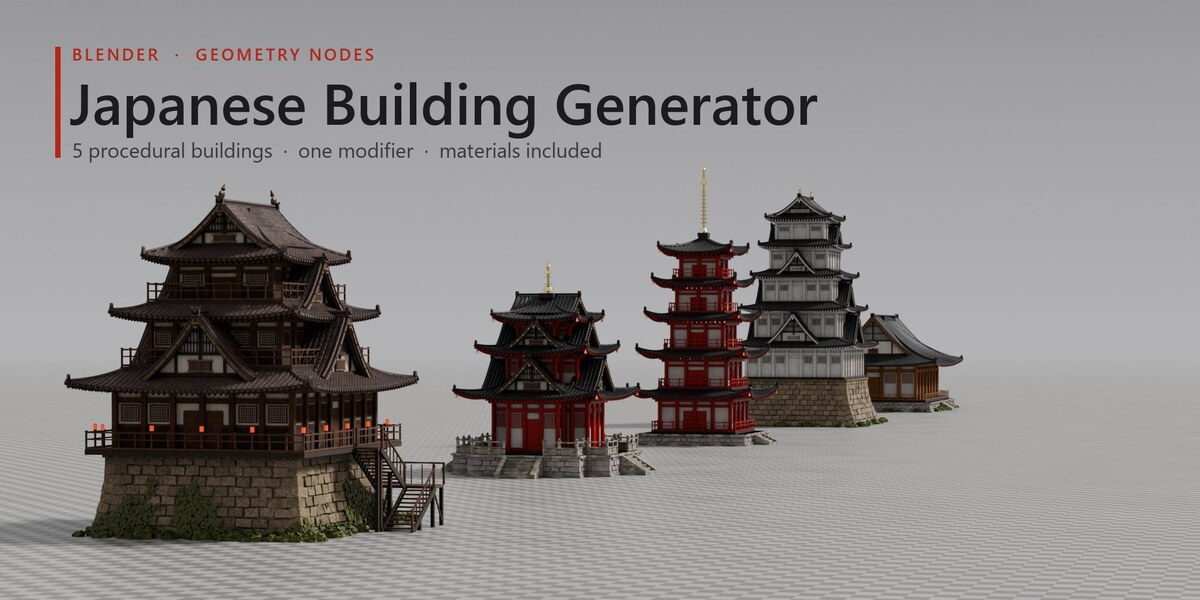
Overview
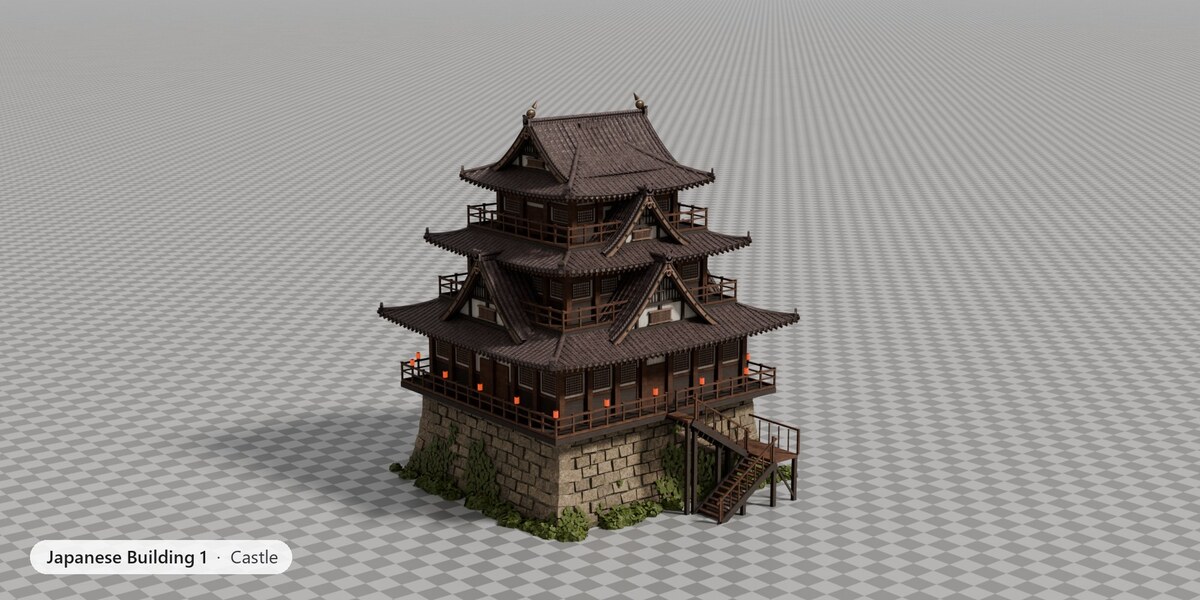
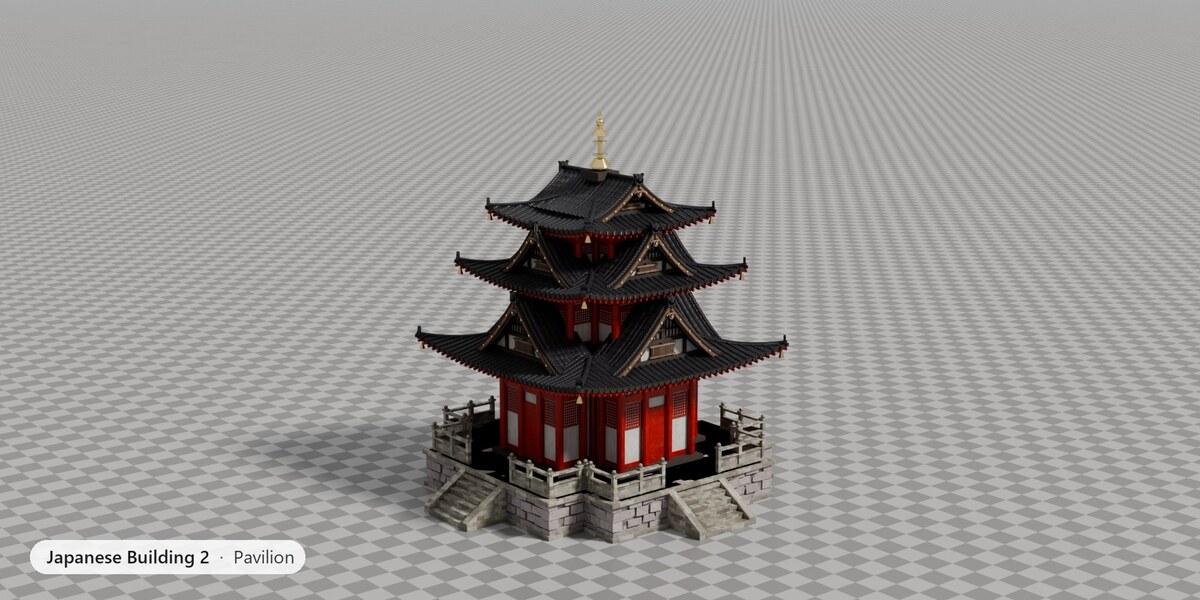
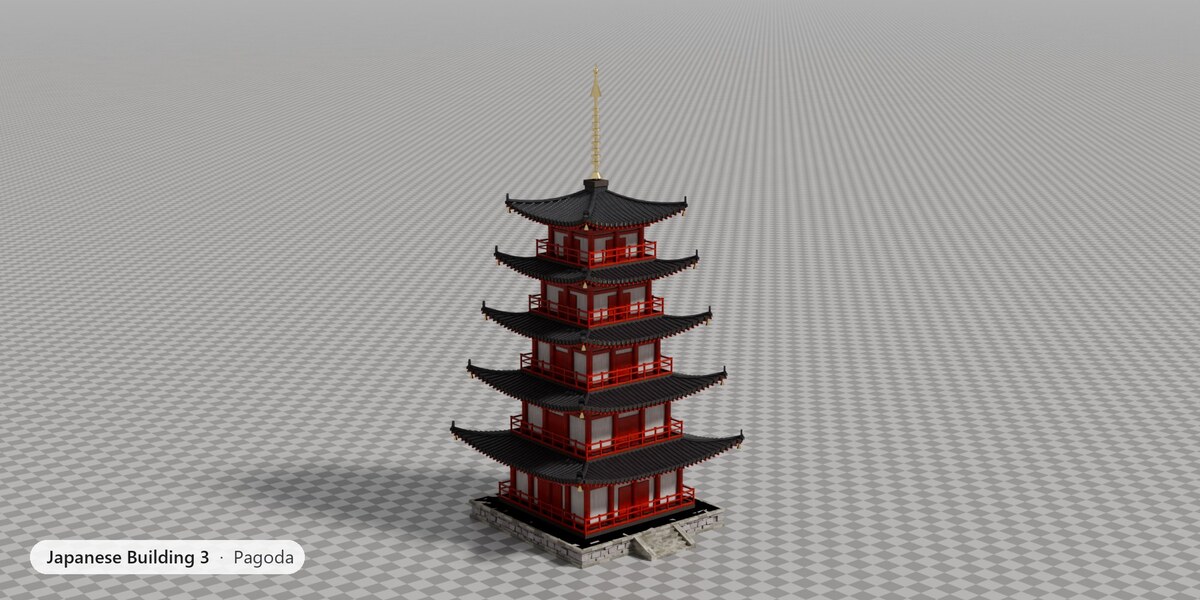
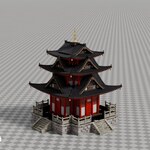
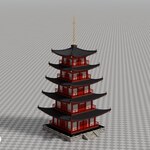
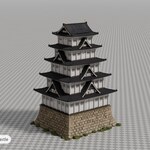
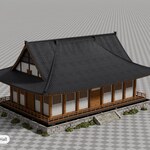
Japanese Building Generator is a Geometry Nodes modifier. It ignores the mesh it sits on and builds a complete building at the object's origin: stone base, storeys with pillars, walls, windows and balconies, bracketed eaves, curved tiled roofs with gables and ornaments, and the materials for all of it.
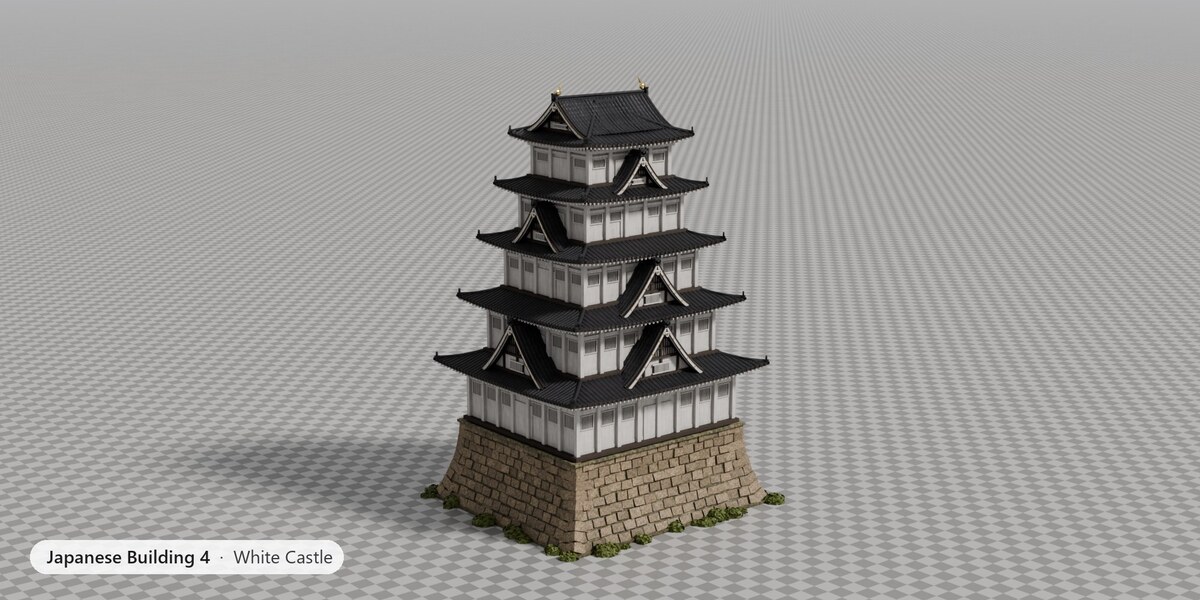
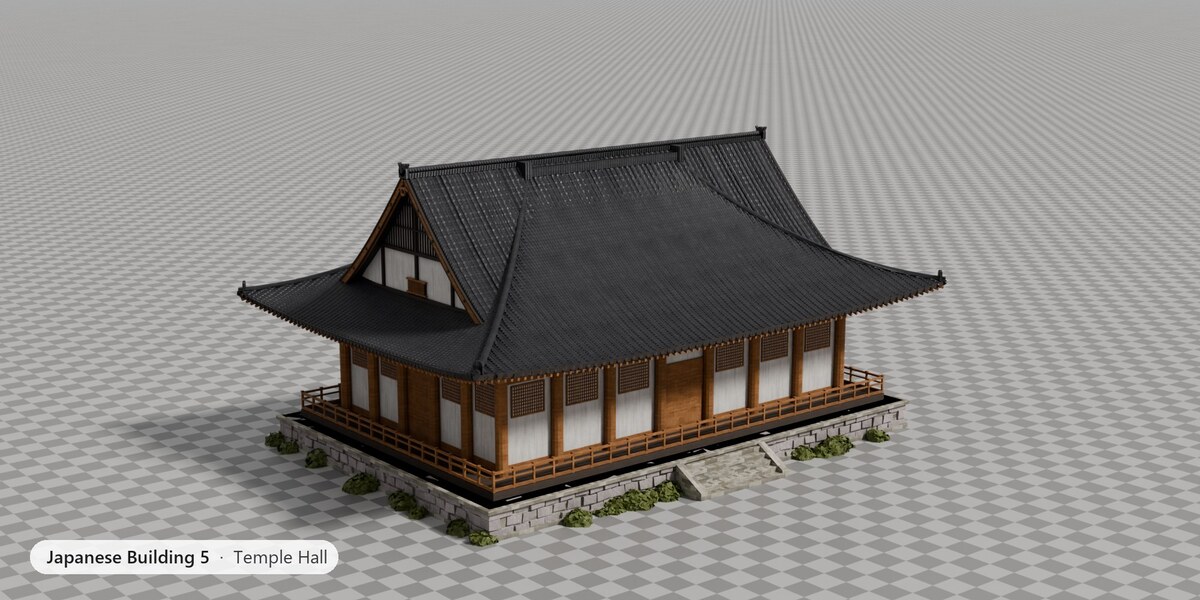
The five buildings (Japanese Building 1 – Castle to 5 – Temple Hall) are copies of the same node group with different defaults and materials, marked as assets. Japanese Building Generator is the generic group they come from.
Installation
There is no add-on to install. Unzip the download and open japanese_building_generator.blend. All textures are packed inside the file.
To use the buildings in any of your files:
- Asset library (recommended): Edit › Preferences › File Paths › Asset Libraries › Add, and pick the unzipped folder. The five buildings appear in the Asset Browser with previews. Set the library's Import Method to Append (Reuse Data) so materials are not duplicated.
-
Append: File › Append, open the .blend, go into
NodeTreeand pick a building. Its materials come with it.
Quick start
- Add any mesh object, for example a cube (Shift A › Mesh › Cube).
- Drag a building from the Asset Browser onto it. Or: Properties › Modifiers › Add Modifier › Geometry Nodes, then pick Japanese Building 1 – Castle from the node group list.
- The building appears at the object's origin with its materials. Move, rotate and scale the object as usual.
- Change the inputs in the modifier panel. Use several objects for a whole town; each keeps its own settings.
The five buildings
| Input | Castle | Pavilion | Pagoda | White Castle | Temple Hall |
|---|---|---|---|---|---|
| Floors | 3 | 3 | 5 | 5 | 1 |
| Base Width | 10.5 | 7 | 6.5 | 12 | 18 |
| Base Depth | 9.5 | 7 | 6.5 | 10.5 | 11 |
| Cross Plan | Off | On | Off | Off | Off |
| Gables | On | On | Off | On | Off |
| Podium Height | 4 | 1.5 | 1 | 5 | 1.2 |
| Wooden Stairs | On | Off | Off | Off | Off |
| Spire | Off | On | On | Off | Off |
Parameters
All inputs of the modifier, panel by panel. Defaults are the Castle's; the other buildings change some of them. Lengths are in metres.
Generator
Storey count and random variation.
- Seed (default 0): Random seed for the variation and the shrubs
- Floors (default 3, 1–12): Number of storeys
- Variation (default 0, 0–1): Random jitter of taper and storey height, driven by Seed
Footprint
Plan size, storey proportions and the cross-shaped plan.
- Base Width (default 10.5, ≥ 1): Width of the first storey along X, in metres.
- Base Depth (default 9.5, ≥ 1): Depth of the first storey along Y, in metres.
- Floor Height (default 2.8, ≥ 0.5): Wall height of the first storey; upper storeys scale by Height Falloff.
- Taper (default 0.74, 0.4–1): Footprint scale per storey
- Height Falloff (default 0.78, 0.4–1.2): Storey height scale per storey
- Cross Plan (default Off): Cut the corners back into a cross-shaped plan
- Cross Inset (default 0.22, 0–0.45): How far the corners are cut back, as a fraction of each side
Roof
Shape of every roof: pitch, curve, upturned corners, tiles and ornaments.
- Overhang (default 1.5, ≥ 0): How far the eaves reach beyond the walls.
- Roof Pitch (default 0.7, 0–2): Rise over half span
- Roof Curvature (default 0.35, 0–1): 0 = straight slope, 1 = flat eaves and steep ridge
- Corner Upturn (default 0.35, ≥ 0): How high the roof corners sweep up, in metres.
- Corner Flare (default 0.04, 0–0.5): How far the corners sweep outwards
- Roof Thickness (default 0.2, ≥ 0.02): Thickness of the roof slabs and eaves.
- Roof Resolution (default 8, 2–32): Subdivisions of each roof surface. Lower is faster in the viewport.
- Rafters (default On): Exposed rafter ends under the eaves.
- Ornate Ends (default On): Onigawara on the hip ends and round eave tile ends
- Tile Ribs (default On): Round-tile rows on the roofs as real geometry
- Bells (default Off): Wind bells (furin) hanging from the roof corners.
Gables
Chidori-hafu gable dormers and the hip-and-gable (irimoya) top.
- Gables (default On): Chidori-hafu gable dormers on the lower roofs
- Gable Size (default 0.5, 0.1–1): Gable width as a fraction of the storey width
- Gable Pitch (default 1.15, 0.3–3): Gable height over half width
- Bargeboard Size (default 0.9, 0.1–3): Depth of the gable bargeboards, relative to the roof thickness
- Irimoya Top (default On): Hip-and-gable top roof
- Ridge Ornaments (default On): Golden shachihoko on the top gables
Structure
Pillars, decks, brackets, balconies, windows, doors and lanterns.
- Pillar Radius (default 0.15, ≥ 0.02): Radius (or half width) of the wall pillars.
- Pillar Spacing (default 1.5, ≥ 0.3): Target distance between pillars; windows sit in the bays between them.
- Square Pillars (default On): Square pillars instead of round ones.
- Deck Thickness (default 0.25, ≥ 0.02): Thickness of each storey's floor deck and balcony.
- Balcony Width (default 1.1, ≥ 0): Width of the walkway around each storey.
- Bracket Height (default 0.16, ≥ 0.02): Height of each layer of the tokyo bracket sets under the eaves.
- Bracket Step (default 0.12, ≥ 0): How far each bracket layer steps outwards.
- Railing (default On): Balcony balustrade around each storey.
- Railing Height (default 0.85, ≥ 0.1): Height of the balcony balustrade.
- Balustrade Panels (default Off): Solid panels between the balustrade posts.
- Windows (default On): Barred renji-mado windows between the pillars.
- Wall Panels (default On): Dark wainscot panels on the lower walls.
- Lattice (default On): Paper lattice (shoji) windows and lattice door leaves
- Lanterns (default On): Red paper lanterns on the balcony posts
Base
Stone base, steps or wooden stairs, ivy and shrubs.
- Podium Height (default 4, ≥ 0): Height of the stone base. 0 removes it.
- Podium Margin (default 0.3, ≥ 0): Stone top beyond the walls of the first storey
- Batter (default 0.6, ≥ 0): How far the stone foot spreads
- Stone Blocks (default On): Rough 3D stone courses with sangi-zumi corners
- Stone Size (default 0.5, ≥ 0.15): Course height of the stones
- Ivy (default On): Ivy patches climbing the stone walls
- Ivy Density (default 0.5, 0–1): How much of the stone wall the ivy covers.
- Stair Steps (default 5, 0–30): Stone steps (used when Wooden Stairs is off)
- Stair Width (default 1.5, ≥ 0.2): Width of the stone steps or the wooden staircase.
- Steps All Sides (default Off): Stone steps on all four sides instead of the front only.
- Platform Balustrade (default Off): Stone balustrade around the top of the podium.
- Wooden Stairs (default On): A two-flight wooden staircase up the podium instead of stone steps.
- Vegetation (default On): Shrubs around the foot of the base.
- Vegetation Density (default 0.55, 0–1): How many shrubs.
Spire
The sorin finial on top.
- Spire (default Off): Sorin finial on the top roof, as on pagodas.
- Spire Height (default 6, ≥ 0): Height of the finial.
- Spire Rings (default 9, 0–20): Number of rings on the finial.
Materials
Ten material slots. The building uses its own set unless Custom Materials is on.
- Custom Materials (default Off): Use the materials below instead of the building's own
- Wood (default Weathered_Wood): Pillars, beams, balconies and stairs.
- Plaster (default Plaster_Warm): Walls.
- Trim (default Dark_Wood): Decks, panels, door recesses, shoji backing.
- Roof (default Roof_Weathered): Roof tiles (uses the roof's own tile coordinates).
- Stone (default Castle_Stone): Steps and platform paving.
- Masonry (default Rock_Blocks): The stone base.
- Metal (default Bronze): Ornaments, finials, bells and ridge fish.
- Light Wood (default Light_Wood): Lattices, bargeboards and the wooden stairs.
- Foliage (default Foliage): Ivy and shrubs.
- Lantern (default Lantern): Paper lanterns (emissive).
Materials
Each building uses its own ten materials (Wood, Plaster, Trim, Roof, Stone, Masonry, Metal, Light Wood, Foliage, Lantern). They are built into the node group, so a building dropped on a new object always arrives with them. To change them, turn on Custom Materials in the Materials panel and set any slot. With Custom Materials off, the slot fields are ignored.
The materials are Principled BSDF setups on ambientCG 2K maps (colour, roughness, normal, AO) with bevelled edges, per-part colour variation, grime in the creases and streaks. The roof material follows the tiles through their own coordinates (tile_u, tile_v attributes), so the pattern lines up with the tile rows.
Scenes
-
Japanese Building Generator (outdoor): the five buildings side by side on generated grounds: gravel around each footprint, grass, a belt of trees behind the row, a sun and a sky HDRI. The grounds are a Geometry Nodes modifier too (JB Grounds) and follow the objects in the
JB Buildingscollection. - Japanese Building Studio: the same buildings on a 1 m checker floor that fades into a grey backdrop, with a 2:1 camera per building and a cover camera. Both scenes share the buildings.
Rendering
- Both scenes use Cycles, 128 samples, adaptive sampling, denoising and AgX.
- EEVEE works too; turn on Raytracing for the best roofs and plaster.
- The lanterns are emissive and light the balconies at dusk.
Performance
A building is 120k–290k vertices. To keep the viewport fast:
- Lower Roof Resolution (8 → 4) and turn off Tile Ribs while you work.
- Turn off Stone Blocks, lower Ivy Density and Vegetation Density.
- With many buildings, show the modifier in the viewport only for the one you are editing.
- Apply the modifier on buildings you no longer need to change.
Your own presets
- Set the inputs on a building until you like it.
- In the modifier, duplicate the node group (icon next to its name) and rename it.
- In the node editor's sidebar (Group tab), set the inputs' defaults to your values, and mark the group as an asset (Outliner › Blender File › right-click › Mark as Asset).
Export
- Object › Apply › Visual Geometry to Mesh (or apply the modifier) turns the building into a normal mesh with materials.
- FBX, glTF and USD export the evaluated building directly.
Credits
PBR textures and the sky HDRI from ambientCG (https://ambientcg.com), CC0 1.0.
Have questions about this product?
Login to message
| Published | about 6 hours ago |
| Blender Version | 4.5 - 5.2 |
| Render Engine Used | Cycles, Eevee |
| Misc Data | Normal-Mapped, Textured |
| License | Royalty Free |
Discover more products like this
geometry nodes Generator environment Castle pagoda asian building japanese procedural architecture japan temple