GeoSketch
 Jarek Dudziński


GeoSketch Documentation
GeoSketch works in Mesh Edit mode. All tools are accessible from the GeoSketch N-panel (right sidebar in the 3D viewport) and via keyboard shortcuts.
Draw
Precise 3D drawing and geometry creation with automatic intersection and overlap handling. Also performs precise cuts on existing geometry.
Shortcut: D (Mesh Edit mode)
Usage:
-
LMB- place consecutive points on the edge chain -
RMB- end edge chain (also ends automatically when chain closes a loop)
In-tool shortcuts:
-
Enter/Space- confirm, exit tool -
Esc- cancel, exit tool -
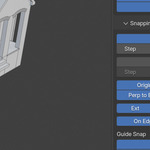
S- open snap settings popup -
D- toggle distance unit snapping (USNAP) -
A- toggle angle snapping (ASNAP) -
R- toggle ASNAP absolute / relative mode -
Shift(hold) - lock direction of current line - Numeric input - lock line length (supports units, e.g.
1.5m,12cm,4ft)
Snapping system
Common for all tools.
- Dominant Plane - default drawing plane, guessed from viewport orientation when no other snap is active. The origin gizmo shows which plane is currently used.
- OSNAP - object snapping (vertex, midpoint, perpendicular to edge)
-
DSNAP - direction snapping (world / local / 3D Cursor axis, extension, perpendicular), with direction lock (
Shift) - USNAP - snaps to nearest distance unit multiplier
- ASNAP - snaps to nearest angle multiplier
- GSNAP - snaps to guides (line, circle, intersection, tangent, perpendicular, center)
All snap types can be toggled individually from the N-panel or the snap popup (S).
Edge Divide
Divides selected edge(s) into equal segments without destroying connected faces.
Usage:
- Select edges in Mesh Edit mode
- Run from N-panel (button shows live selection count)
- Use mouse wheel to change segment count,
LMBto confirm
Orient 3D Cursor
Precise positioning and alignment of the 3D Cursor. Automatically sets the 3D Cursor as the active Transform Orientation, so it behaves like a custom origin.
Shortcut: Alt-C
Usage:
- 1st point - sets cursor position
- 2nd point - aligns cursor X axis
- 3rd point - fully orients cursor to the plane defined by all three points
Stop the tool at any point (Enter / Space) to keep only the steps completed.
Guides
Construction geometry that is not real mesh - kept as pure mathematical primitives, so intersections with guides are always exact. Especially useful with circles, where mesh-based approximations break down.
Add guide lines and circles from the N-panel. Use GSNAP (in the snap popup) to snap drawn geometry to guides.

Discover more products like this
mesh editing cad drawing snapping 3d-cursor edge tools architectural modeling sketch precision modeling Geometry 3d printing measurement