Knurl & Knob Maker
 Sonneblom Digitaal
Knurl & Knob Maker 1.0.0
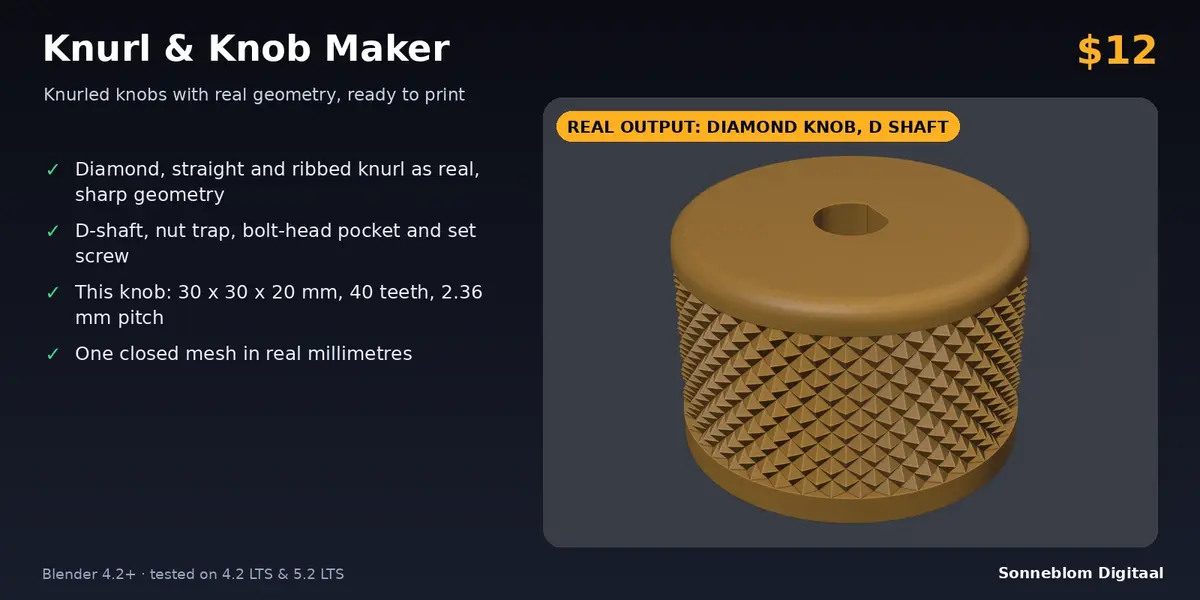
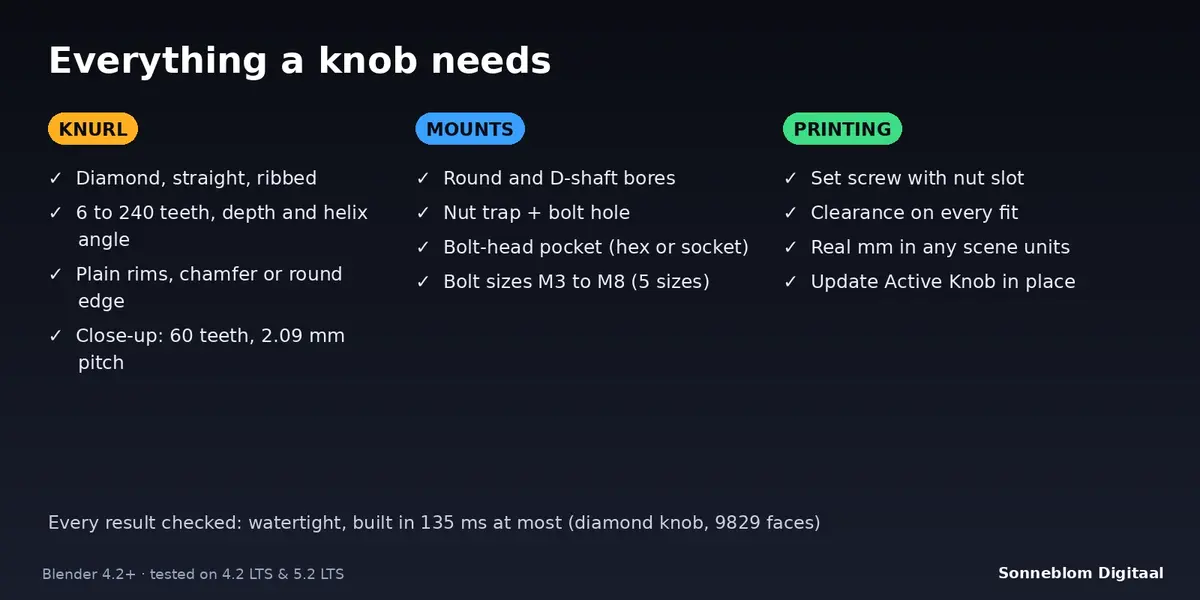
Create knurled knobs and caps with real geometry and a D-shaft, nut trap, bolt-head pocket or set screw. Blender 4.2 LTS or newer, tested on 4.2 LTS and 5.2 LTS.
Install
-
Extension zip (recommended):
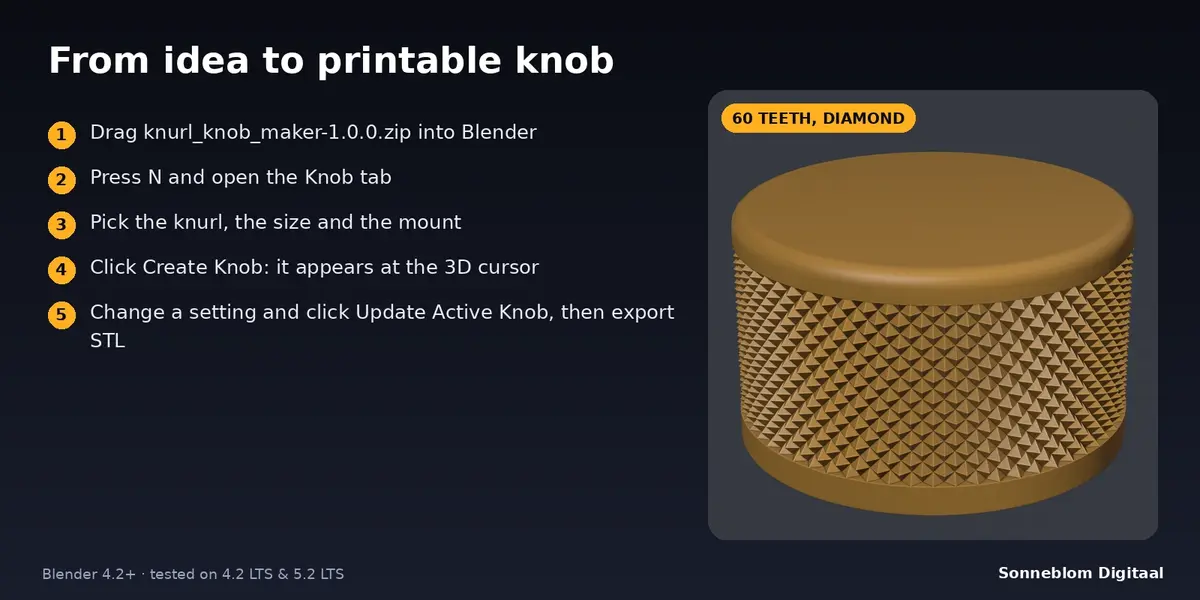
knurl_knob_maker-1.0.0.zip. Drag it into Blender, or go to Edit > Preferences > Get Extensions, open the drop-down at the top right and choose Install from Disk. -
Legacy zip:
knurl_knob_maker-1.0.0-legacy.zip. Go to Edit > Preferences > Add-ons > Install from Disk, then tick Knurl & Knob Maker.
The panel is in the 3D Viewport sidebar. Press N and open the Knob tab.
Make a knob, step by step
- Set 1 Blender unit =. Blender's default scene counts 1 unit as 1 metre, so a 25 mm knob would be 0.025 units wide. Choose 1 mm to work in millimetres, or set Scene > Units > Unit Scale to 0.001. The line under it shows how many millimetres one unit is.
- In Knurl, choose the pattern, then diameter, height, teeth and knurl depth. The line above the buttons shows the tooth pitch and the groove diameter, and turns into a red message when a combination cannot be built.
- Set the Bottom rim and Top rim (smooth rings without knurl) and the Top edge (none, chamfer or round) with its size. The edge needs a rim at least as high as the edge size.
- In Mount, choose how the knob attaches (see the table) and set the sizes. Tick Set screw for a sideways screw with a nut slot.
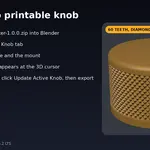
- Click Create Knob. The knob is created at the 3D cursor, with its flat underside at z = 0 and the axis along Z. The report at the bottom of the panel lists what was built.
- To change something, edit the settings and click Update Active Knob with the knob active. The mesh is rebuilt in place; location, rotation, materials and the object name stay.
Mounts
| Mount | What you get |
|---|---|
| Solid (no hole) | A knurled cylinder or cap without any hole. |
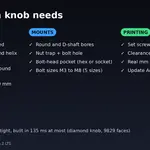
| Round shaft | Round bore from the underside: shaft diameter plus clearance on every side; through or blind. |
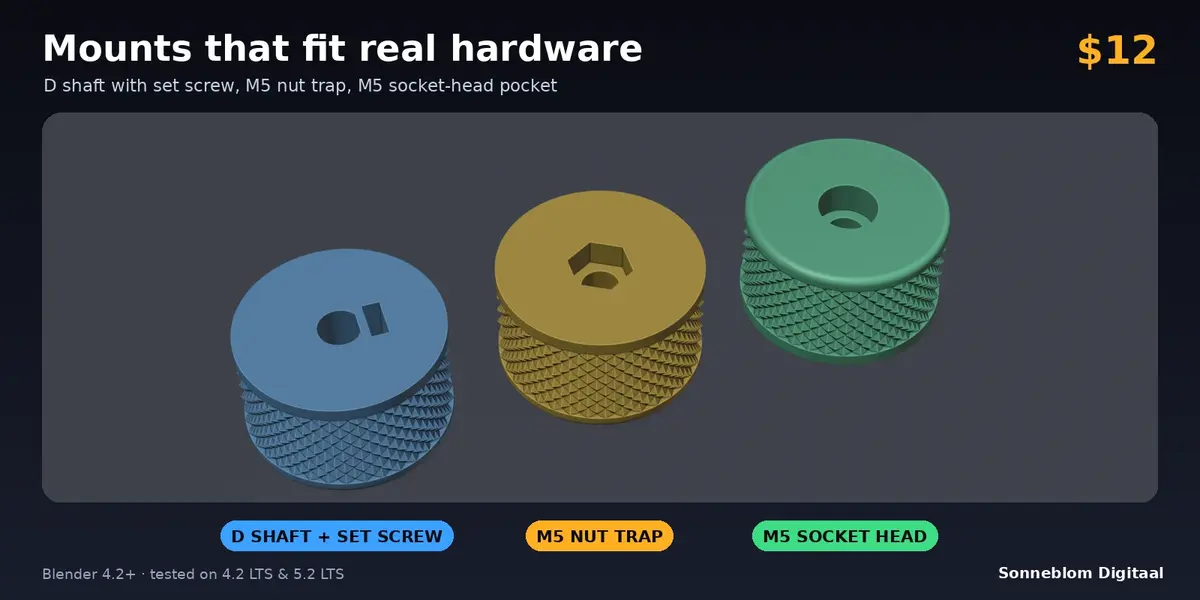
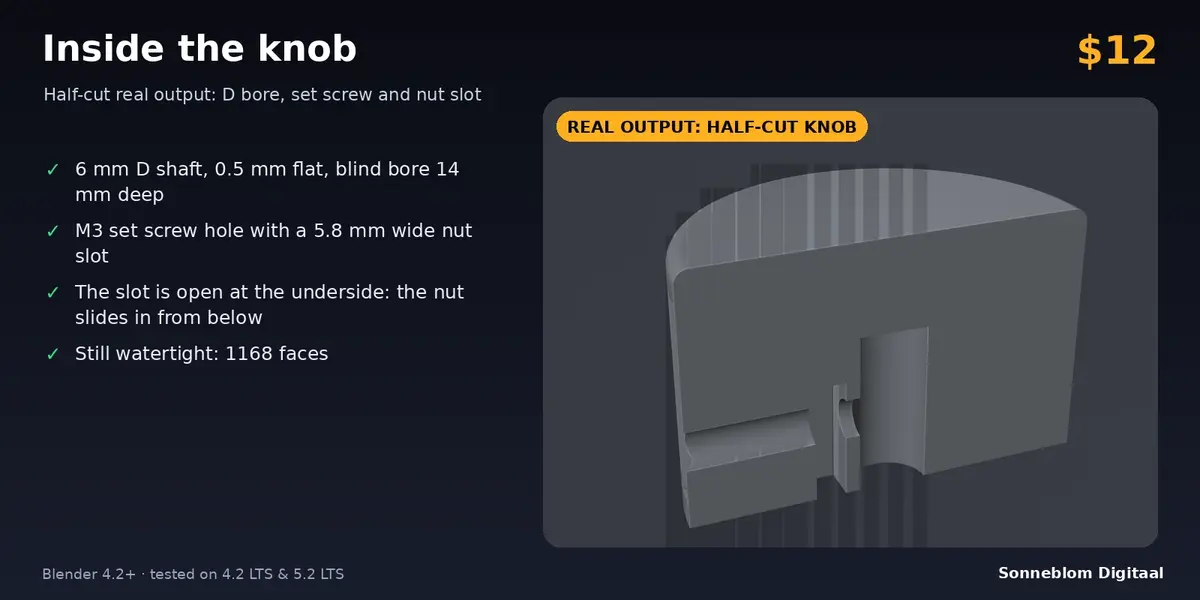
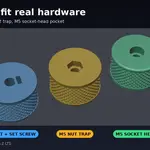
| D shaft | As round, with a flat on the +X side. The flat is cut as many millimetres off the shaft diameter as D flat depth, then the clearance is added. |
| Nut trap + bolt hole | Hex pocket (nut across flats plus clearance on every side, nut thickness plus clearance deep) in the underside, and the bolt clearance hole through to the top. |
| Bolt-head pocket + hole | Hex or socket-cap pocket in the top (head size plus clearance, head height plus clearance deep) and the bolt clearance hole down through the underside. |
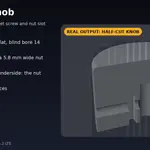
| Set screw (with a bore) | A sideways clearance hole from the bore to the outside, and a slot for the nut that starts 1.2 mm outside the bore wall, is as wide as the nut across flats plus clearance, and opens at the underside so the nut slides in from below. Flats of the nut face the slot sides. |
Bolt sizes
| Size | Clearance hole | Nut (across flats x thickness) | Hex head (AF x height) | Socket head (diameter x height) |
|---|---|---|---|---|
| M3 | 3.4 | 5.5 x 2.4 | 5.5 x 2.0 | 5.5 x 3.0 |
| M4 | 4.5 | 7 x 3.2 | 7 x 2.8 | 7 x 4 |
| M5 | 5.5 | 8 x 4.0 | 8 x 3.5 | 8.5 x 5 |
| M6 | 6.6 | 10 x 5.0 | 10 x 4.0 | 10 x 6 |
| M8 | 9.0 | 13 x 6.5 | 13 x 5.3 | 13 x 8 |
All sizes in millimetres.
Settings and defaults
| Setting | Default | Meaning |
|---|---|---|
| 1 Blender unit = | Auto | Reads Scene > Units, or fixed 1 mm, 1 cm, 1 m, 1 inch. |
| Name | Knurled Knob | Name of the new object. |
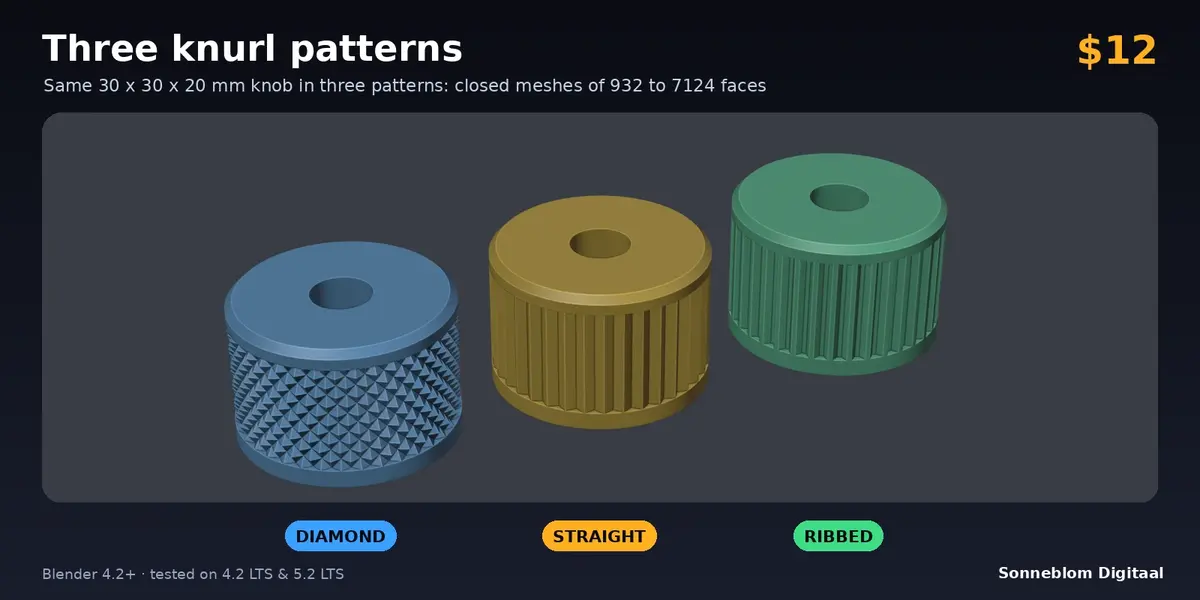
| Knurl | Diamond | Diamond, Straight or Ribbed. |
| Diameter | 25 mm | Over the ridges and the plain rims (4 to 300). |
| Height | 18 mm | Total height (2 to 300). |
| Teeth | 36 | Teeth around the circumference, 6 to 240. A multiple of 4 gives an exact diameter in X and Y. |
| Knurl depth | 0.8 mm | Ridge to groove bottom; at most 40% of the radius. |
| Helix angle | 45 deg | Diamond only, 15 to 75. The band is fitted to whole diamonds, so the real angle can differ by a few degrees (shown in the report). |
| Bottom rim / Top rim | 2 mm / 2 mm | Smooth rings. 0 = knurl runs to the edge. The knurled band must stay at least 1 mm high. |
| Top edge | Round | None, Chamfer or Round. |
| Edge size | 1 mm | Must not exceed the rim height. |
| Also underside edge | Off | Same edge on the underside; a chamfer there avoids elephant foot. |
| Mount | D shaft | Solid, Round shaft, D shaft, Nut trap + bolt hole, Bolt-head pocket + hole. |
| Shaft diameter | 6 mm | Round and D shaft. |
| D flat depth | 0.5 mm | How much the flat cuts off the shaft's diameter. |
| Bore depth | 0 mm | 0 = through. Otherwise a blind bore from the underside, leaving 1.2 mm at the top at least. |
| Clearance | 0.15 mm | Gap on every side of shafts, nuts and heads. |
| Bolt / Head | M4 / Hex | For the nut trap and the head pocket. |
| Set screw | Off | Needs a round or D bore. |
| Screw / Screw height / Screw direction | M3 / 6 mm / 0 deg | Size, height of the screw axis above the underside, direction around the axis (0 = +X, the D flat side). |
Tips
- Print the knob with the flat underside on the bed (as built). The knurl is on the side wall and needs no supports; the nut trap and the nut slot are open at the underside, so only their short ceilings bridge, which most printers handle without supports.
- Print one test knob when your printer or shaft is new, and raise or lower Clearance until the shaft slides on with a light press. Many printers need 0.1 to 0.2 mm.
- Diamond knurl at a pitch under about 1 mm needs a 0.25 mm nozzle or less. Straight and ribbed knurls are more forgiving than diamond.
- For a bigger grip, raise the tooth count with the diameter so the pitch (shown in the panel) stays around 2 mm.
- A knob with Mount = Solid makes a plain knurled cylinder, handy as a cap, a spacer or a handle blank.
Limits
- Creates new knobs; it does not knurl existing meshes. Update Active Knob only works on knobs made by Create Knob, with an even scale and no mirroring (it asks you to apply the scale first).
- Holes are clearance holes without threads. The set screw needs a shaft bore and enough wall (the panel tells you when the knob is too small).
- Every bore, pocket and the nut slot keeps at least 1.2 mm of wall, and must stay inside the flat top or underside face: a big edge size shrinks that face, and the panel then asks for a smaller edge, bolt or shaft.
- Pockets and holes are 64-sided polygons, the knurl ring has at least 96 vertices per ring.
Troubleshooting
- Red message in the panel: a size combination does not fit (for example a 22 mm shaft in a 25 mm knob). The message says what to change; nothing is created.
- The knob is tiny or huge: check 1 Blender unit =.
- "Switch to Object Mode first": both buttons only work in Object Mode; leave Edit Mode and try again.
Uninstall
Extensions: Edit > Preferences > Get Extensions, find the add-on, click the arrow and Remove. Legacy: Edit > Preferences > Add-ons, expand it and click Remove. Knobs you made stay in your file as normal meshes.
Changelog
1.0.0: first release.
Licence
GPL-3.0-or-later. Copyright Sonneblom Digitaal.
Have questions about this product?
Login to message
| Blender Extension Compatible | Yes |
| Published | about 7 hours ago |
| Blender Version | 4.2 - 5.2 |
| Extension Type | Add-on |
| License | GPL |
Discover more products like this
parametric 3d printing knurling knurl nut trap knob potentiometer d-shaft