Layered SVG to 3D
 Raelin Assets



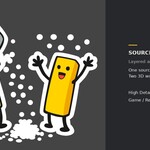





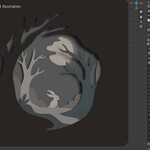

Quick Start
- Install the add-on in Blender using Preferences → Add-ons → Install from Disk, then enable it. Blender 4.5 and 5.2 both support installation of legacy add-ons this way.
- Open the Layered SVG to 3D panel.
- Choose Game / Realtime or High Detail / Render.
- Import a layered SVG file. Each visible SVG element becomes an independent Level.
-
Adjust:
- Global Scale
- Layer Gap
- Thickness per Level
- Offset per Level
- Bevel per Level
- Layered / Solid Relief depth behavior
- When the result is ready, use Finalize to convert it to ordinary Blender mesh geometry.
SVG preparation
For predictable layer order, keep the SVG elements in the intended document order. The add-on does not require separator or marker shapes.
Complex compound paths, holes, disconnected islands and multi-level SVG artwork are supported, but the resulting topology and polygon count depend on the source SVG and chosen settings.
Compatibility
Tested with Blender 4.5 and Blender 5.2.
A detailed PDF User Guide is included with the product.
Have questions about this product?
Login to message
| Blender Extension Compatible | Yes |
| Published | about 2 months ago |
| Blender Version | 4.5 - 5.2 |
| Extension Type | Add-on |
| Render Engine Used | Cycles, Eevee |
| License | GPL |