 Max Miles


Light Director 2.0: Documentation
This is a brand-new release, and I'm shaping its future based on your input. I'm building this for the Blender community, so all feedback, feature requests, and bug reports are highly encouraged and welcomed. - Max
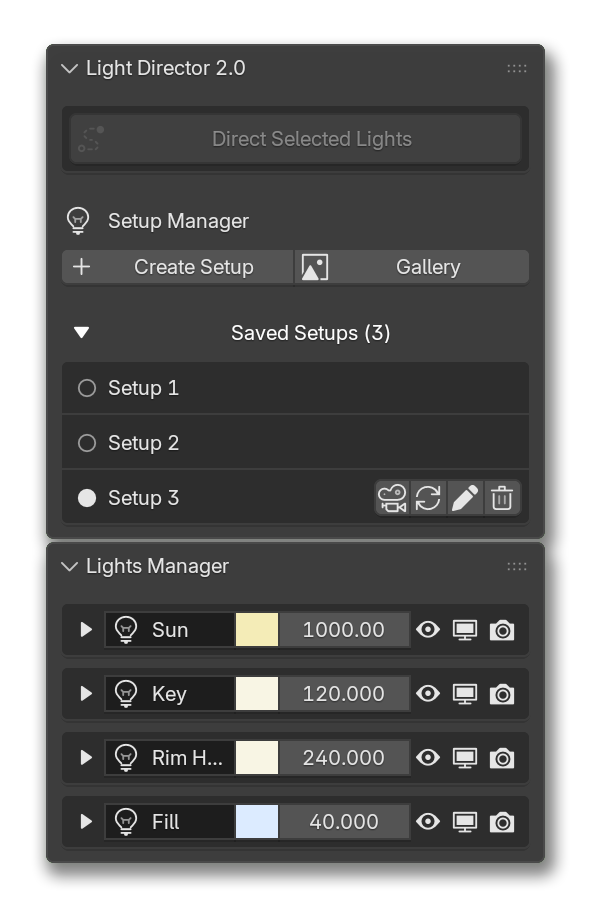
Direct Selected Lights
Calculates the necessary rotation for one or several selected lights and automatically aims them at the target object origin.
The operation requires at least one light and one non-light object to be selected. It prioritizes the Active Object in your selection, provided it is not a light.
Legacy Note: This tool was the entirety of the original Light Director. The addon has just this single button.
Setup Manager
The core module for storing and recalling different lighting states. It allows you to serialize your current scene lighting and world environment into a managed list.
Create Setup
When pressed captures the exact state of all lights and the world environment in the current scene.
Gallery
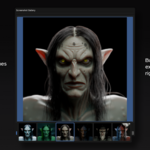
Opens a visual grid of your captured setup thumbnails to restore lighting states visually. Selecting an image searches the stored setups for a matching UID and fully restores the saved data to the scene. Thumbnails are generated using the camera icon next to an active setup.
A folder named Screenshots is automatically created at the saved .blend file's root location to store the generated .png files.
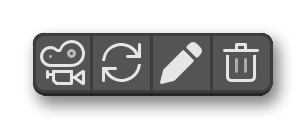
Take Setup Screenshot
Captures a cropped viewport screenshot linked to the active setup's unique ID. When used it temporarily disables all viewport overlays to ensure a clean image. Saves the final image as a .png in the Screenshots directory using the setup's UID as the filename. Taking more than one screenshot for the same setup overwrites the existing one in the Screenshots folder.
Requirement: The .blend file must be saved prior to execution to establish the directory path and you must be looking through an active camera (Numpad 0) for the tool to calculate the correct crop bounds.
Update Setup
Overwrites the currently saved state of the active setup with the scene's active lighting and world data.
Rename Setup
Invokes a property dialog to modify the name of the selected setup. Different setups can't share the same name.
Delete Setup
Removes the selected setup from the scene data and purge any stored light-linking and shadow-linking collections from the Blender file, preventing orphaned data-blocks.
Lights Manager
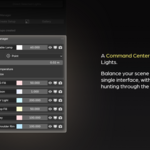
A centralized hub that lists every light in the current setup, allowing you to manage your entire lighting hierarchy without navigating the Outliner.
Primary Controls
Displays the most frequently used properties inline for rapid artistic adjustments.
Allows direct modification of the light's name, color, and power (energy) to quickly dial in the mood of the scene.
Features three distinct visibility toggles: temporary viewport hiding, global viewport restriction, and final render restriction.
Expanded Settings
A dropdown menu with properties based on the active light type.
Conversion between Point, Spot, Sun, and Area lights.
Shape and shadow parameters, such as Point/Spot radius for softer shadows, Sun angle, and specific Area light dimensions.
-
Physical lighting controls including beam spread and color temperature.
Supported Nodes
Basic inputs and links are saved for all nodes, but the nodes below feature deep property extraction for a perfect 1:1 restoration. I'm actively expanding this list, so feel free to request your most-used nodes and parameters.
- Sky Texture
- Image Texture
- Environment Texture
- Noise Texture
- Voronoi Texture
- Wave Texture
- IES Texture
- Map Range
- Clamp
- Mapping
- RGB Curve
- Float Curve
- Vector Curve
- Color Ramp
- Mix
- Math
- Vector Math
- Texture Coordinate
- UV Map
- Frame
- World Output

Discover more products like this
Lighting procedural light lighting manager system hdri management Workflow Studio director ArchViz lookdev