Light Labels


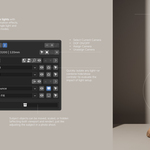
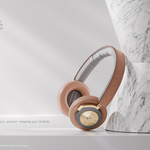
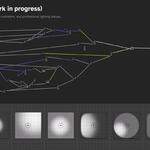
One scene. Multiple looks.
Save, switch and refine visual alternatives in the same Blender scene. Light Takes connects your lighting, camera, subject states and take-driven material parameters into named setups called takes. Move between ideas while keeping the configured settings for each one.
For product visualization and look development: try a bright front view, a dark hero angle and a close-up, then return to an earlier option and keep refining it. Previously called Light Labels.
Keep the idea together as you change it
Imagine two directions for the same product. Take A uses soft frontal lighting, a straight-on camera and a pale material variation. Take B uses a rim light, a lower camera angle and a darker variation. Once the lights and camera are configured, and the material variation is connected to the take system, selecting A or B restores the corresponding look. Enable Subject snapshots when the product's placement, visibility or material assignment should vary too.
Each take gives you a place to develop an option. You can change a managed light's position and power, adjust the framing, and use supported parameters or helper nodes to carry the material changes with it.
What can change with a take?
- Lighting: managed light and reflector settings, transforms, visibility and per-take light linking. Global lights exist across takes with independent settings; Solo lights are active in the takes you choose.
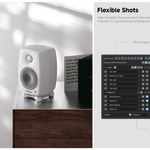
- Camera and framing: bind a camera to a take, or reuse one camera with saved transforms, lens, shift and depth of field. World state and render resolution can vary too.
- Subject states: mark a Subject collection and enable snapshots to vary supported object transforms, visibility and material assignments.
- Material and parameter variations: connect Info, Logic and Index Switch nodes to drive variations from the active take. Assign supported numeric, color and boolean properties on tracked objects through Per-Take Parameters.
You choose what participates. Takes store managed states and supported assigned parameters. Material variations need the appropriate node or property setup; arbitrary scene edits and every material socket are not captured automatically.
Start with two visual directions
- Label the lights you want to manage and create your first take in the Takes panel.
- Set its lighting and bind a camera. Enable Subject snapshots or connect take-driven material parameters where your idea needs them.
- Add another take from the current setup, then change the lighting, framing or configured variations.
- Click between takes to compare the alternatives in the viewport. Keep refining the option you want to develop.
In Object Mode, Ctrl+Shift+Left/Right Arrow cycles through takes. Give them names that describe the visual direction or shot.
Shared materials, independent variations
Objects can share a material while reading different values from object attributes. Feed those values into an Index Switch to choose texture or shader branches, and make suitable object parameters per-take when the choice should follow each setup. Info and Logic nodes let materials and Geometry Nodes respond to the active take. Global Palette provides shared colors across materials.
Shape the lighting while you explore

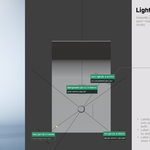
Reflection Place positions a light from a surface highlight; Quick Light brings placement and adjustment controls to your cursor. Viewport labels identify managed lights and reflectors. Per-take light linking lets the objects illuminated by a light change between setups.
Render the options when they are ready
Use Render All to render saved takes with their configured camera, lighting and resolution. Optional palette variants create additional color outputs. Contact Sheet arranges completed renders into Masonry, Fill or Hero layouts for review; Re-roll changes the arrangement without rendering again.
Requirements and existing buyers
Light Takes 2.0.0 requires Blender 5.0+ and supports Cycles / EEVEE. The release was installed and regression-tested on Blender 5.1.2 for Windows; other versions and operating systems were not separately verified in that release test. Floating Viewport is Windows-only.
Install light_takes-2.0.0.zip through Edit → Preferences → Get Extensions → Install from Disk, then open 3D View → Sidebar (N) → Light Takes. Keep the add-on installed for take switching and take-dependent helper nodes.
Light Labels owners receive this update on the same product page. Back up important .blend files before updating and checking migrated take data. License: GPL-3.0-or-later.
Installation and workflow guide · FAQ · Version history
Existing workflow previews





These previews show the earlier Light Labels interface. Refer to the current documentation for Light Takes 2.0 workflows.