Light Takes — One Scene, Multiple Looks (Blender)
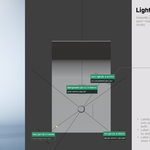
 Light Labels


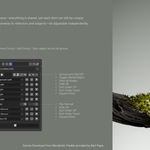
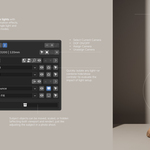

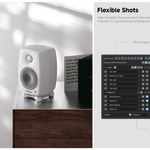
No. It stores managed light and camera states, enabled Subject snapshots and supported assigned parameters. Materials must be connected to the appropriate nodes or object properties for take-driven variations. It is not a snapshot of arbitrary scene edits or an automatic backup of every material socket.
Yes. Configure the managed lights and bind a camera, then connect material variations through the take-aware nodes or supported per-object parameters. Enable Subject snapshots for supported object transforms, visibility and material assignments. Selecting a take restores its configured states.
The central workflow is developing alternative looks. A take can coordinate lighting with camera framing, enabled Subject states and take-driven material parameters, so you can switch between configured visual directions and continue refining them. Quick Light and Reflection Place support that workflow; batch rendering is an optional output step.
Yes. Light Takes reapplies the configured take before rendering, including its camera, managed lighting, render resolution and saved visibility. The add-on visibility tools synchronize viewport and render visibility; Blender’s native visibility controls remain independent.
No. Light Takes 2.0 is a free update on this same product page. Back up important .blend files before updating; saved take data and legacy helper nodes migrate when opened.
Have questions about this product?
Login to message
| Published | about 1 year ago |
| Blender Version | 5.0 - 5.1 |
| Render Engine Used | Cycles, Eevee |
| License | GPL |

Discover more products like this
contact sheet Lighting geometry nodes lookdev batch render product-visualization light-labels blender addon light manager light-linking Camera Management lighting-takes