 CreateVisions


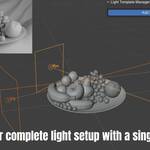
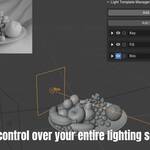
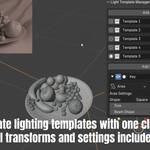

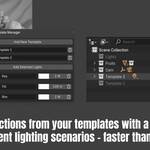
Light Template Manager - The Ultimate Lighting Workflow
Create unlimited lighting variations without the tedious copy-paste-hide-unhide nightmare.
The Problem Every Lighting Artist Knows
You've perfected your lighting setup. Position, rotation, size, color, intensity, light type - everything is dialed in perfectly. Then your client says: "Can we see a warmer version? What about a softer look?"
You know what comes next: Save your scene, duplicate collections, rename everything, hide/unhide layers, lose track of versions, accidentally overwrite something... Sound familiar?
There has to be a better way. And now there is.
What's New in Version 1.2
Template Cycling with Hotkeys
• Ctrl + Arrow Down: Switch to next template
• Ctrl + Arrow Up: Switch to previous template
• New "Cycle Templates" button for quick switching between templates
Improved Stability
• Fixed initialization error for more reliable startup
What Light Template Manager Actually Does
Imagine this workflow instead:
Step 1: You choose which lights you want to manage (just click "Add Selected Lights")
Step 2: Work on your lighting as usual - adjust positions, change colors, modify intensity, switch light types
Step 3: That's it. Everything is saved automatically in your first template.
Want a variation? Click "Add New Template" and start experimenting. Change whatever you want - move lights, turn them off, add new ones, completely redesign the setup. Everything saves automatically in your new template.
The magic: Switch between any template with a single click. Instantly. No collections to hide. No scene cleanup. Just pure, immediate lighting variations.
Everything Saves Automatically
Position, rotation, and scale of every light. Light type (Point, Spot, Area, Sun).
Color and intensity values. Size settings for area lights. Spot size and blend for spot lights. Shadow softness settings.
Which lights are on or off. Every single parameter of every light.
You literally don't have to do anything.
Just work on your lighting, and it's saved automatically.
The Workflow That Will Change Everything
Creating variations has never been this fun. Seriously.
No "Save As" buttons to remember. No manual backup procedures. Just work on your lighting - templates create themselves. Choose exactly which lights to manage and the addon handles the rest automatically.
Instant Template Switching
One click to see any lighting variation. No waiting, no loading, no collection management. Compare setups instantly. Perfect for client presentations where you need to switch between multiple lighting moods in real-time.
Solo Mode
Isolate any light for precise adjustments. The addon automatically remembers and restores all other lights when you're done. Essential for understanding individual light contribution without manually toggling dozens of lights.
One-Click Collections
Generate collections from any template instantly. Perfect for final delivery or scene organization. All light settings preserved exactly. Seamless integration with your existing workflow means no learning curve.
Scene-Integrated Storage
Templates save with your .blend file. No external files to manage or lose. Share scenes with templates intact. Perfect for team workflows where multiple artists need access to the same lighting setups.
Perfect for Professional Workflows
Architectural visualization artists switching between day and night lighting scenarios will appreciate the instant template switching. Product photographers can maintain separate hero shot and detail view setups without duplicating scenes. Animation studios can quickly adapt lighting for different shots while maintaining consistency across sequences.
Freelancers working with demanding clients can present multiple lighting variations in real-time. Studio teams can standardize lighting workflows and share proven setups across projects. Motion graphics artists can quickly adapt lighting for different client requirements without starting from scratch.
What Makes This Different?
Unlike other lighting tools that overcomplicate simple tasks, Light Template Manager focuses on what you actually need. Simple start - begin with just "Add Selected Lights". Intelligent UI where features appear when you need them. Zero learning curve using familiar patterns. Rock solid, extensively tested auto-save system. Clean uninstall with complete removal when no longer needed.
The Truth About Lighting Variations
If you've ever worked with demanding clients, you know the pain: "Can we try it warmer?" "Maybe softer overall?" "Actually, go back to version 2..."
With traditional workflows, each request means saving your current work carefully, duplicating collections, renaming everything, hiding and unhiding layers, losing track of what's what, and accidentally overwriting your best version.
With Light Template Manager: Make changes freely - everything auto-saves. Switch between versions instantly. Compare setups with a single click. Never lose any variation. Generate collections when you need them. Focus on creativity, not file management.
Simple Yet Powerful
The clean interface integrates seamlessly into 's sidebar. Edit light properties directly within the addon panel, rename lights on the fly, and see real-time updates as you work. Auto-save functionality ensures your templates stay current with your latest adjustments.
Light Template Manager doesn't just save you time - it gives you the creative freedom to experiment with lighting knowing you can always return to a proven setup. Stop wrestling with complex lighting rigs and start focusing on what matters: creating stunning visuals.
Requirements & Support
4.4.0 or newer. No additional dependencies required.
Download now and start creating professional lighting setups in minutes, not hours.